RDL-3000 User Manual
70-00158-01-DRAFT Proprietary Redline Communications © 2010 Page 39 of 142 November 25, 2010
4 Web Interface
4.1 Connecting With a Web Browser
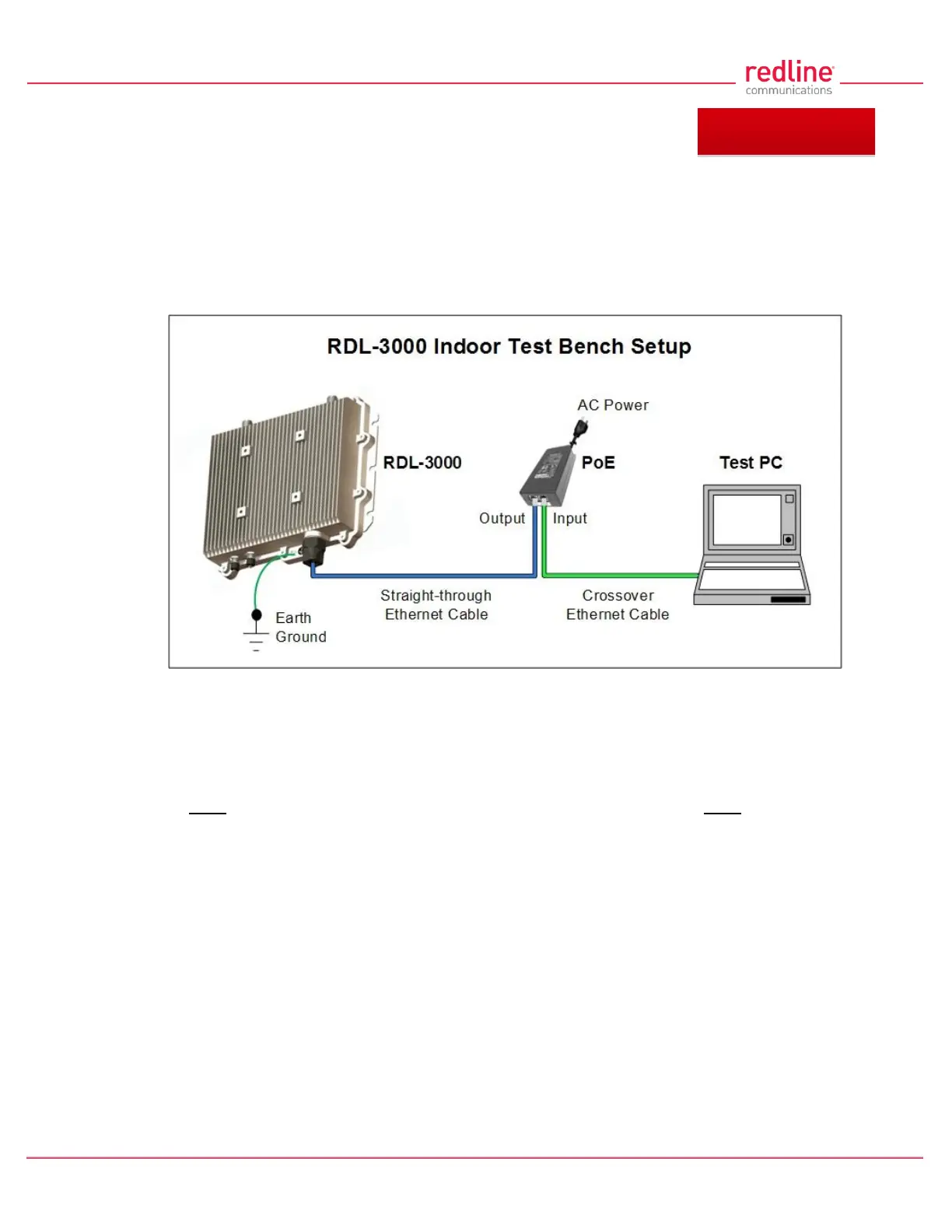
The RDL-3000 can be configured and monitored using a PC equipped with a standard
Web browser (Internet Explorer 6.0 or higher). The following diagram illustrates the
required standard Ethernet Cat-5e cable connection from the RDL-3000 Ethernet port to
the PoE, and the Ethernet Cat-5e crossover cable from the PoE to the PC.
Fig. 24: Web - Connecting a PC to the RDL-3000
Important Notes:
1. The system must be properly grounded to protect against power surges and
accumulated static electricity.
2. When configuring the RDL-3000 in sector controller mode (PMP SC), the RF ports
must be properly terminated to a dummy RF load, or the radio must be disabled
(Radio Enable = Off).
3. This diagram does not illustrate the lightning protection required for outdoors
installation of the RDL-3000 equipment.



 To Next Page