VisualMotion 9 Troubleshooting Guide Monitoring and Diagnostics 3-5
DOK-VISMOT-VM*-09VRS**-WA02-EN-P
3.3 Status Messages (001-199)
A Status Message indicates the normal operating status of an axis, task,
or the system when there are no errors. A change in status that
generates a new status message overwrites the previous message. No
user acknowledgment is required for a change in a status message.
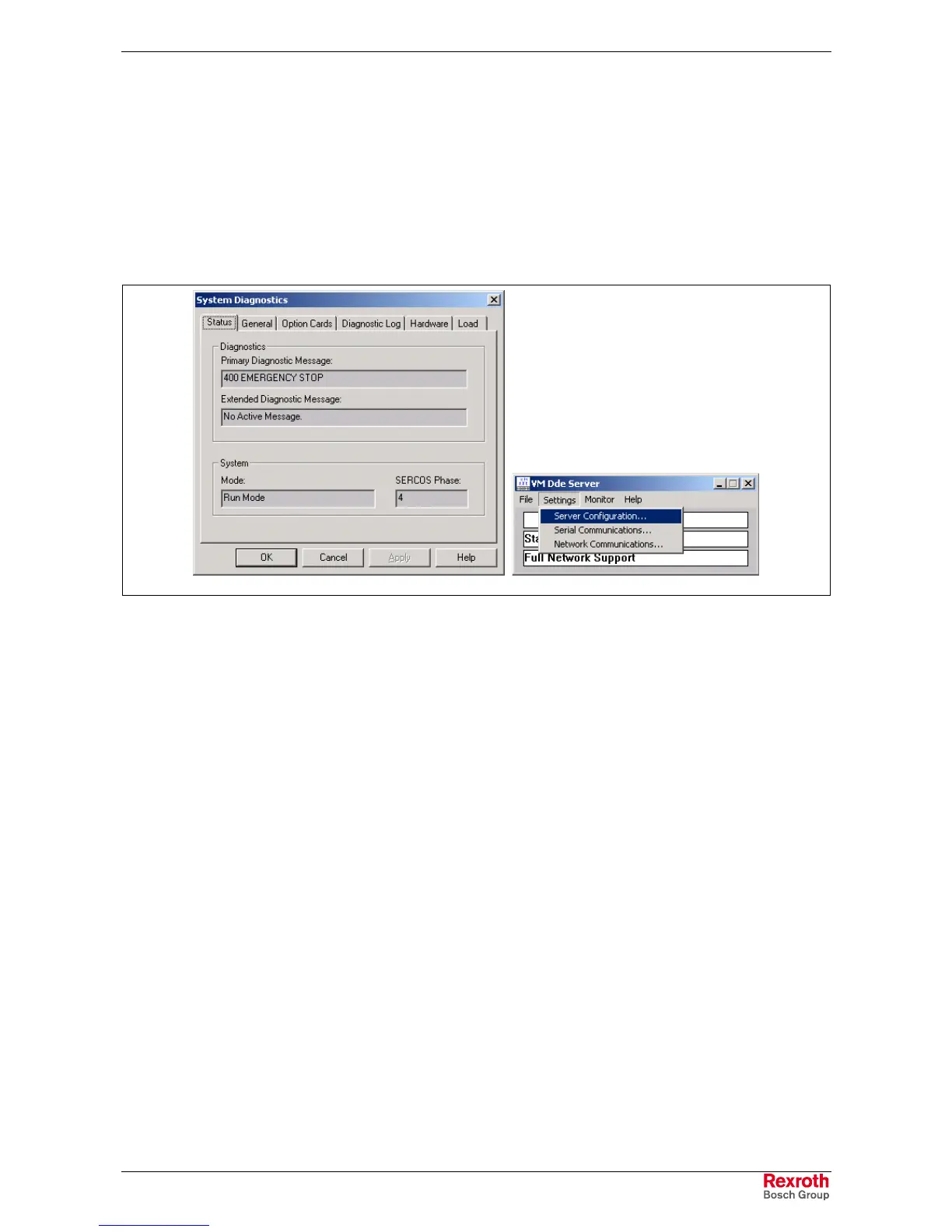
Status messages can be viewed within VisualMotion Toolkit (VMT) under
menu selection Diagnostics ⇒
⇒⇒
⇒ System or from the VM DDE Server if
the Status Display is set to SERIAL_0 or NETWORK_0 under Settings ⇒
⇒⇒
⇒
Server Configuration.
status_messages.tif
Fig. 3-5: Viewing Diagnostic Status Messages
001 Initializing System
The control is initializing the executive firmware, the SERCOS ring, and
other devices at power-up or exit from parameter mode.
002 Parameter Mode
The control is in parameter mode, and the drives are in Phase 2.
003 Initializing Drives
SERCOS has been reconfigured and the fiber optic ring is being
initialized.
004 System is Ready
The system has been initialized and is ready for operation.
005 Manual Mode
All user program tasks are in manual mode.
006 Automatic Mode: ABCD
The user program tasks indicated at the end of the message are in
automatic mode, and the rest are in manual mode.
Example: "Automatic Mode: B" indicates that only Task B is in automatic
mode.



 To Next Page