VisualMotion 9 Troubleshooting Guide Monitoring and Diagnostics 3-27
DOK-VISMOT-VM*-09VRS**-WA02-EN-P
464 Can't activate while program running
Cause:
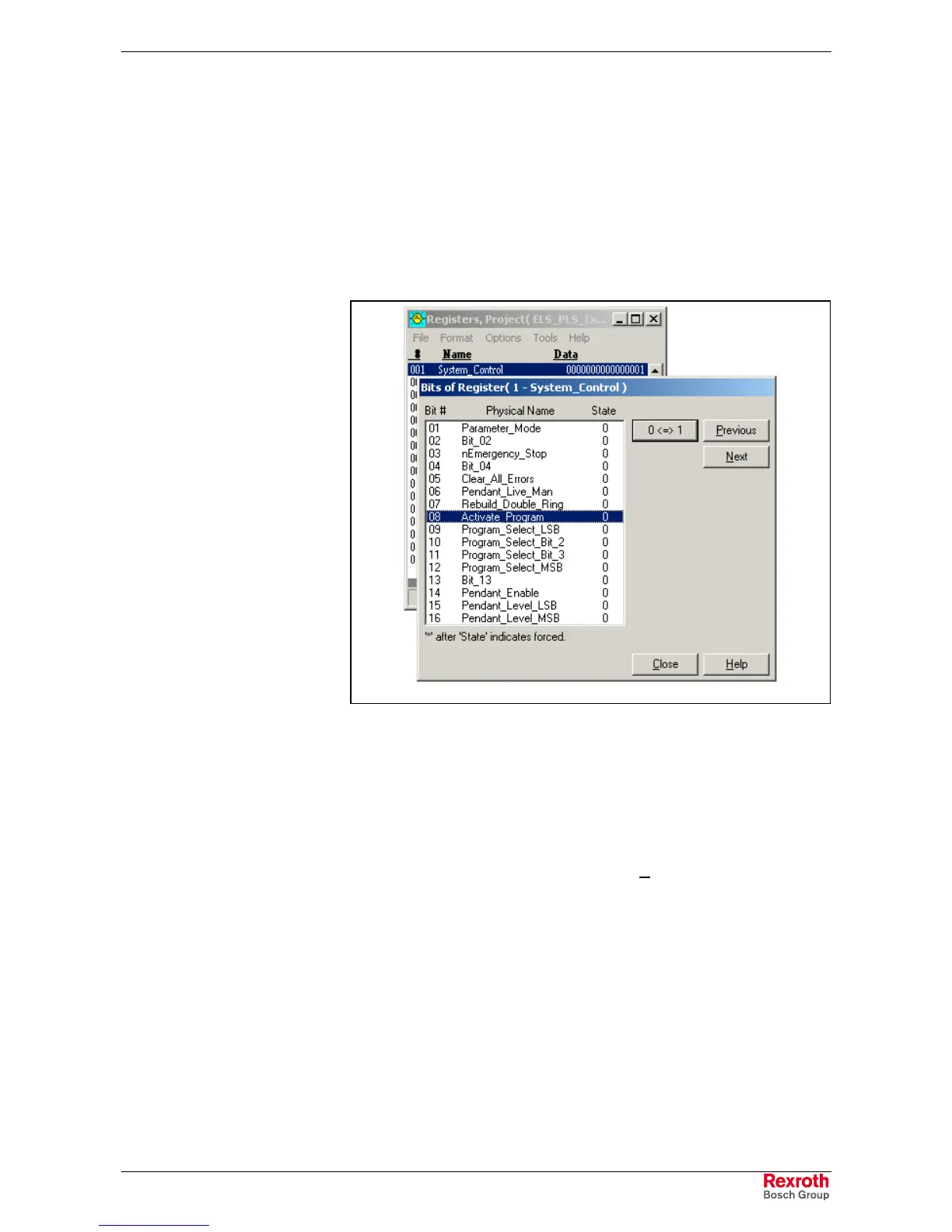
A new program cannot be activated through the Binary Program Select
inputs, bit 8 of register 1, unless the program is stopped.
Remedy:
Stop the currently running program by setting register 1 bit 8 to 0. Set the
desired program number in binary format through bits 9-12 and activate
the new program by setting bit 8 to 1.
Register_Active_Program.tif.tif
Fig. 3-12: Setting Register Bits
465 Drive %d config. error, see ext. diag.
Cause:
Drive %d (where %d = drive number) does not support a product-specific
option or a drive configuration calculation has failed. Product-specific
options include ELS, single-axis motion, or I-O cards. Extended
diagnostics can be viewed by selecting Diagnostics ⇒
⇒⇒
⇒ System in
VisualMotion Toolkit.
Remedy:
1. The extended diagnostic describes the error in more detail. It often
shows the parameter that failed along with a short message
describing the error. If it indicates that a parameter is invalid or a
configuration is not supported, check the axis configuration with the
drive hardware or software.
2. If the extended diagnostic indicates an error such as ‘Handshake
time-out’ or ‘Drive is not responding’, the SERCOS ring may have
been disconnected during initialization. Check the fiber optic
connections and the addresses of the drives on the ring.



 To Next Page