VisualMotion 9 Troubleshooting Guide Monitoring and Diagnostics 3-7
DOK-VISMOT-VM*-09VRS**-WA02-EN-P
3.4 Warning Messages (201-399)
Warning messages are issued when an improper system condition exists.
The condition is important enough to be brought to an operator's
immediate attention, but not critical enough to shut down the system.
However, a warning may be a notification of an impending shutdown
condition. Warnings typically allow normal system operation to continue.
A warning sets the error bit associated with the effected task or the
system and displays the warning message. Once issued, the error
condition must be corrected and acknowledged to the system. The user
acknowledges and clears a warning with a low-to-high (0 ->1) transition of
the Clear All Errors bit of the System Control Register.
System Control Register 1 can be viewed under menu selection Data ⇒
⇒⇒
⇒
Registers.
Note: VisualMotion Toolkit must be in either service or online mode
for the menu selection to be accessible.
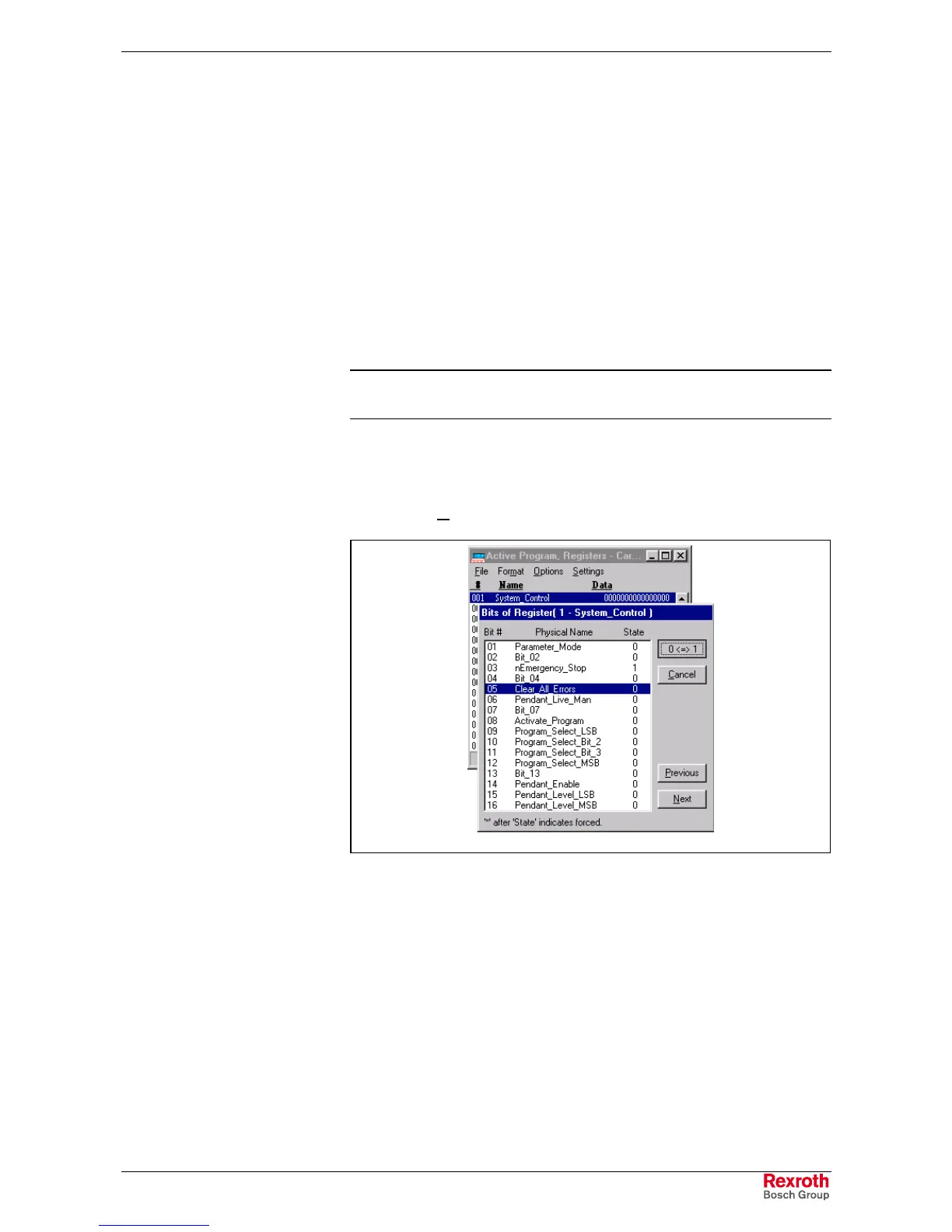
Double clicking on register #1 will open a window containing all bits in reg.
#1 along with their names. Bit 5 is labeled as Clear_All_Errors and it's
transition from low-to-high (0 -> 1) is typically controlled by an external
PLC or switch. To view Data in binary, select binary under menu
selection Format.
Clear_all_errors.tif
Fig. 3-6: Clearing All Errors
After a warning condition has been corrected and acknowledged, the user
program can be resumed at the point where the error occurred. In
SERCOS, warnings are Class 2 Diagnostics.
Warning messages can be cleared by correcting the warning condition, or
by setting the control's clear error input. Similar to status messages,
warning messages can also be viewed from system parameters and/or
the VM DDE Server. Refer to Fig. 3-5: Viewing Diagnostic Status
Messages.



 To Next Page