3-24 Monitoring and Diagnostics VisualMotion 9 Troubleshooting Guide
DOK-VISMOT-VM*-09VRS**-WA02-EN-P
438 Invalid Axis Selected: %d
Cause:
Axis %d (where %d = axis number) was not found on the SERCOS ring
or is an invalid axis number. This error is issued during single-axis or
ELS motion commands.
Remedy:
Check the constant or variable that contains the axis number.
439 Axis %d: Invalid Motion Type
Cause:
The axis type does not match the type of motion used by the instruction.
This error is issued when a single-axis command is given to a
coordinated motion axis.
Remedy:
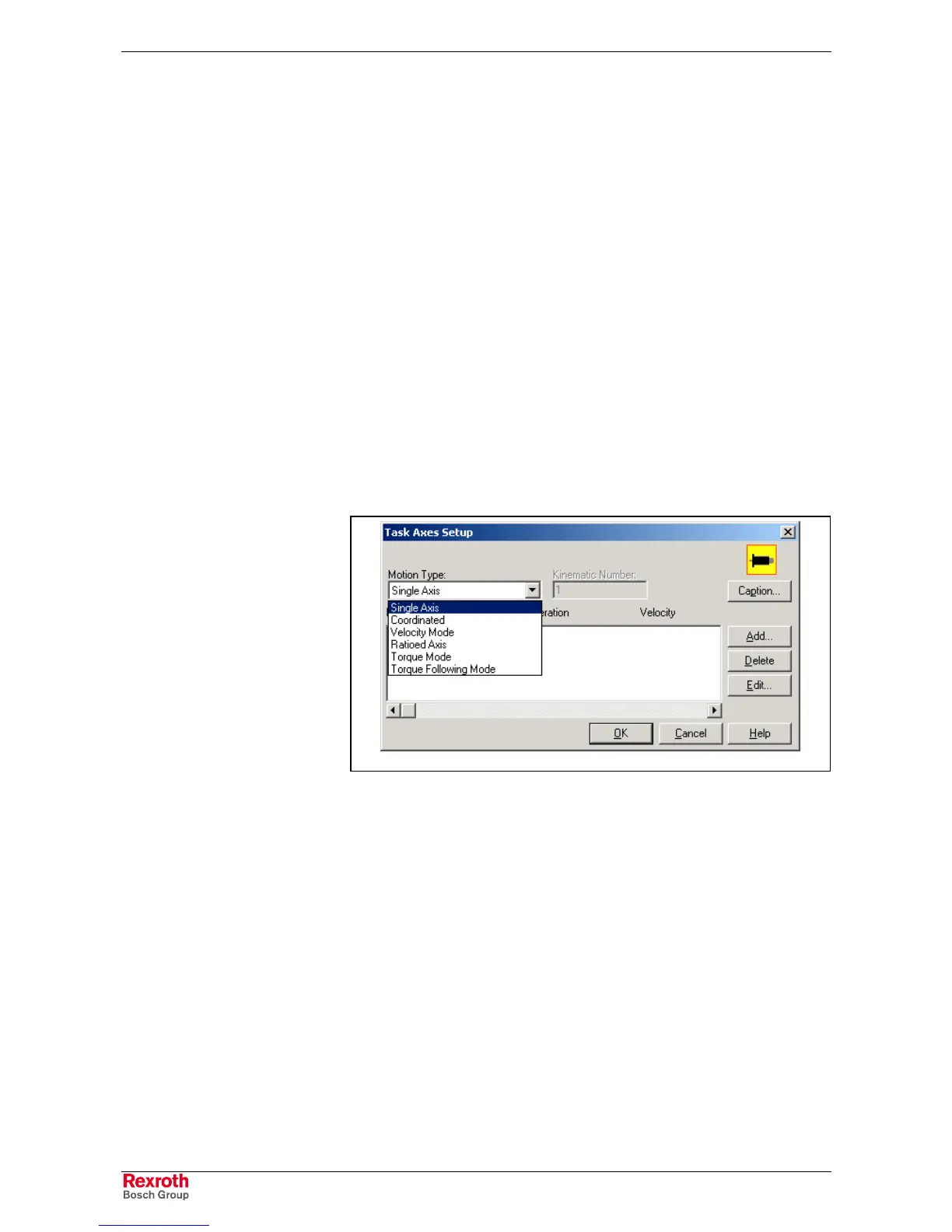
Locate the icon containing the error and verify that the axis type matches
the motion type.
Example: a coordinated VisualMotion program contains an axis setup
icon that was originally setup for single-axis.
Task_Axes.tif
Fig. 3-10: Task Axes Setup
440 I/O Transfer Error: see task diag.
Cause:
An error occurred in a command instruction selecting a register to write to
or to read from. Some examples are setting an I/O register, I/O Transfer
or any other instruction that directly writes to a register.
Remedy:
Locate the instruction icon using show program flow <F7> and verify the
register read and write command.



 To Next Page