3-40 Monitoring and Diagnostics VisualMotion 9 Troubleshooting Guide
DOK-VISMOT-VM*-09VRS**-WA02-EN-P
528 System Event %d Occurred
Cause:
This diagnostic can only be viewed using VisualMotion's diagnostic log. It
monitors status information and also functions as a debugging log for
unexpected firmware errors related to the File System. The File System
consists of…
• Downloaded VisualMotion user programs # 1-10,
• I/O Mapper (C-0-3000),
• Fieldbus object mapping list 2600 and 2700,
• I/O User Configuration (C-0-2017),
• Control CAMs # 1-40.
Remedy:
If system problems result due to lost parameters within the File System
and this diagnostic is found within the Diagnostic Log, contact Bosch
Rexroth Service for assistance.
529 Invalid ELS Group ID: %d
Cause:
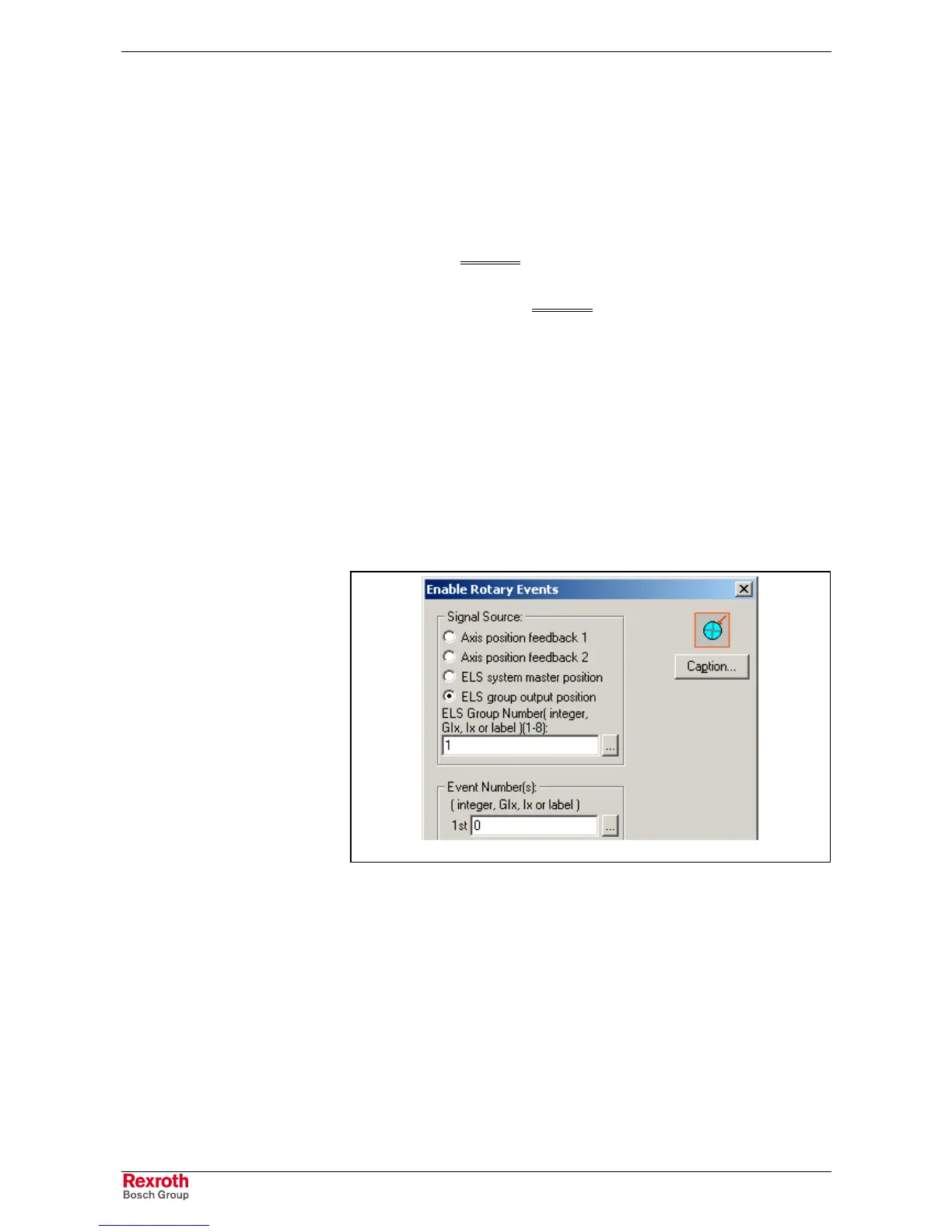
This diagnostic is displayed when an ELS Group ID %d (where %d = ELS
Group number) greater than the maximum of eight is programmed in a
Rotary Event and triggered in a program.
Rotary_Event_ELS.tif
Fig. 3-15: Rotary Event ELS Group ID
Remedy:
1. Verify that the ELS Group ID (%d) is valid in the Enable Rotary Event
setup window.
2. If an integer or label is used, verify that a valid ID number is being
used.



 To Next Page