Troubleshooting
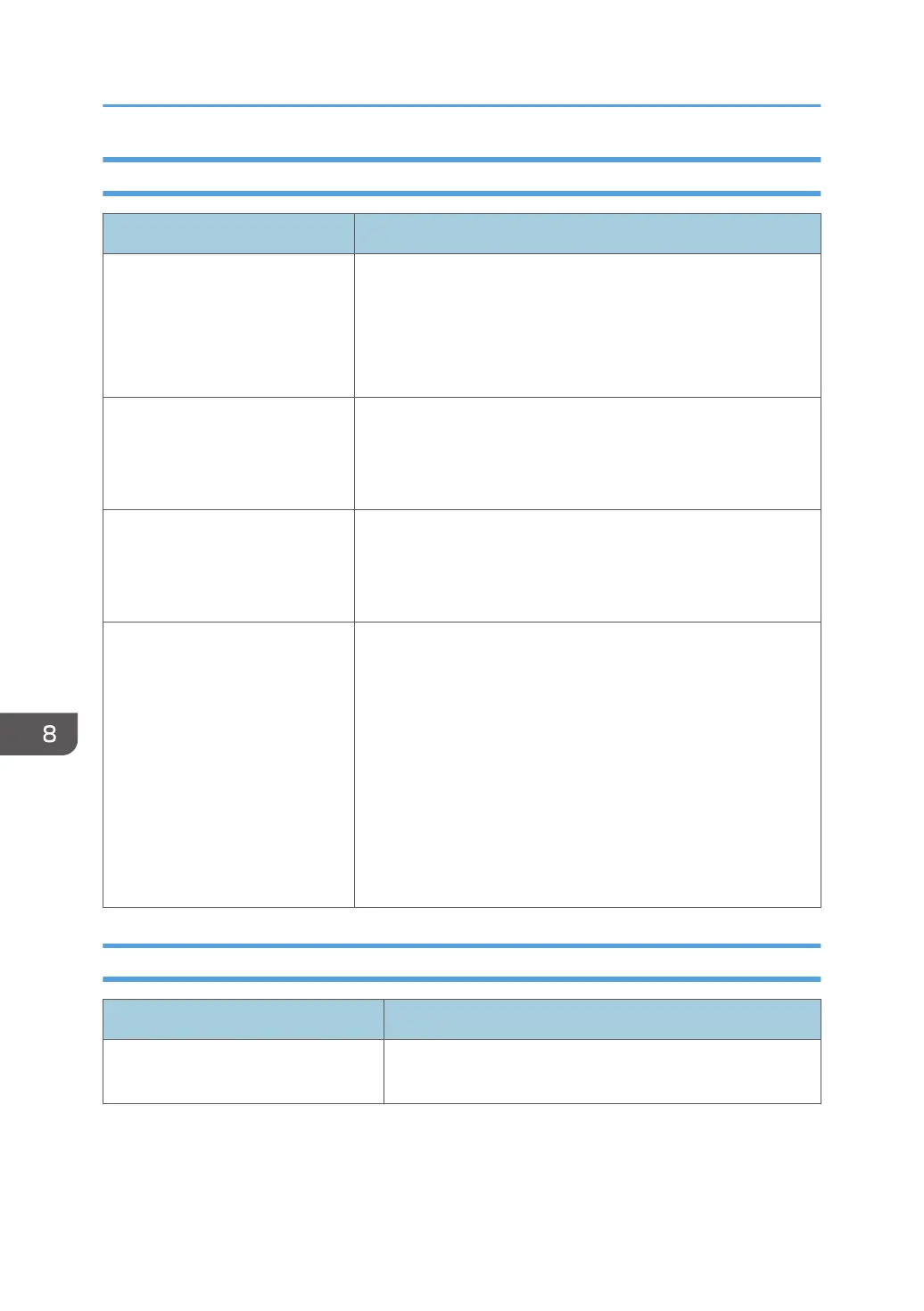
Problem Causes and solutions
A device on the network is not
detected.
• Even when settings have been made to search for a device
on another network, the target device may not be detected
due to the network router settings.
• Check the discovery range. For details, see page 62
"Searching for Devices".
Devices from a manufacturer
other than RICOH are displayed
on the device list, but some device
information cannot be retrieved.
Discovery detects devices that support PrinterMIB. Devices from
other manufacturers are also monitored, but the same information
cannot be retrieved from such devices.
Device detection was disabled
after setting up SNMPv3 as the
SNMP access account monitoring
protocol.
Set up SNMPv3 on the device side. If it is a RICOH device, setup
can be performed from Web Image Monitor. For details, see the
instruction manual that comes with the device.
An access account cannot be
deleted.
An access account cannot be deleted if it's in any of the following
conditions:
• The account is assigned to the access account of auto
discovery task.
• The account is assigned to the access account of discovery
task.
• The account is assigned to the access account in any of the
device that is displayed in the device list.
In order to delete an access account, these must be released
from those assignments.
When Error Messages Appear
Message Reason and Action
Either the user name or the password
is not correct.
User name is admin. Checking the user name and the
password, and then check and make the entry again.
8. Appendix
106



 To Next Page