: 80-100%
Toner/Ink
You can check the colors of toner/ink and the remaining quantity of each toner/ink. "Unknown"
may be displayed for some devices or monochrome MFPs if the remaining quantity of toner or ink
cannot be detected.
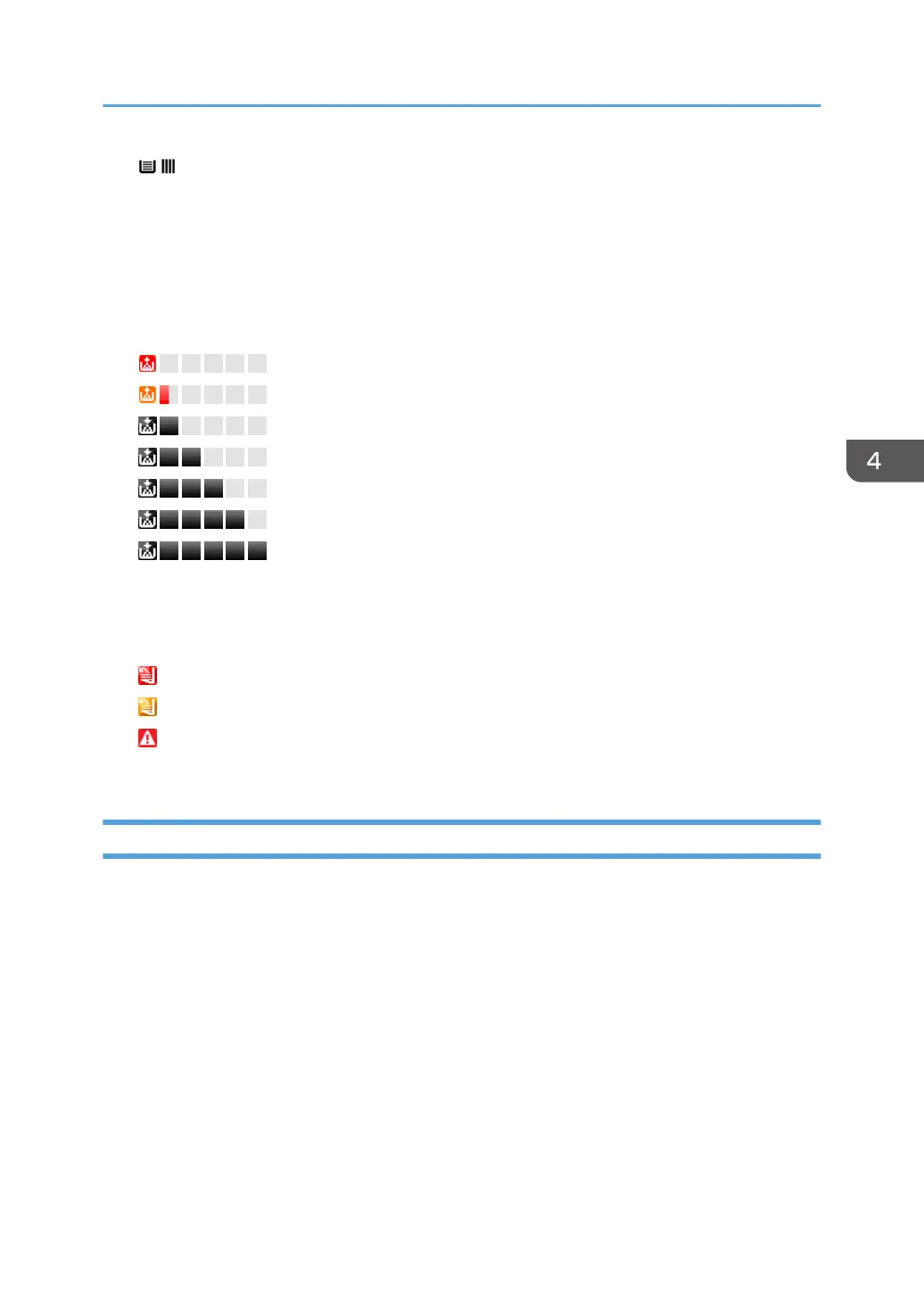
The level of remaining toner or ink is indicated as shown below. The color of the indicator is the
same as that of the applicable toner. Black is used as an example below:
: Toner/ink is empty
: Toner/ink cartridge is almost empty
: 0-20%
: 20-40%
: 40-60%
: 60-80%
: 80-100%
Output Tray
You can check the output tray type and the status of each tray.
The output tray status is indicated by the icons as shown below:
: Output tray is full
: Paper is located in output tray
: Miscellaneous error
(Nothing appears): Normal status
Counters
You can check counter information such as the number of pages printed in color/monochrome or
transmitted pages.
• Total
A total of the counters for the copier, printer, and fax functions
• Copy Color: Black, Full, Twin, Mono
Counter for the copier function
• Printer Color: Black, Full, Twin, Mono
Counter for the printer function
• Economy Color Counter
• Fax Color: Full, Mono
Checking Device Properties
47



 To Next Page