Replacing the Ink Cartridge
107
Replacing and disposing consumables
3
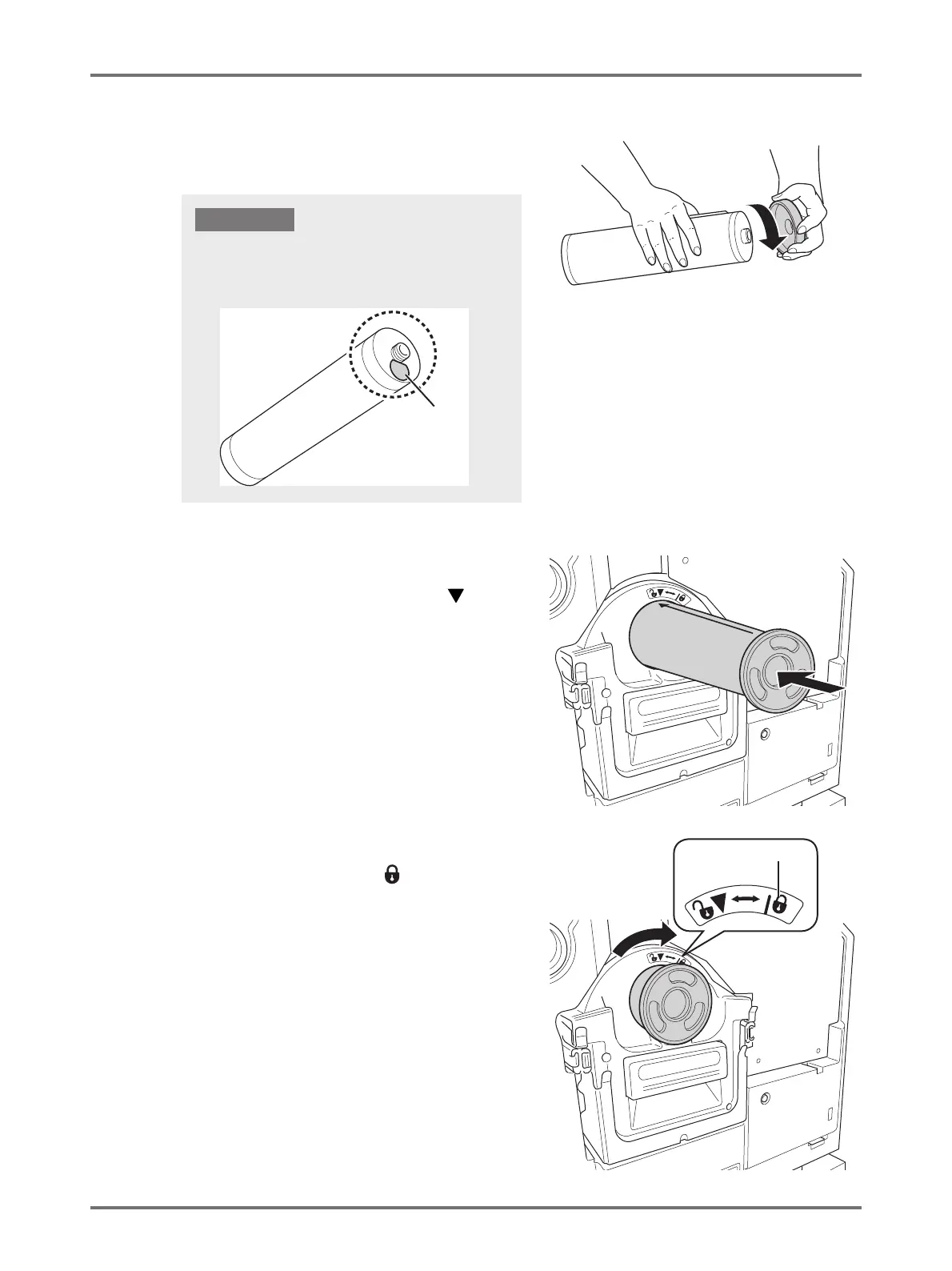
Remove the cap from a new ink
cartridge.
Turn the cap of the ink cartridge to remove the cap.
4
Insert the new ink cartridge.
Align the arrow on the ink cartridge with the mark on
the holder, and then push the ink cartridge until it stops.
5
Lock the ink cartridge.
Turn the ink cartridge clockwise ( ) to lock it.
Label
Do not touch or give impact to the outlet surface of the
new ink cartridge.
Do not peel off the label next to the ink cartridge opening.
IMPORTANT!



 To Next Page