Troubleshooting Tips
138
Troubleshooting
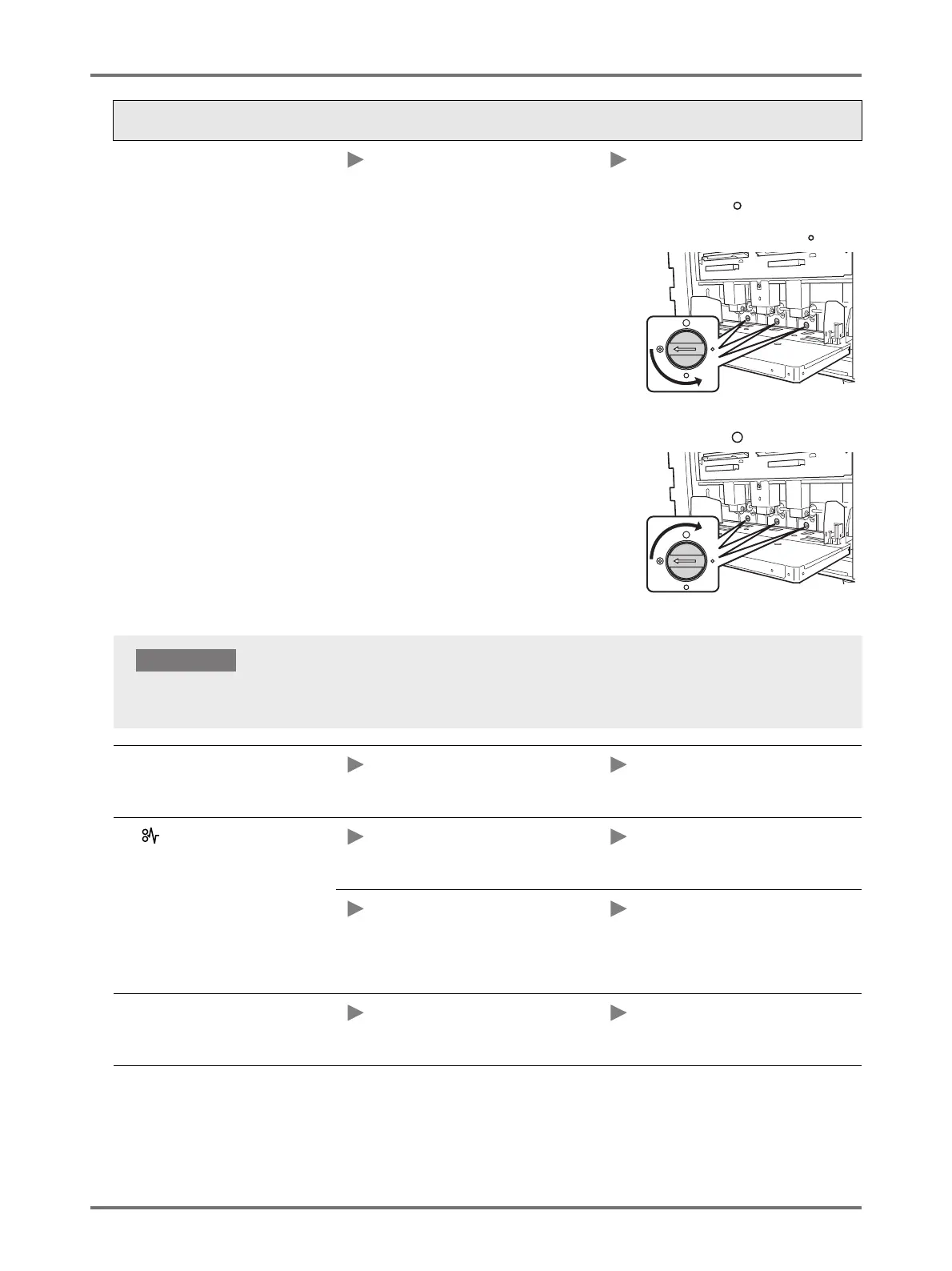
Paper is not smoothly fed from the
Paper Feed Tray. (Skipped paper, or
multiple-sheetfeeding)
The Stripper pressure may not be
adjusted appropriately.
When paper dust tends to be
produced, or the feeding skips
Turn the dial to the left and align the
arrow with the " " mark. If the paper
feeding still skips, turn the dial to the left
and align the arrow with the " " mark.
When multiple sheets are fed
Turn the dial to the right and align the
arrow with the " " mark.
The leading edge of the printed copies
is wrinkled.
The angle of the Stripper Plate may not
be appropriate.
Turn the Stripper Plate Angle
Adjustment Dial to adjust the angle of
the Stripper Plate.
The indicator lights even when a
paper jam has not occurred.
Lifted paper may have been ejected at
the time of the second rotation of the
Print Drum.
Check the printed copies, and if the top
margin is less than 5 mm, slightly lower
the print position.
The machine may in the sunlight. When the machine is in sunlight, the
sensor may not function correctly. Use
curtains, for example, to keep out the
sunlight, or move the machine to a
place free from direct sunlight.
The <Start> key blinks. Received data is waiting for output. Press the <Start> key to output the
data. Press the <Clear job> key to
delete the received data.
Status Possible cause Action
Before making the adjustment, make sure to remove all paper from the Paper Feed Tray and the tray has lowered to
the bottom.
IMPORTANT!



 To Next Page