Setting the Printing Preferences
64
Functions to be Set Up with the Printer Driver (Computer Side/Driver Side)
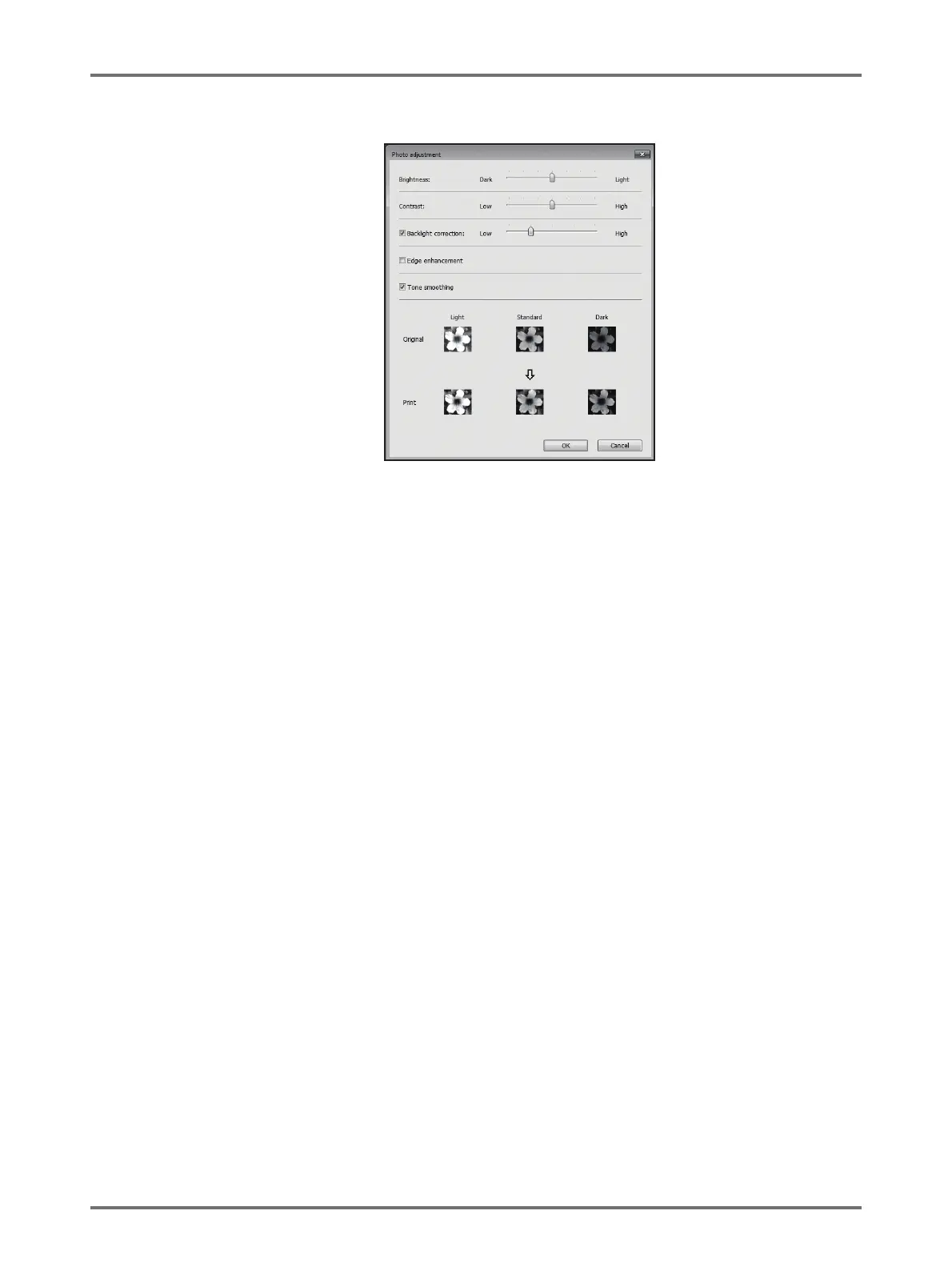
[Details]: Clicking on [Details] opens the [Photo adjustment] dialog box.
[Brightness]: The brightness of photo images can be adjusted to 7 levels.
[Contrast]: The contrast of the overall image can be adjusted to 7 levels.
[Backlight correction]: When a check mark is placed in the check box, back light correction is applied to the
image to make it sharper.
[Edge enhancement]: When a check mark is placed in the check box, edge enhancement is applied to the
image to accent contours.
[Tone smoothing]: This setting is available when [Screen-covered] is selected for [Photo]. When a check
mark is placed in the check box, the tonal expressions used in screen-covered
processing are smooth.
(3) Line art style
Specifies the expression method of the line (text).
[Grain-touch]: This mode displays the color of text in gradation. The bright color is printed out in
lighter tone and the dark color is printed out in a darker tone.
[Screen-covered]: The text sections are displayed with half-tone dots. This mode is unsuitable for small
sized text.
[Solid-look]: This mode makes all text solid-look. You can use this mode to express the text clearly.
The difference of each text color cannot be expressed.



 To Next Page