5
To
Administrators
Print Operation Management
99
Description
When "STOP" is selected, printing pauses and so colors may be uneven. Ensure a sucient amount of remain-
ing ink before you begin printing.
When "CONT" is selected, printing does not stop even if ink runs out completely. To replace the ink cartridge,
wait until printing ends or press
to pause printing.
Default Setting
[EMPTY MODE]: STOP
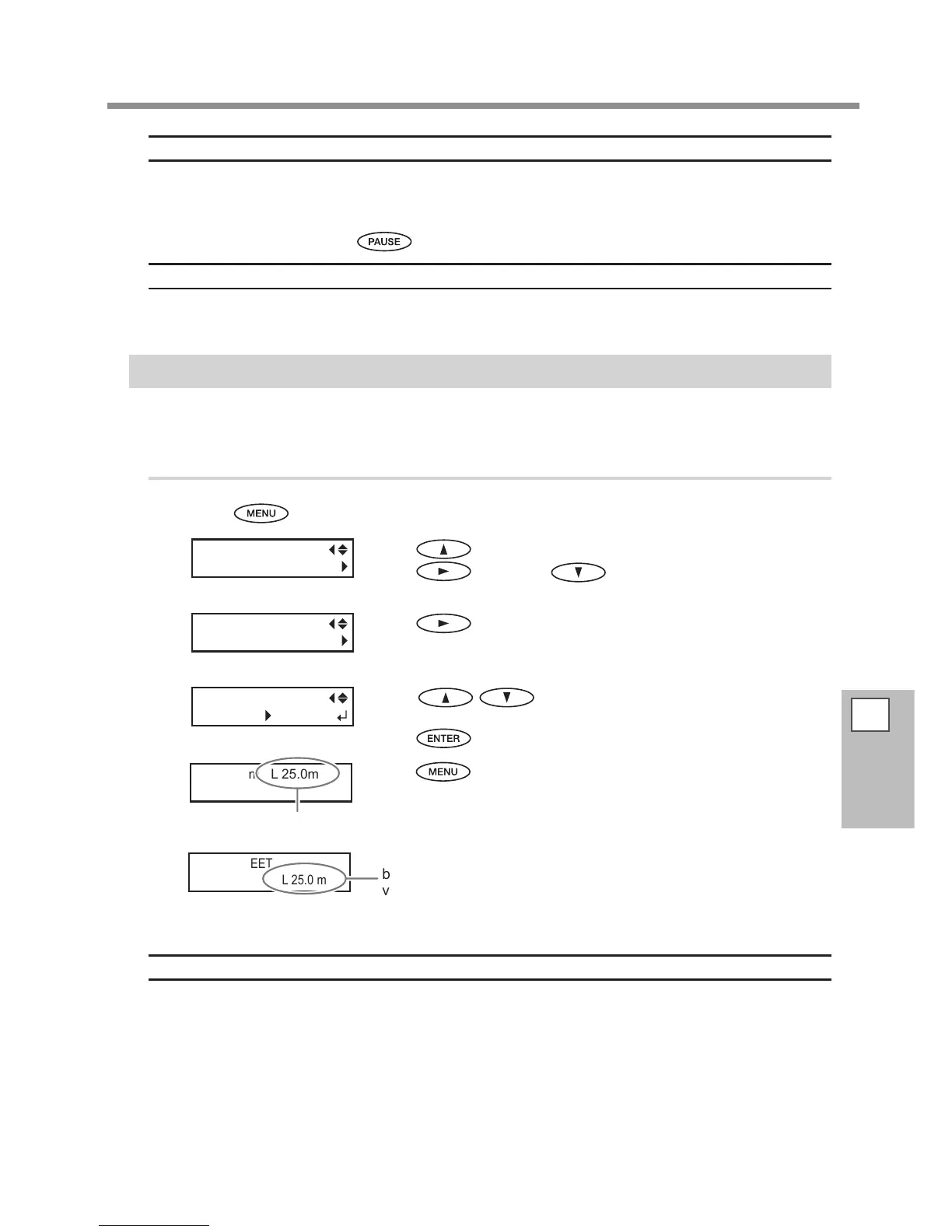
Displaying the Amount of Media Remaining
You can display how much of the media in use is left. First, you set the amount of media remaining, the amount
remaining is displayed at the top menu until it reaches zero.
Procedure
Press .
Press to display the screen on the left .
Press
, and then .
Press .
Press to set the current amount of media
remaining.
Press
to enable the setting.
Press to go back to the original screen.
If media loading has not
been performed, the set
value ashes.
Description
If you cancel the media loading such as by removing the media or raising the loading lever, the amount re-
maining at that time ashes on the screen.
Because the amount of media remaining is not updated automatically when you change the media, redo the
setting whenever you change the media. You can also make the setting to display this menu automatically
whenever you change the media. See the next section, P. 100, "Making Sure to Verify the Setting for the
Amount Remaining Every Time the Media Is Changed".
*The remaining amount that is displayed is only an estimate, and its accuracy is not assured.














 To Next Page