2
Basic
Operation
Printing
40
Printing Tests and Cleaning
Before you carry out actual printing, we recommend performing a printing test to ensure no dot drop-out
occurs. If dot drop-out occurs, perform cleaning of the print heads (Normal Cleaning).
1.
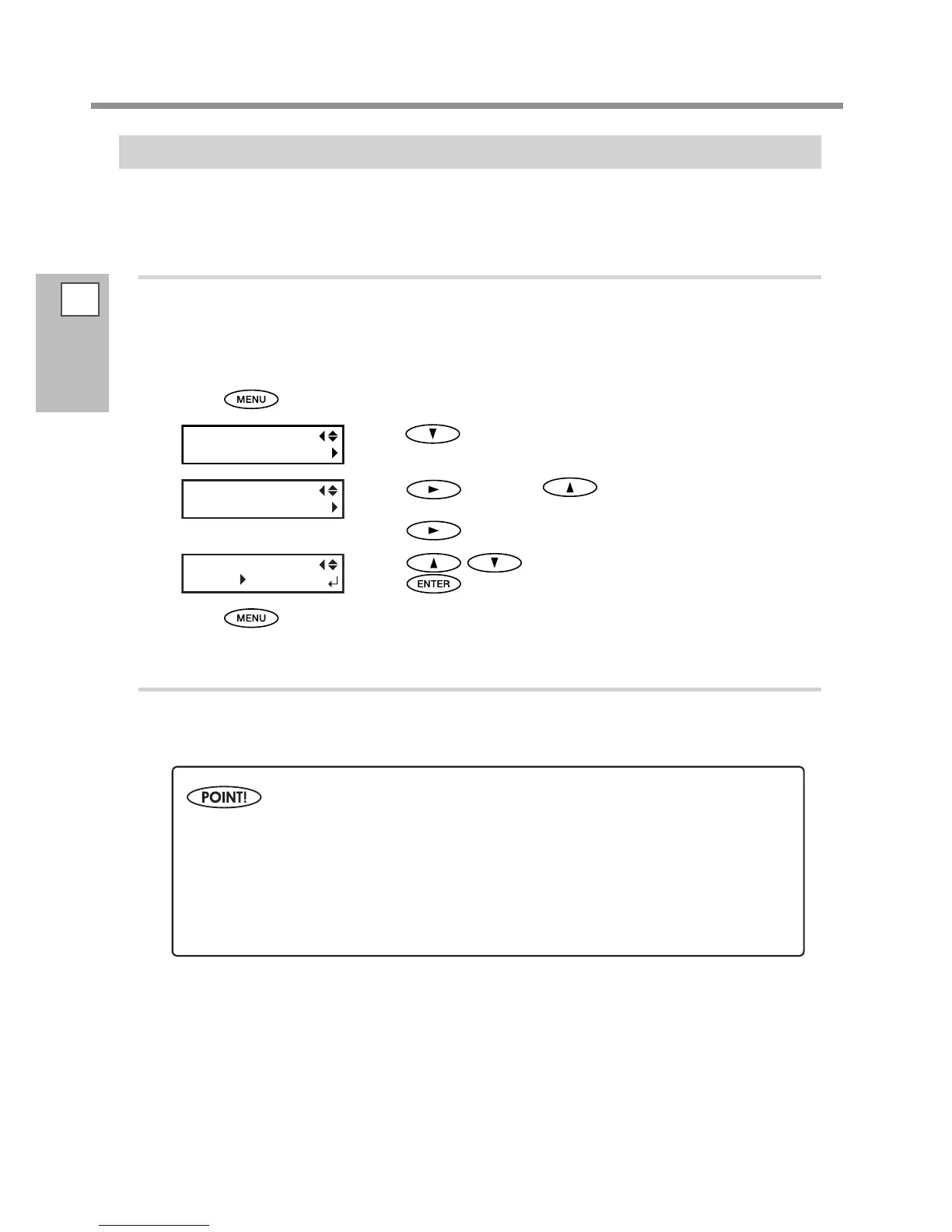
Setting a test print direction
* The factory default setting of the test print direction is "FEED." When performing printing tests successively,
you can select "FEED" or "SCAN" as the print direction applied to the second and later tests. However, when the
optional media take-up system is used, "Feed" is applied regardless of the setting of the test print direction.
P. 96, "Use the Media Take-Up System"
Press .
Press several times until the screen on the left appears.
Press , and then to display the screen on the
left.
Press
.
Press to select "SCAN."
Press
to enable the setting.
Press to go back to the original screen.
2.
Perform a printing test
Setting the Print-start Location.
P. 39, "Setting the Print-Start Location"
When performing the tests successively, you don't need to set the print-start location for the
second and later tests. However, if one of the followings is conducted, the default print-start
location takes eect. Set the desired print-start location again as necessary.
Cutting of sheet
Printing of data you created
Cancellation of media loading














 To Next Page