3
Maintenance
Checking for Remaining Ink and Replacing Cartridges
49
How to Replace Ink Cartridges
When ink runs out, a warning beep sounds and printing pauses (unless the default settings have been changed).
(In the RF-640, a warning beep sounds and printing pauses when ink in the both two ink cartridges of the same
color runs out.) Pull out the empty ink cartridge and insert a new one quickly. Printing resumes.
Procedure
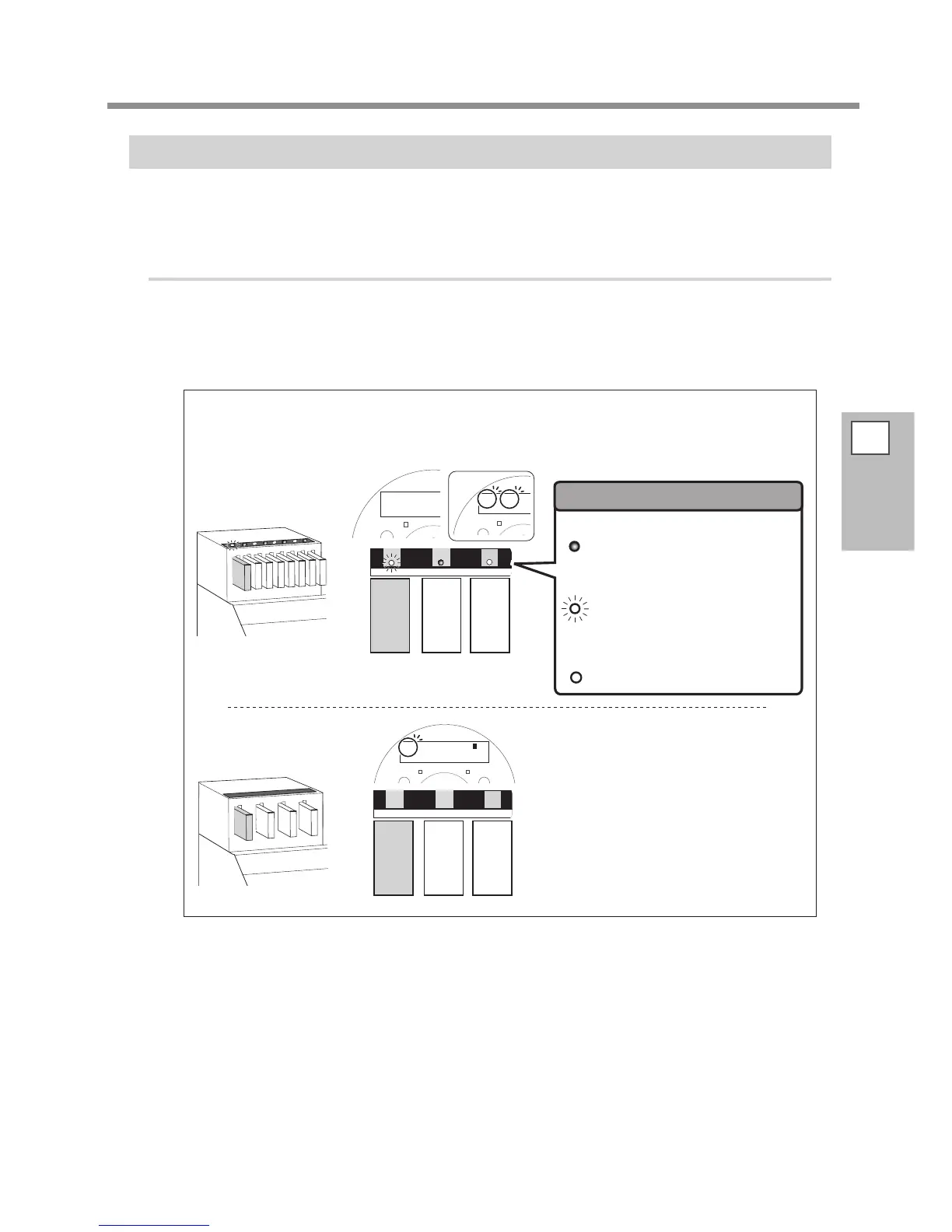
Pull out the empty ink cartridge.
In the RF-640, printing is continued with [NOW PROCESSING] displayed in the display screen when ink
in either one ink cartridge of the two ink cartridges of same color runs out during printing. Refer to the
LED to pull out the empty ink cartridge.
The slot numbers for the empty ink cartridges ash in the
display screen when ink in the both two ink cartridges
of the same color runs out.
It indicates the ink car-
tridge is being used.
It indicates the ink car-
tridge is empty / ink car-
tridge is not inserted.
ON
FLASH
OFF
It indicates the ink car-
tridge is not being used.














 To Next Page