4
Part of
Practice
76
Fully Utilizing Preset Function
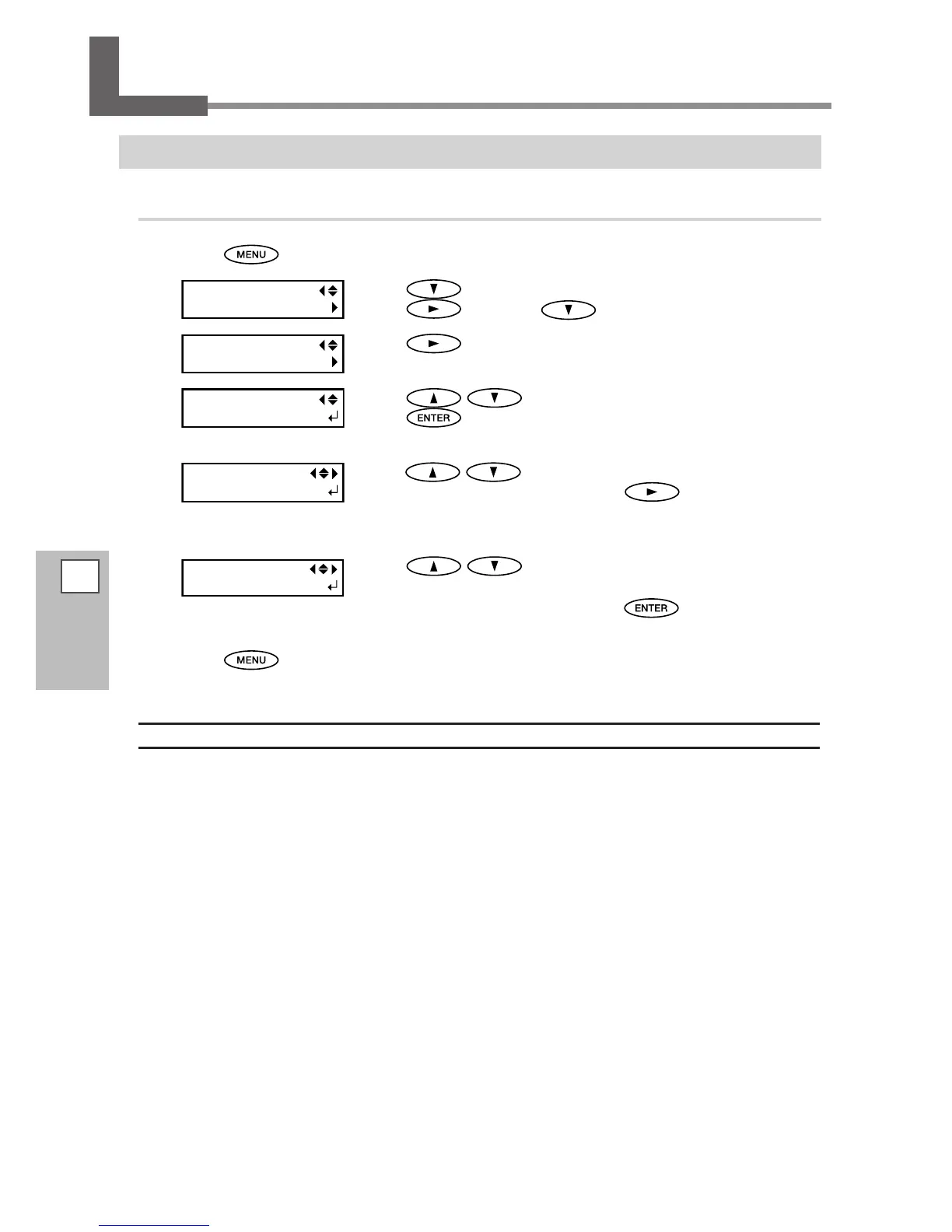
Saving Various Settings as a Name Assigned Preset
Procedure
Press .
Press to display the screen on the left.
Press
, and then .
Press .
Press to select one of NAME1 through 8.
Press
to enable the setting.
The present menu settings are saved.
Press to enter a character.
When a character is decided, press
.
The characters you can enter are "A" through "Z," "0" through "9," and the "-"
character. You can enter up to 15 characters, including spaces.
Press to enter a character.
Enter the following characters in the same way.
When entries are completed, press to enable the set-
ting.
Press to go back to the original screen.
Description
Using the [PRESET] menu lets you easily change a wide variety of settings to optimize them for the media. Up to
eight types of presets can be saved. You can assign a name to each one. Using media names for these may aid
recognition and clarity. Making changes for each menu item every time you change the media can be trouble-
some. That's why it can be useful to save the menu-item settings optimized for an often-used type of media as
a preset. The next time you use the media, you can change the menu-item settings to the optimal values for
the media simply by loading the preset you saved. Menu items that can be saved in presets are listed below.














 To Next Page