3
Maintenance
55
When Normal Cleaning Is Not Effective
Medium / Powerful Cleaning
When the problems such as dot drop-out are not cleared up by the "normal cleaning" (P. 40, "Printing Tests
and Cleaning"), try the more forceful "medium cleaning." If the condition is not improved, try the even more
forceful "powerful cleaning."
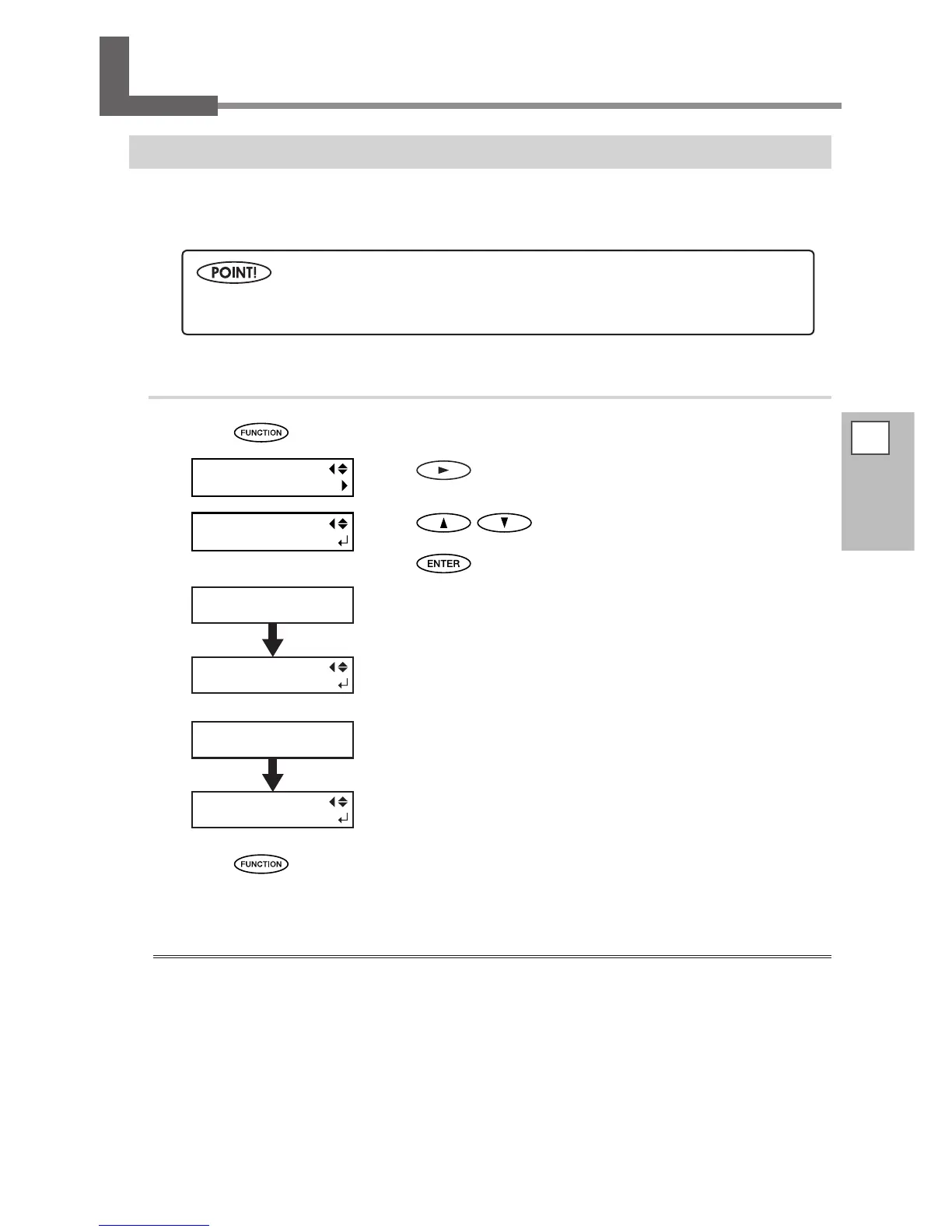
Procedure
Press .
Press .
Press to select “Medium.”
When “Medium” is not effective, select “Powerful.”
Press
to enable the setting.
x
“Medium”
The screen on the left appears and cleaning starts.
When it nishes, the screen on the left appears again.
“Powerful”
The screen on the left appears and cleaning starts.
When it nishes, the screen on the left appears again.
y
Press to go back to the original screen.
When powerful cleaning is not effective
When the problems such as dot drop-out are not cleared up even by performing powerful cleaning several
times, perform “Manual Cleaning.” Such cleaning can be eective when carried out periodically, according to
the frequency of use.
P. 59, "Manual Cleaning"
The medium and powerful cleaning consume more ink than normal cleaning, and too-frequent use
may damage the print heads themselves. Avoid using them more than necessary.














 To Next Page