2
Basic
Operation
21
Loading Media
Loading Roll Media
CAUTION
Load roll media correctly.
Otherwise the media may fall and cause injury.
CAUTION
Roll media weighs about 40 kg (88 lbs). To avoid injury, handle with care.
CAUTION
Never load media that weighs over 40 kg (88 lbs).
The machine may fail to withstand the weight and tip over or cause the media
to fall.
1.
Install the media to the media holder.
*The media holder of this machine is exclusive use for the media of paper tube (core) inner diameter 3
inches. To use 2 inches media, the optional media anges are required. For information about optional
items, contact your authorized Roland DG Corp. dealer or us.
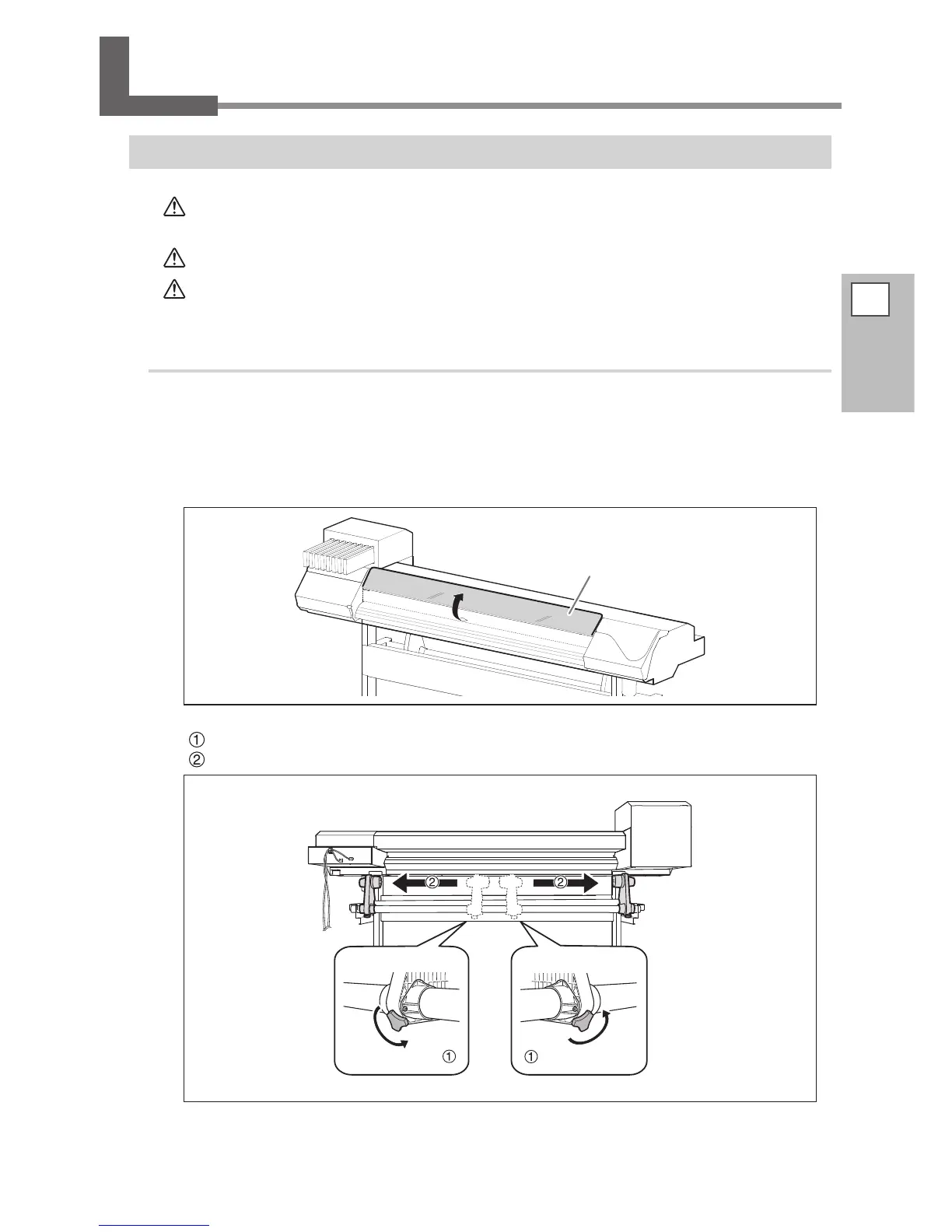
Open the front cover.
Keep the front cover open until instructed.
Loosen the retaining screws of the media holders.
Move the media holders all the way to the left and right.
Front cover














 To Next Page