4
Part of
Practice
84
Fully Utilizing the Correction Function
Correcting for Misalignment in Bidirectional Printing
Procedure
Press .
Press several times until the screen on the left appears.
Press
.
Press .
A test pattern is printed.
When printing is completed, press and then, .
Press to select a correction value.
Press
to enable the setting.
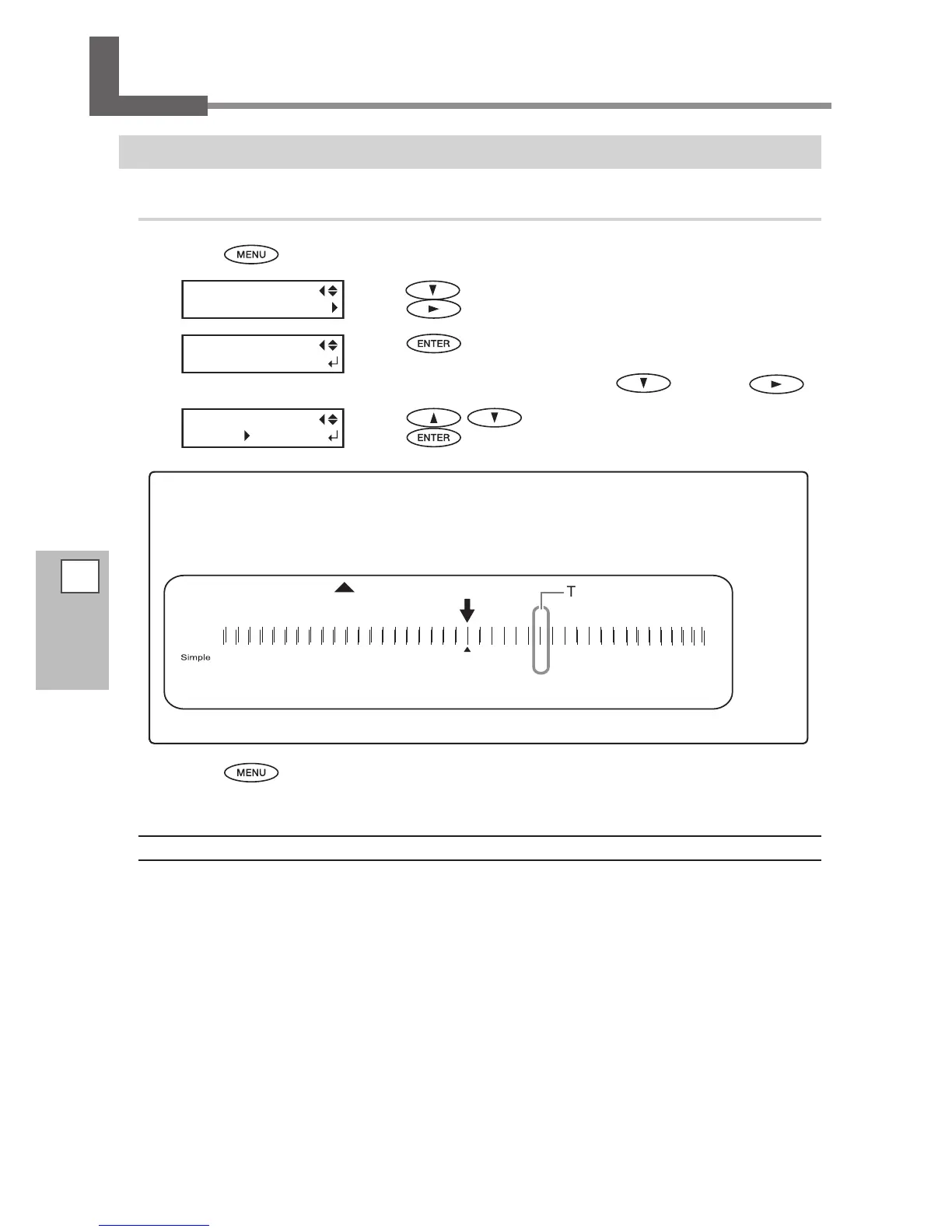
To decide a Correction Value
Choose the value that produces the least misalignment of 2 lines. When wavering between two
numbers, select half value.
-20 -19 -18 -17 -16 -15 -14 -13 -12 -11 -10 -9 -8 -7 -6 -5 -4 -3 -2 -1 0 +1 +2 +3 +4 +5 +6 +7 +8 +9 +10 +11 +12 +13 +14 +15 +16 +17 +18 +19 +20
The least misalignment
= Current correction value
Press to go back to the original screen.
Description
This machine prints by the bidirectional mode in which the print heads perform printing during both their
outbound pass and return pass. This printing method is called "Bidirectional Printing." This method oers the
advantage of being able to shorten printing time, but subtle misalignment occurs during the outbound and
return passes. The procedure to correct this and eliminate misalignment is "Bidirectional Correction." This mis-
alignment varies according to the head height and the thickness of the media, so we recommend performing
correction to match the media you're using.














 To Next Page