3
Maintenance
When Problems Such As Dot Drop-Out Are Not Cleared Up
65
CAUTION
Before you detach the drain bottle, be sure to wait for the screen to display
"EMPTY DRAIN BOTTLE."
Failing to follow this procedure may cause discharged uid to ow out of the
machine and spill, soiling your hands or the oor.
Attach the emptied drain bottle to the machine.
Press
.
The screen on the left appears.
When it nishes, the screen on the left appears again.
Press to return to the original screen.
EMPTY
DRAIN BOTTLE
CLEANING...
>>
SUPER CL.
M Y C K
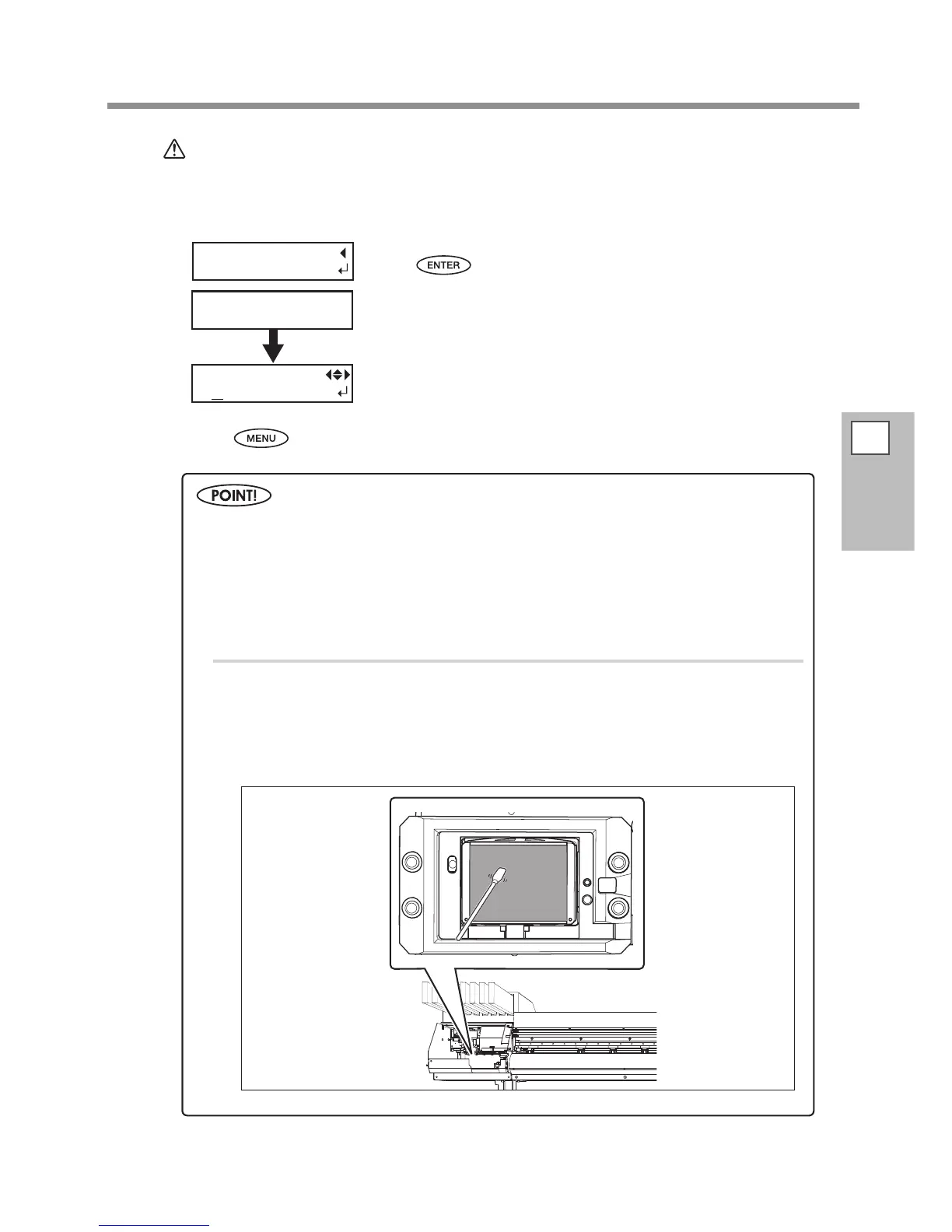
Cleaning of the print head surface as an emergency measure
When dot drop-out or dot deection is not improved even if cleaning is performed several times, you
can clean the print head surface as an emergency measure. Since the print head surface (nozzle surface)
has an extremely delicate mechanism, make sure to perform the operation carefully and deliberately.
Note that this operation is an emergency measure. It may damage defect-free parts depending on
the symptom, deteriorating it. If you have any questions, contact your authorized Roland DG Corp.
dealer or us.
Procedure
Moisten the cleaning stick with the cleaning liquid.
Softly press the cleaning stick to the head surface (nozzle surface).
Press it gently and softly so that the print head nozzle is permeated with the cleaning
liquid. Never rub the stick on the surface and press it forcibly.














 To Next Page