Chapter 2 Getting Started
a 1000ML User's GuidehplA7
Setting the Date And Time
T he date changes every day and prints in the month-day-year format. You
can prevent the date from printing on the transaction receipts. T he date
format can also be changed to print day-month-year. For more
information, see D ate Format on page 63.
T he time can print in either the 12 or 24 hour (military time) format. T he
default setting is to print in the 12 hour format, which is normally used. To
change to the 24 hour format, see D ate Format on page 63. You can set
the cash register so that it does not print the time on receipts. For more
information, see Printing O ptions on R eceipts on page 27.
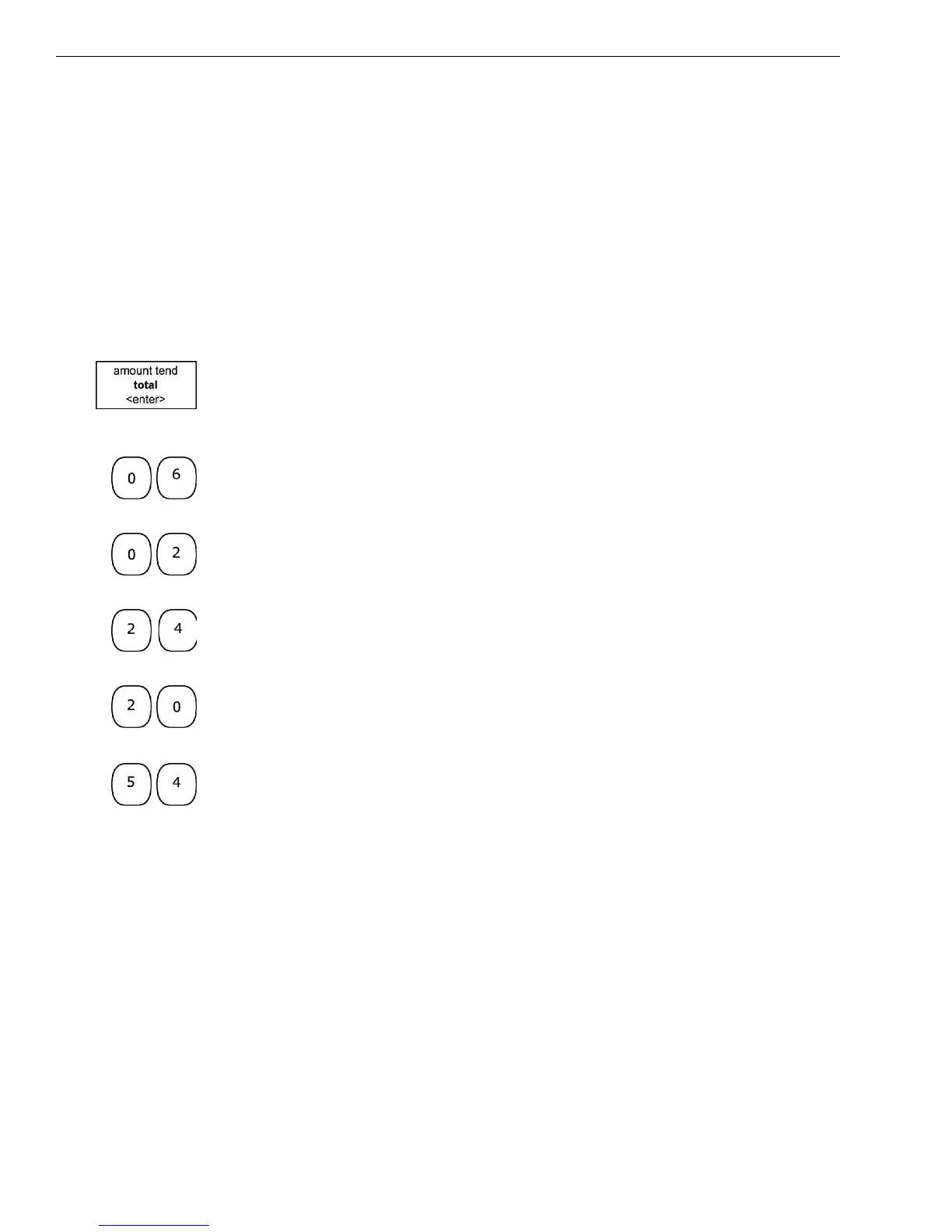
A s you are prompted through entering the date and time, press the
Amount Tend Total <Enter> key to enter the information you specify.
To set the date
1 A t the prompt, use the rounded N umber keys to enter the last 2 digits of
the year. For example, for 2006, press 06. Press the Amount Tend Total
<Enter> key.
2 Use the rounded N umber keys to enter the 2 digits of the month. For
example, for February, press 02. Press the Amount Tend Total <Enter>
key.
3 Use the rounded N umber keys to enter the 2 digits of the day. For
example, 24. Press the Amount Tend Total <Enter> key.
4 Use the rounded N umber keys to enter the 2 digit hour. For example,
09. U se military, or 24 hour, time for hours after 12 noon. For example,
if you want to enter 8pm, press 20. Press the Amount Tend Total
<Enter> key.
5 Use the rounded N umber keys to enter the 2 digits of the minutes. For
example, 54. Press the Amount Tend Total <Enter> key.
Using the information in this example, the date and time are set to
02-24-06 8:54pm.
Programming the Sales Tax
Now you need to select and program the sales tax for your area. You can
use 1 of 2 tax types in the U S:
• Straight tax: T he sales amount is multiplied by a flat percentage rate
such as 5%. For example, on a $1.00 item, $.05 is added for tax.
• Table tax: T he tax is charged based on a tax table you obtain from your
local or state government tax office.



 To Next Page