Chapter 4 Setting Up Your Cash Register - the Basics
27 Alpha 1000ML User’s Guide
Printing Options on Receipts
You can specify if the following prints on receipts:
To set receipt printing options
Programming More Options Print Options
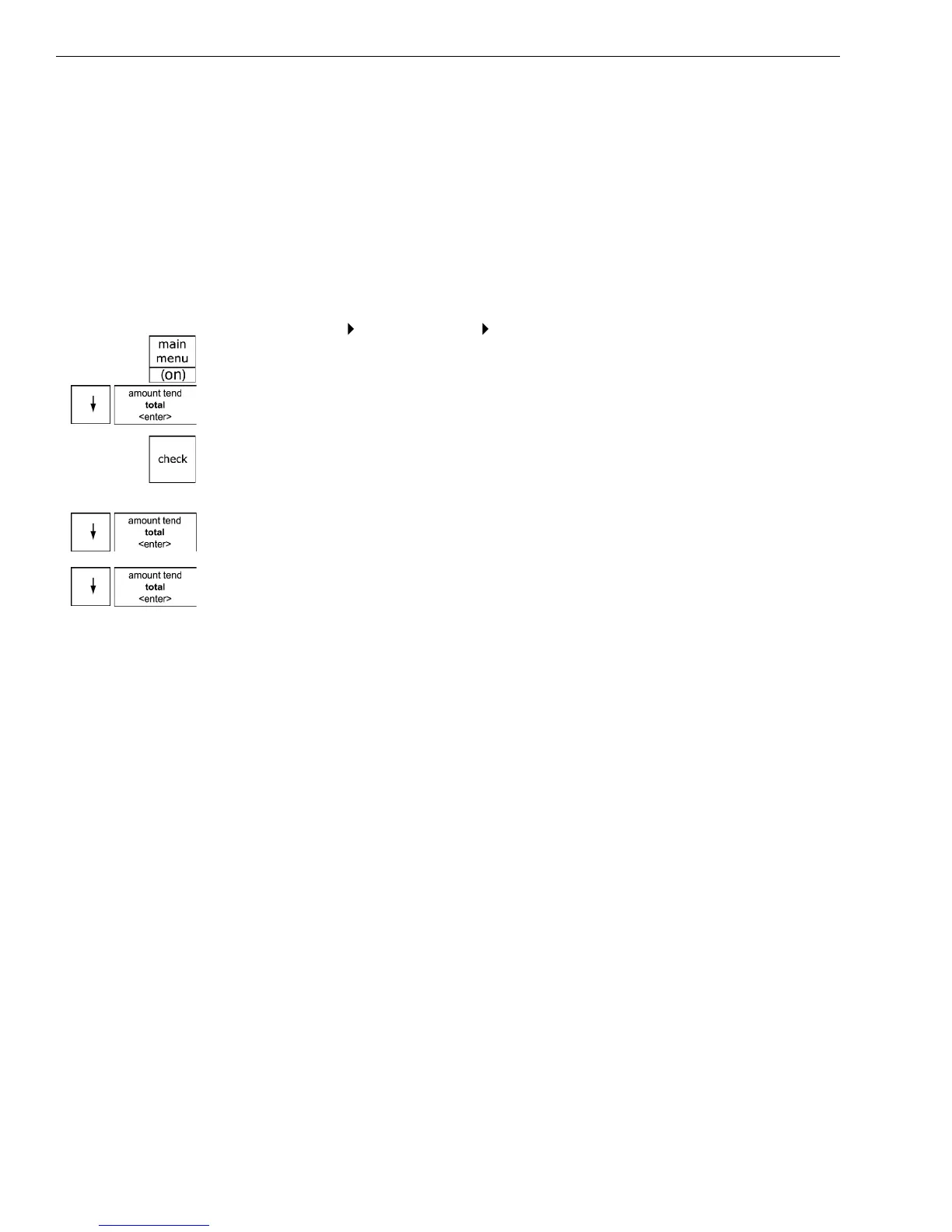
1 Press the Main menu (on) key.
2 Press the Arrow Down key to select Programming. Press the Amount
Tend Total <Enter> key.
3 I f you are prompted for a M anager Passcode, type the passcode number
and then press the Check key. I f you did not program a M anager
Passcode, go to the next step.
4 Press the Arrow Down key to select M ore O ptions. Press the Amount
Tend Total <Enter> key.
5 Press the Arrow Down key to select Print O ptions. Press the Amount
Tend Total <Enter> key.
6 Follow the instructions on the display.
Setting Clerk Numbers and Names
You can program and assign up to 40 C lerk N umbers so you can monitor
sales by individual employees. E ach clerk number can also be assigned a
24 character name.
To see the sales totals for each clerk, a C lerk R eport is available in both
the X and Z modes.
You can spell names by using department keys. For more information, see
Setting A lphanumeric Descriptions on page 22.
A fter you specify C lerk N umbers and Names, you must set C lerk System
to O n so clerks must enter their clerk number each time they enter Sales
R egistration mode.
You must turn on C lerk passcodes separately if you want passcodes to be
required when the clerk number is entered.
• H eaders and footers • Date and time
• C lerk name and number • Tax total, amount and location
• M achine number • Department name or PL U name
• Transaction number • and more



 To Next Page