Using the Battery System
5 D o one of the following:
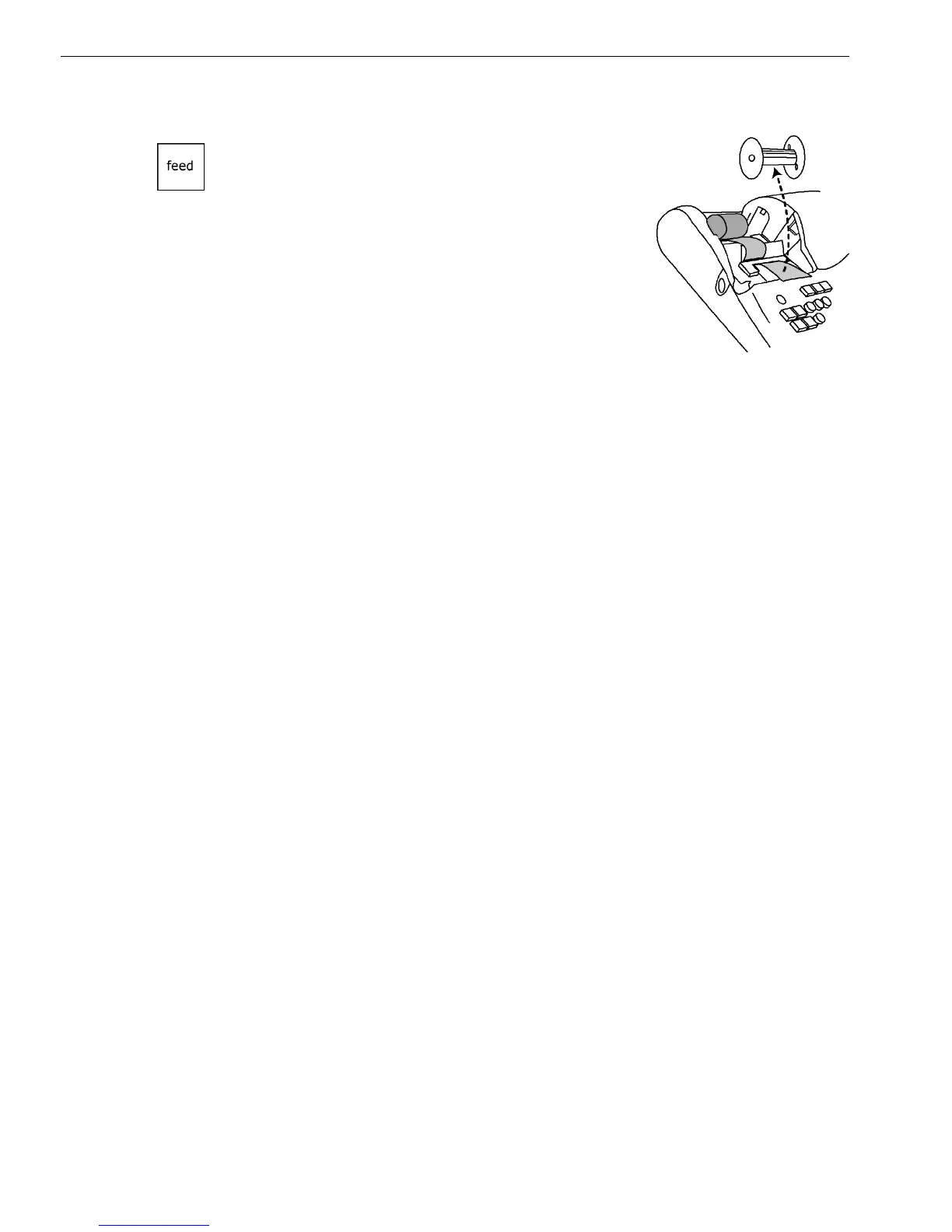
• I f you do not need to print receipts:
Place the black plastic Journal Takeup spindle
on its grooves above the Battery
compartment. T he spindle sits above the
paper roll. Press the Feed key to move the
paper through the printer about 10-12 inches.
Push the paper through one of the narrow
openings in the center of the Journal Takeup
spindle. Press the Feed key until the paper
catches and begins to wind securely around
the Journal Takeup spindle. R eplace the
Journal C ompartment C over.
• I f you want to print receipts: L ay the customer receipt paper over the
receipt slot and close the Journal C ompartment C over.
Using the Battery System
Your cash register has a memory where information about your
programming and transactions are stored. T his memory stores the
information that lets you print reports, such as the total sales for the day,
week, or month. T he cash register memory also stores information about
any special programming you have done.
I f your cash register is unplugged or if there is a power outage, the
batter
ies keep the information in the memory until you plug the cash
register into a power source or the power is restored.
To make sure the battery back-up protection is working, replace the
batteries at least once a year. To help you remember, consider replacing
the batteries on N ew Years D ay. T he cash register can be off or unplugged
for as long as 700 hours (about 28 days) and the information in the
memory is still there when you are ready to use the register again.
CAUTION: RISK OF EXPLOSION IF BATTERY IS REPLACED BY AN INCORRECT TYPE
• R eplace only with the same type of batteries recommended by the
manufacturer.
• W hen replacing batteries pay attention to the polarity (the positive + and
negative - ends of the battery); be sure to install the batteries in the
correction position and proper direction.
• Properly dispose of used batteries according to the battery
manufacturer's instructions or according to your local environmental
regulations and disposal guidelines.
• Never dispose of any batteries in fire! T he batteries may leak or explode.
1000ML User's GuideahplA39



 To Next Page