81 1000ML User's GuideahplA
Using the Accessory Drawer
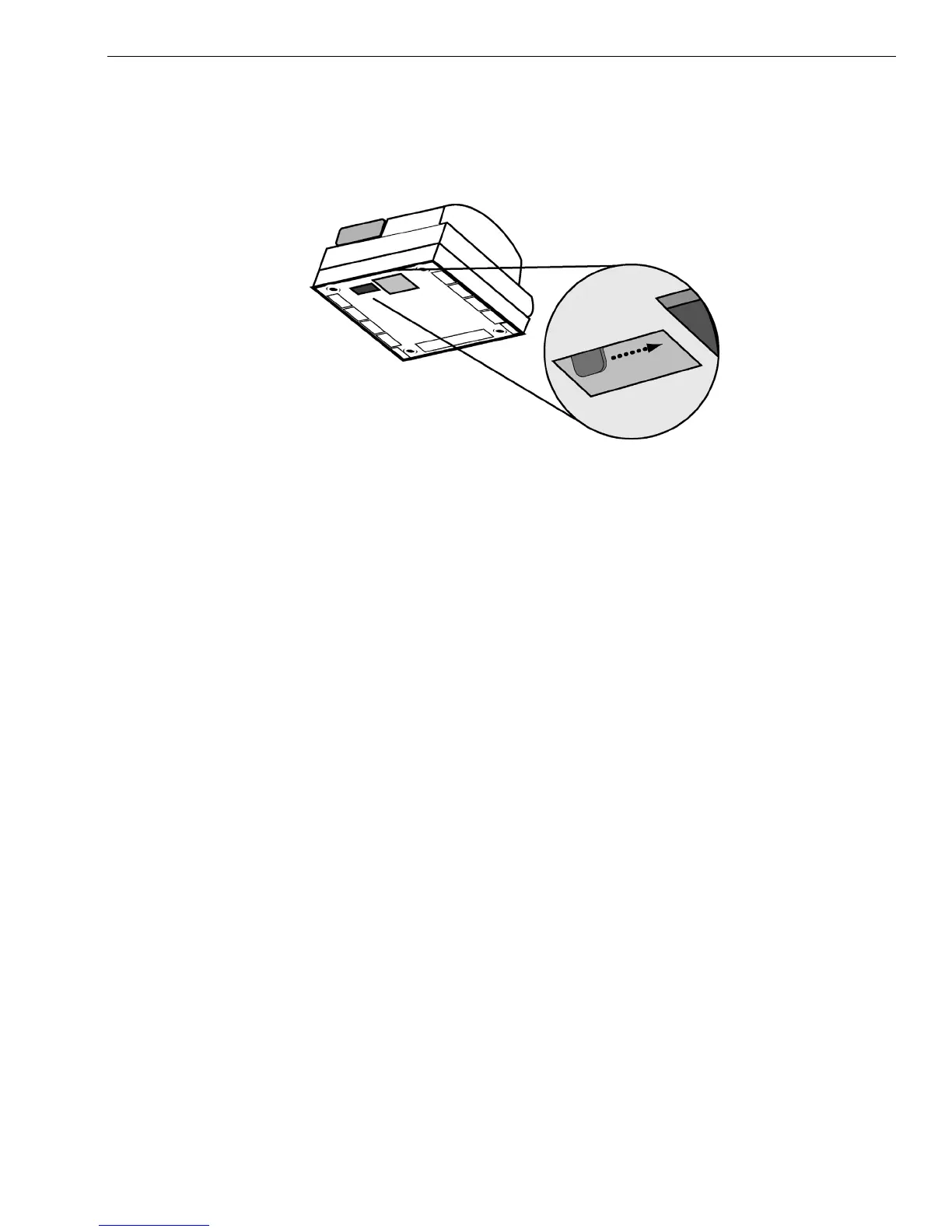
To open the cash drawer using the emergency lever
1 W ith your hands on the cash drawer, carefully tip the front of the register
up. U nderneath the cash register, toward the back of the register, you see
a small lever.
2 Push the lever in the only direction it will move. T he cash drawer opens.
I f the cash drawer will not open, make sure it is not locked with the 515
D rawer key.
Using the Accessory Drawer
Your cash register has a small drawer above the cash drawer. T he
Accessory drawer can be opened at any time by anyone. I t is a good place
to put things like pens, pencils, and note pads.
Because the drawer cannot be locked, it is not a good idea to put checks or
valuables in it. You should put those in the cash drawer, under the coin
tray.
SD Card Slot
O n the right side of your cash register, near the serial port, you will see an
SD memory card slot. B y inserting an SD card into this slot you can save
your sales, programming and E lectronic Journal I nformation. Y ou can use
this to also back-up your programming data to protect you in event of a
memory loss.



 To Next Page