Chapter 3 Getting To Know the Cash Register
1000ML User's Guide ahplA31
Using the Keyboard
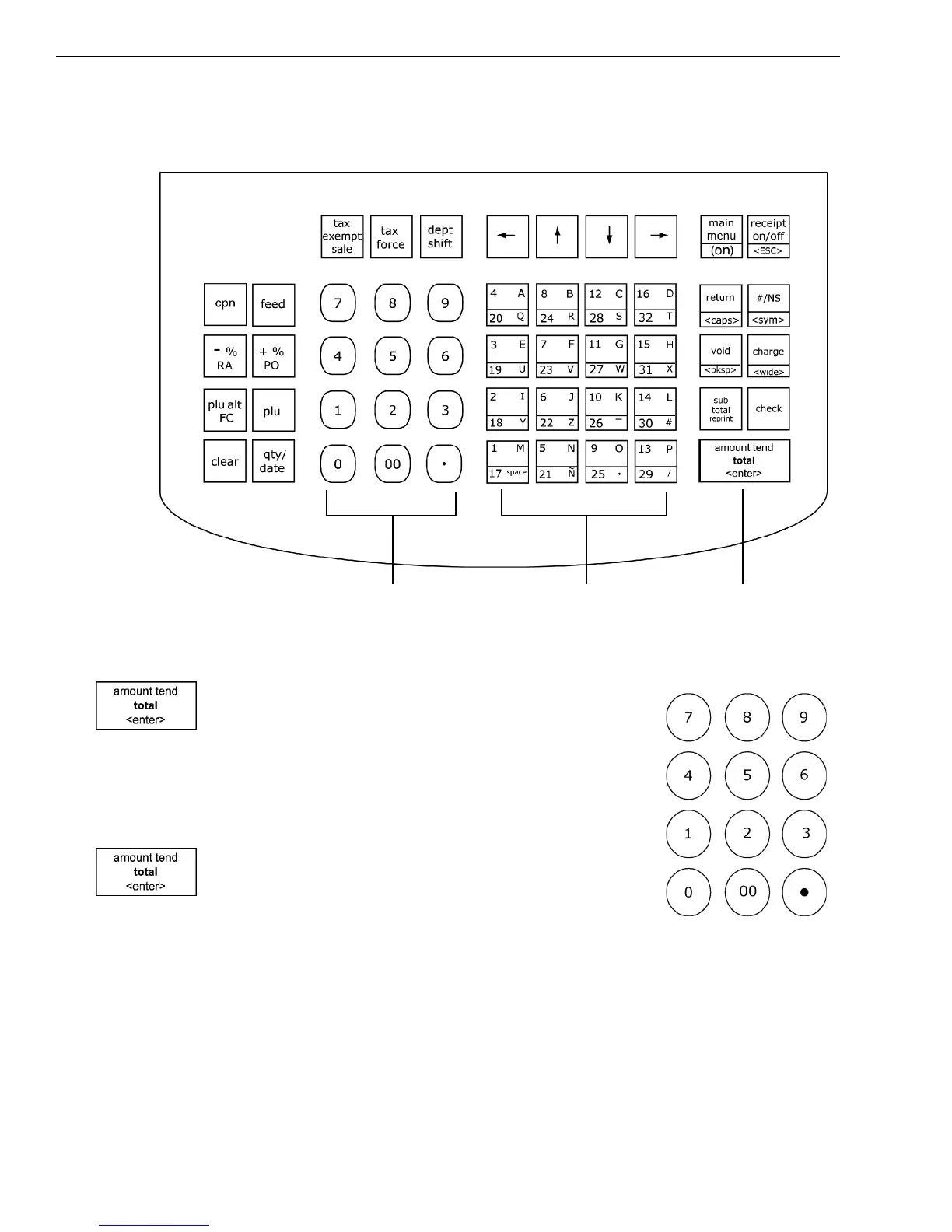
T he keyboard on your cash register looks like the following:
To use the keyboard, do the following:
• To use the cash register, press the Main menu
(on) key. Select Sales R egistration and press the
Amount Tend Total <Enter> key. Now you can
press the round N umber keys and Department
keys to ring up a sale. For more information
about ringing up sales, see R inging up Sales and
Using Training M ode on page 65.
• To program the cash register, press the Main
menu (on) key. Select Programming and press
the Amount Tend Total <Enter> key. For more
information about programming the cash
register, see Setting U p Your C ash R egister - the Basics on page 19 and
Setting U p Your C ash R egister Parameters on page 51.
Rounded number keys
Amount Tend Total key
opens cash drawer
Department keys and
letters for programming



 To Next Page