601 a 1000ML User's GuidehplA
Adding Tax to a Non-Taxable Department
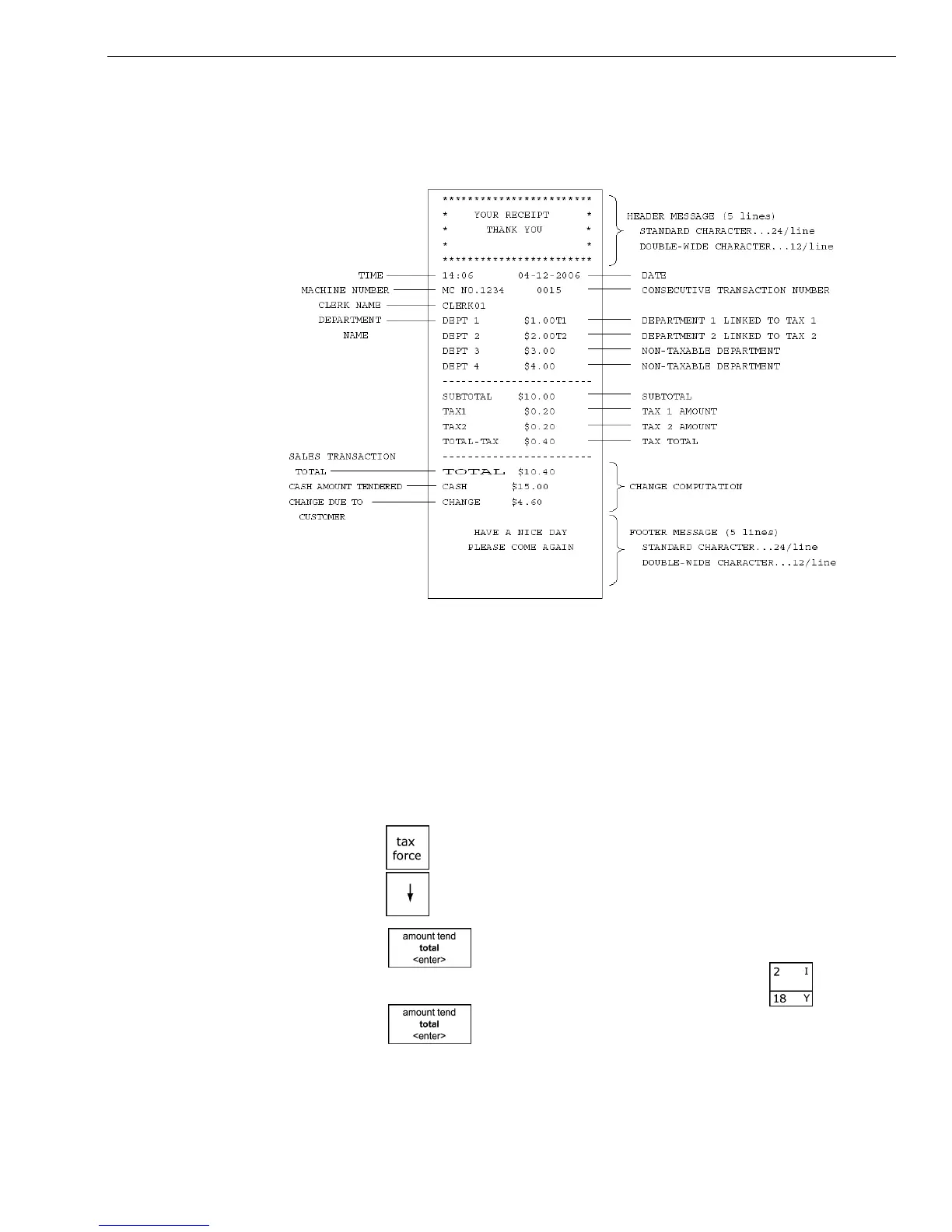
Sample Receipt
T he example below shows the general transaction information you see
printed on a receipt. Your actual receipt may vary.
T he rest of this chapter shows you example transactions.
Adding Tax to a Non-Taxable Department
Example 4: Assume the Department 2 key is programmed for no tax and the
TAX 1 rate is programmed for 6%. Ring up a $1.00 item in Department 2,
charging the 6% tax rate.
To add or force tax to a non-taxable department or a different tax rate
1 Press the key.
2 Press the key and select Tax 1.
3 Press the key.
4 I n the N umber keys area, press 100, and then press the key.
5 Press the key.



 To Next Page