Chapter 5 Setting Up Your Cash Register Parameters
Others Set Up
T he O thers Set U p menu includes the options listed in this section.
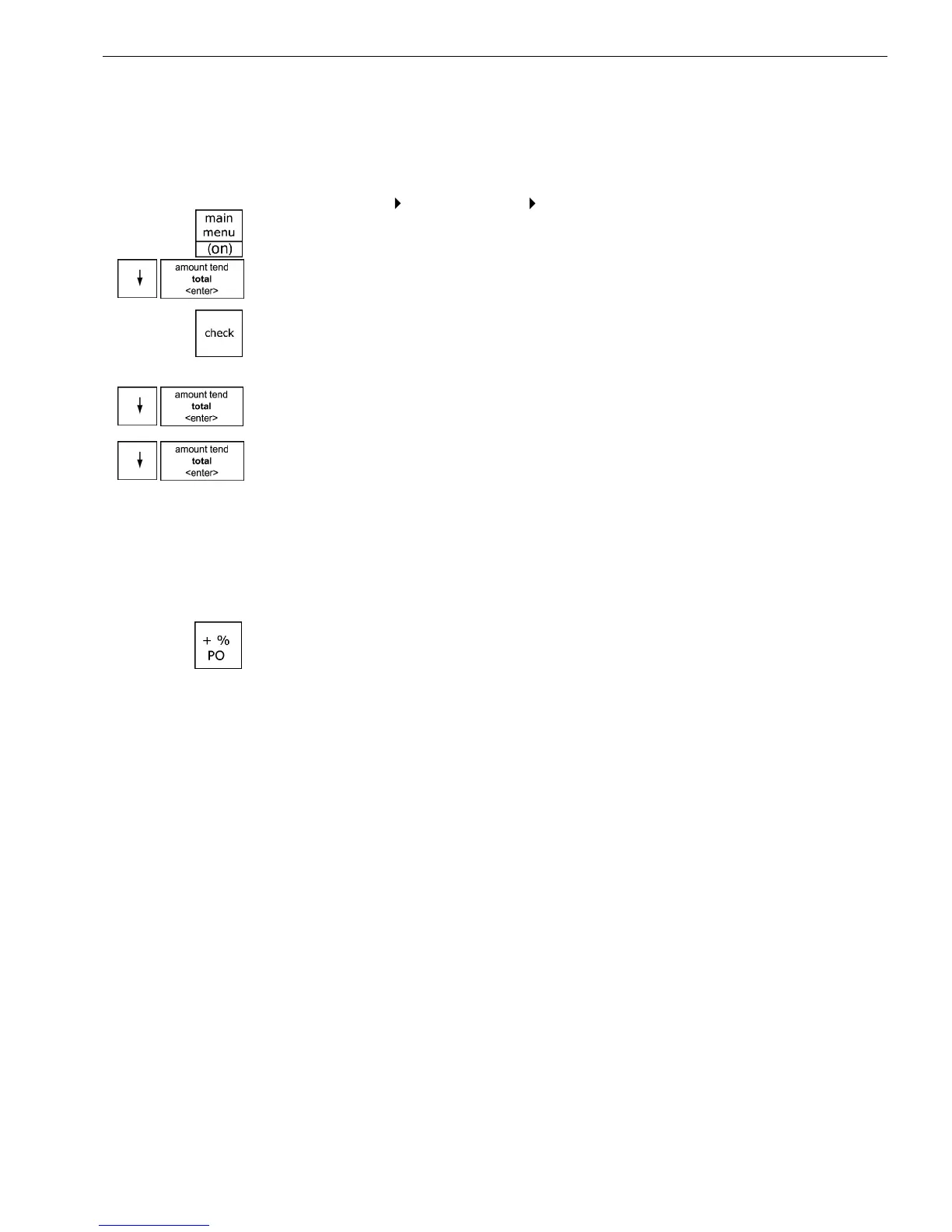
To open the Others Set Up menu
Programming More Options Others Set Up
1 Press the Main menu (on) key.
2 Press the Arrow Down key to select Programming. Press the Amount
Tend Total <Enter> key.
3 I f you are prompted for a M anager Passcode, type the passcode number
and then press the Check key. I f you did not program a M anager
Passcode, go to the next step.
4 Press the Arrow Down key to select M ore O ptions. Press the Amount
Tend Total <Enter> key.
5 Press the Arrow Down key to select O thers Set U p. Press the Amount
Tend Total <Enter> key.
T he rest of this section explains each menu option.
[+%] Rate
You may want to add a default percentage amount to an individual item or
to a total, such as a fixed tip or other service charge. T he + % PO key adds
a percent additional charge to an individual item if you press it
immediately after you ring up an item or adds a percent additional charge
to the sub-total amount of an entire sale if you press it after you press the
Sub-total reprint key.
You can program a default percentage rate for the + % PO key or you can
enter the rate manually each time the + % PO key is pressed. W hen you
enter the default pre-programmed Plus Percentage amount, use 2 decimal
places. For example, enter a 5% Plus Percentage as 500.
W hen you manually enter the Plus Percentage rate during a sale, use a
whole number without any decimal places. For example, enter 5% as 5, or
enter 10% as 10.
W hen you use the + % PO key, the words A D D O N appear on the display
and print on the receipt.
85 a 1000ML User's GuidehplA



 To Next Page