Chapter 4 Setting Up Your Cash Register - the Basics
39 Alpha 1000ML User’s Guide
Programming Scrolling Messages
Use the steps below to program your scrolling message or to disable your
scrolling message.
To program a scrolling message
Programming More Options Text Messages Scroll Messages
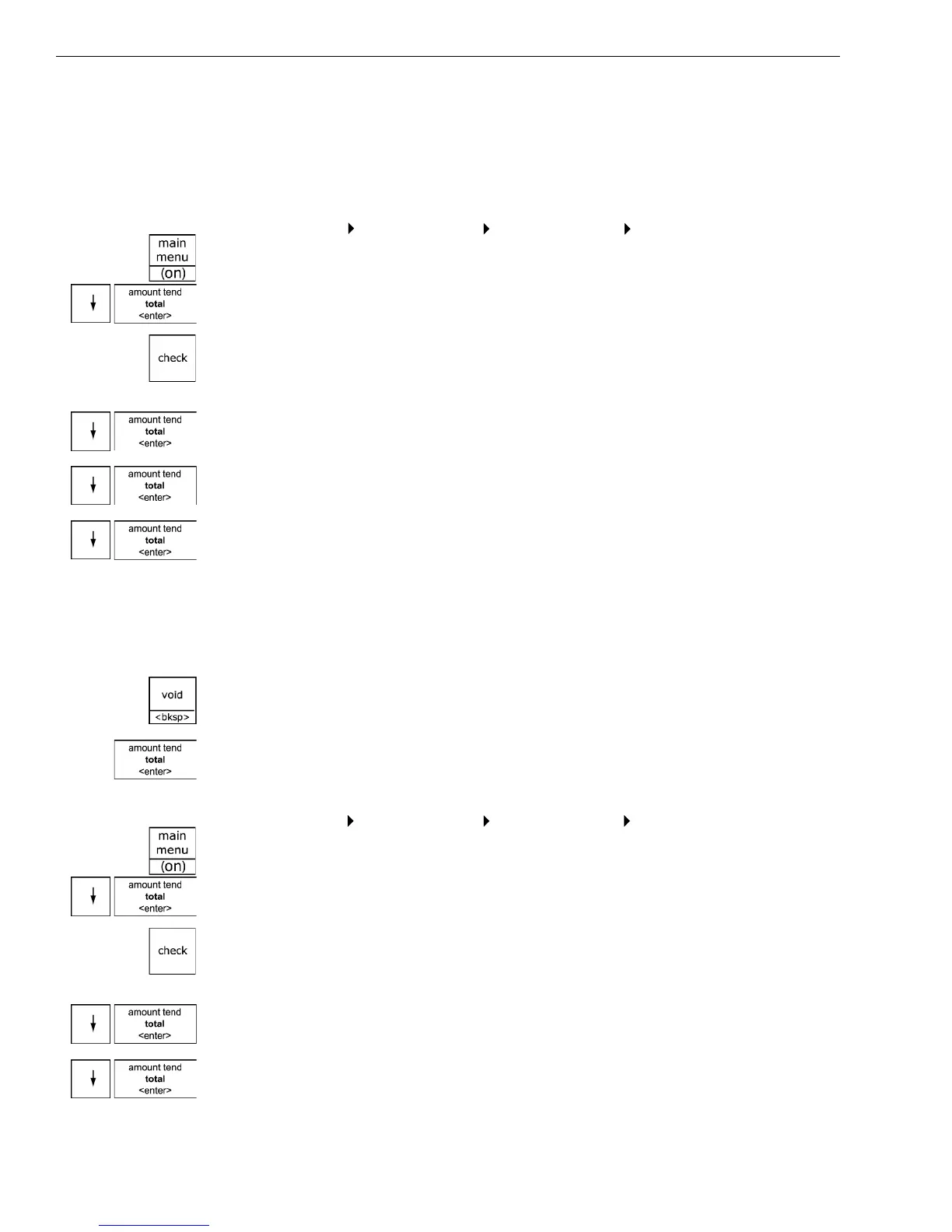
1 Press the Main menu (on) key.
2 Press the A rrow Down key to select Programming. Press the Amount
Tend Total <Enter> key.
3 I f you are prompted for a M anager Passcode, type the passcode number
and then press the Check key. I f you did not program a M anager
Passcode, go to the next step.
4 Press the Arrow Down key to select M ore O ptions. Press the Amount
Tend Total <Enter> key.
5 Press the Arrow Down key to select Text M essages. Press the Amount
Tend Total <Enter> key.
6 Press the Arrow Down key to select Scroll M essages. Press the Amount
Tend Total <Enter> key.
7 Select the scroll message you want to change and follow the instructions
on the screen. For more information about using the A lphanumeric keys
to type letters, see Setting A lphanumeric Descriptions on page 22.
Important
If you enter the wrong character, press the Void <bksp> key to delete the
character. Now you can continue.
8 W hen you are done, press the Amount Tend Total <Enter> key.
To disable a scrolling message
Programming More Options Text Messages Scroll Messages
1 Press the Main menu (on) key.
2 Press the A rrow Down key to select Programming. Press the Amount
Tend Total <Enter> key.
3 I f you are prompted for a M anager Passcode, type the passcode number
and then press the Check key. I f you did not program a M anager
Passcode, go to the next step.
4 Press the Arrow Down key to select M ore O ptions. Press the Amount
Tend Total <Enter> key.
5 Press the Arrow Down key to select Text M essages. Press the Amount
Tend Total <Enter> key.



 To Next Page