Chapter 4 Setting Up Your Cash Register - the Basics
29 Alpha 1000ML User’s Guide
6 Select O n. Press the Amount Tend Total <Enter> key. Now when the
clerk enters Sales R egistration mode, s/he is prompted for the clerk
number.
To turn on Clerk Passcodes
Programming Security Set Up Clerk Passcode
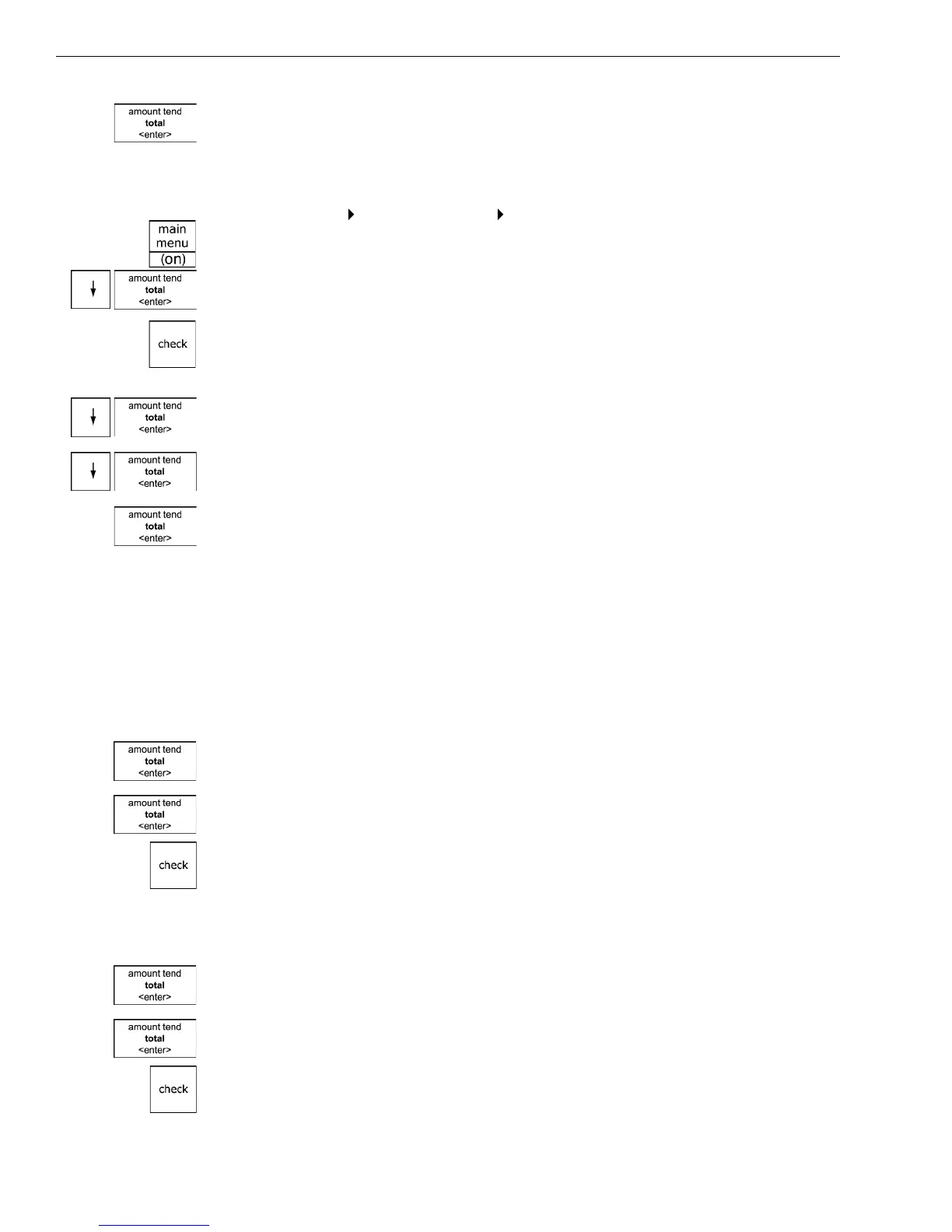
1 Press the press the Main menu (on) key.
2 Press the Arrow Down key to select Programming. Press the Amount
Tend Total <Enter> key.
3 I f you are prompted for a M anager Passcode, type the passcode number
and then press the Check key. I f you did not program a M anager
Passcode, go to the next step.
4 Press the Arrow Down key to select Security Set U p. Press the Amount
Tend Total <Enter> key.
5 Press the Arrow Down key to select C lerk Passcode. Press the Amount
Tend Total <Enter> key.
6 Select O n. Press the Amount Tend Total <Enter> key. Now when the
clerk enters Sales R egistration mode, s/he is prompted for the clerk
number and passcode.
Using the Clerk System
I f the clerk security system is active, the clerk is prompted to enter the
clerk number and passcode when they enter the Sales R egistration mode.
To use the clerk system
1 M ake sure Sales R egistration is highlighted on the main menu and press
the Amount Tend Total <enter> key.
2 Using the round N umber keys, enter the clerk number and then press
the Amount Tend Total <enter> key.
3 I f prompted for a passcode, use the round Number keys and press the
three digit passcode. T hen press the Check key.
To use clerk numbers (example)
Example 1: Clerk #1 has a passcode of 234
1 At the main menu, select Sales R egistration and press the Amount Tend
Total <Enter> key.
2 Using the round N umber keys, press 1, then press the Amount Tend
Total <Enter> key.
3 Press 234 and then press the Check key.



 To Next Page