82 1000ML User's Guide ahplA
Setting Clerk Numbers and Names
Note
When clerks enter passcodes, passcodes appear as asterisks *** on the
displays for extra security.
A fter you are done programming clerk numbers, you can check your
results. See R unning the O ptions D ump R eport on page 82.
Important
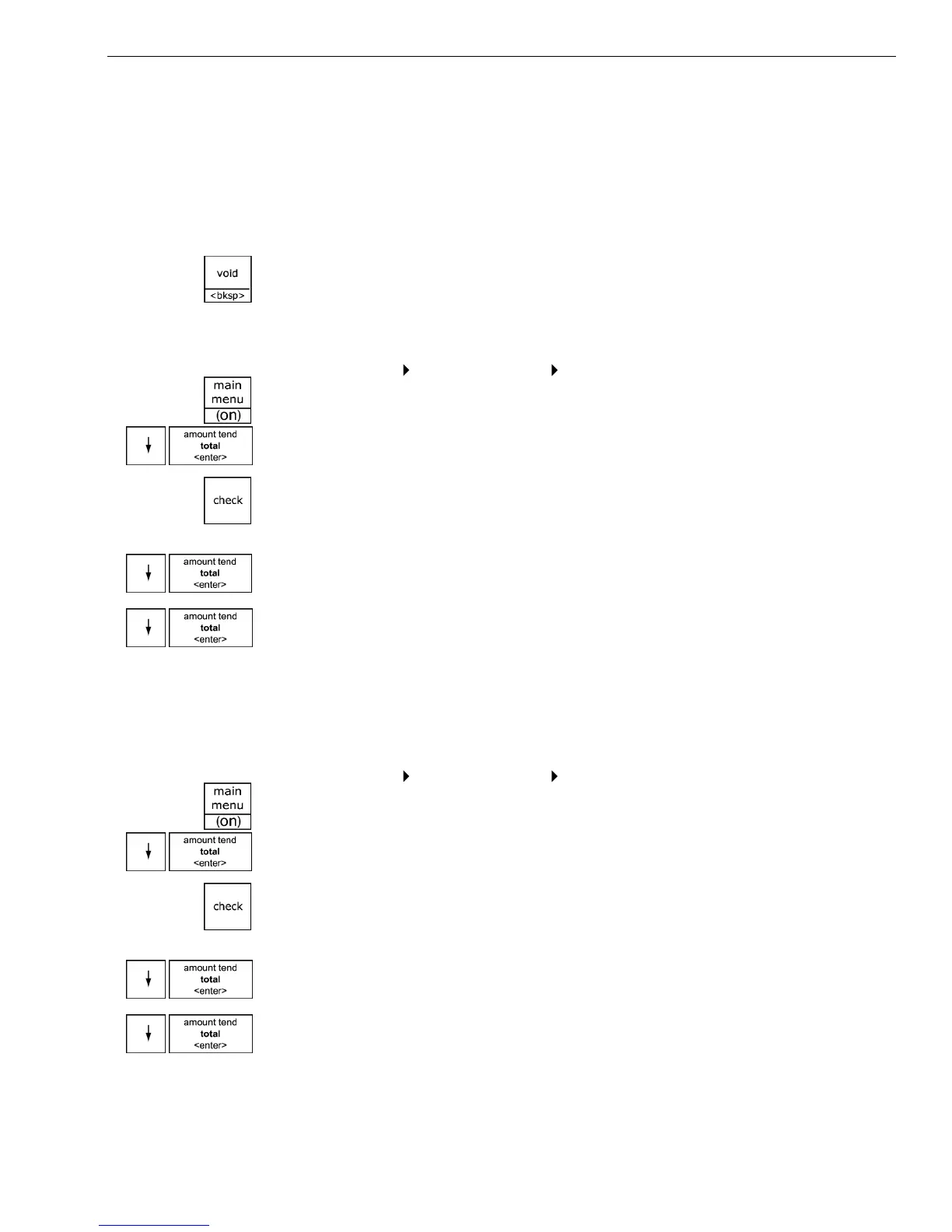
If you enter the wrong character, press the Void <bksp> key to delete the
character. Now you can continue.
To set a clerk number and program a name and passcode
Programming
Security Set Up Clerk Set Up
1 Press the Main menu (on) key.
2 Press the Arrow Down key to select Programming. Press the Amount
Tend Total <Enter> key.
3 I f you are prompted for a M anager Passcode, type the passcode number
and then press the Check key. I f you did not program a M anager
Passcode, go to the next step.
4 Press the Arrow Down key to select Security Set U p. Press the Amount
Tend Total <Enter> key.
5 Press the Arrow Down key to select C lerk Set U p. Press the Amount
Tend Total <Enter> key.
6 Follow the instructions on the display.
Now you need to turn on C lerk Security.
To turn on Clerk Security
Programming
Security Set Up Clerk System
1 Press the press the Main menu (on) key.
2 Press the Arrow Down key to select Programming. Press the Amount
Tend Total <Enter> key.
3 I f you are prompted for a M anager Passcode, type the passcode number
and then press the Check key. I f you did not program a M anager
Passcode, go to the next step.
4 Press the Arrow Down key to select Security Set U p. Press the Amount
Tend Total <Enter> key.
5 Press the Arrow Down key to select C lerk System. Press the Amount
Tend Total <Enter> key.



 To Next Page