Chapter 4 Setting Up Your Cash Register - the Basics
21 Alpha 1000ML User’s Guide
Adjusting the Contrast on the Clerk Screen
You can adjust the contrast on the clerk screen to make it brighter or
darker. T his makes it easier for you to see the display in different lighting.
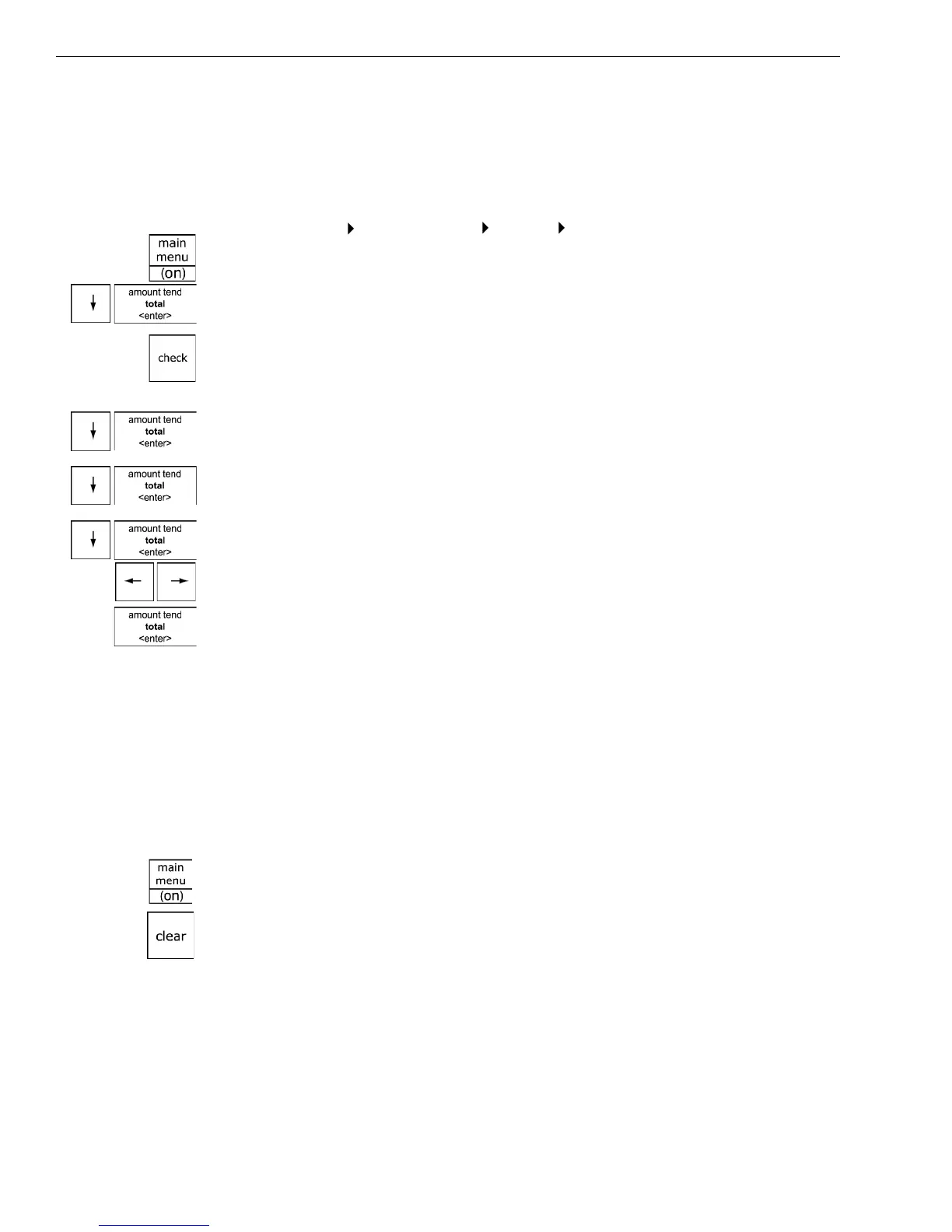
To adjust the contrast
Programming More Options Config Contrast
1 Press the Main menu (on) key.
2 Press the Arrow Down key to select Programming. Press the Amount
Tend Total <Enter> key.
3 I f you are prompted for a M anager Passcode, type the passcode number
and then press the Check key. I f you did not program a M anager
Passcode, go to the next step.
4 Press the Arrow Down key to select M ore O ptions. Press the Amount
Tend Total <Enter> key.
5 Press the Arrow Down key to select C onfig. Press the Amount Tend
Total <Enter> key.
6 Press the Arrow Down key to select C ontrast. Press the Amount Tend
Total <Enter> key.
7 U se the Left Arrow and Right Arrow keys to adjust the contrast.
8 W hen you are done, press the Amount Tend Total <Enter> key.
Using Power Saving Mode
T he cash register includes a power saving, or “sleep” mode. T his mode
saves energy and prevents the clerk display from getting damaged by
“burn-in”—just like a screen saver on your laptop or PC .
A fter a specified period of minutes of inactivity, the cash register goes into
sleep mode and the clerk display goes dark. T he cash register does not
actually turn all the way off, it just goes to sleep.
To wake the unit up, press the Main menu <On> key or the Clear key. T he
Main menu <On> key turns the cash register on if it is in sleep mode or it
was turned off using the main menu.
T he Clear key turns the display on if the cash register is in sleep mode.
T he Clear key does not turn the cash register on if is was turned off on
using the main menu.
T he default time before the cash register goes to sleep is 3 minutes, but
you can change this.



 To Next Page