Chapter 11 Examples
1000ML User's GuideahplA711
Split Tendering Sale
Example 30: Ring up a $15.00 item in Department 1 with 6% sales tax, split the
total of the sale between $5.00 in cash payment and $10.90 in charge payment.
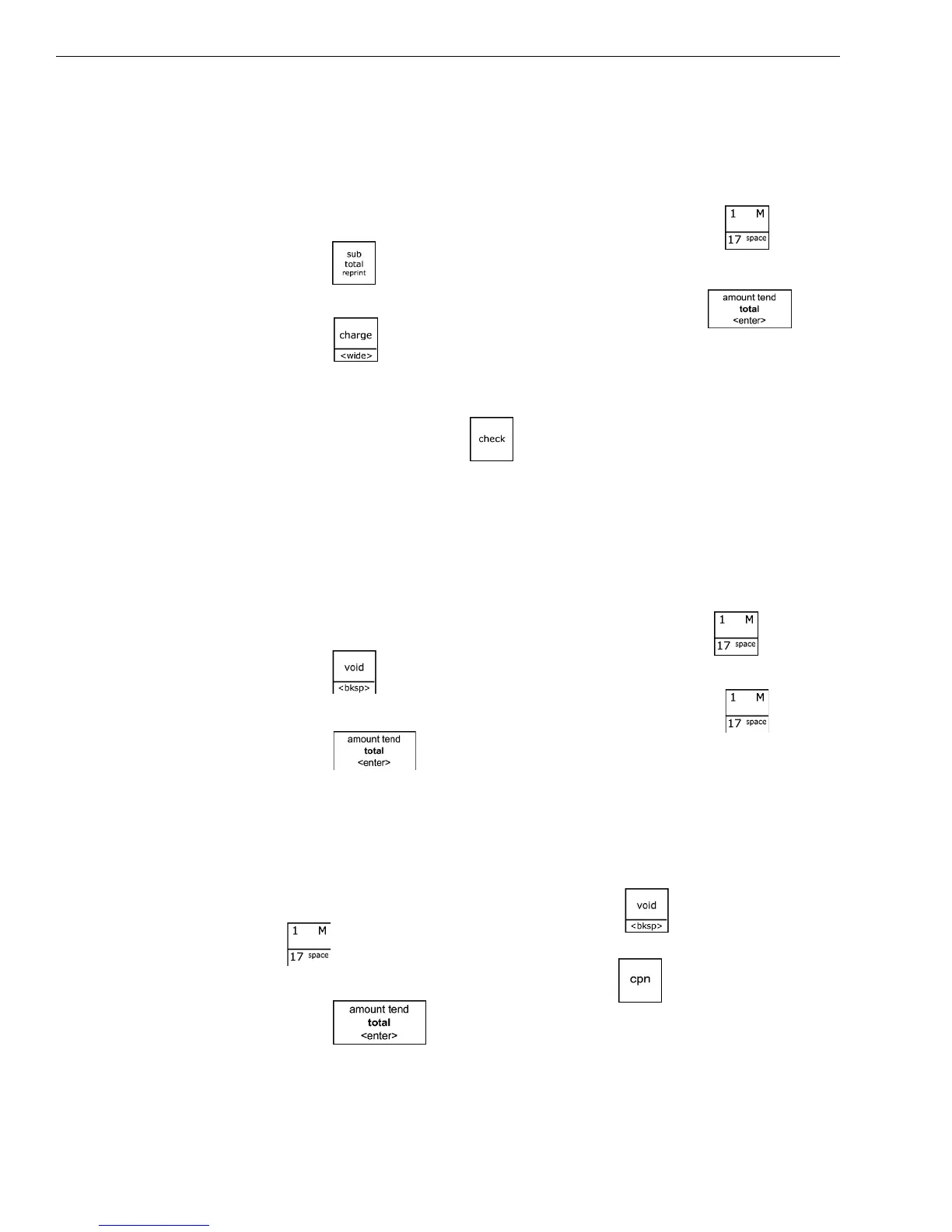
To ring up a Split Tendering sale
1 I n the Number keys area, press 1500, and then press the key.
2 Press the key.
3 I n the Number keys area, press 500,and then press the key.
4 Press the key.
Note
When using the Split Tendering function, the sale can also be finalized with
the Check key. Substitute the key in Step 4 in the example above.
Use the Error-Correct /Void Key
Example 31: Corrects the last entry rung up during a sale. Ring up a $1.00 item
in Department 1, then use the Void key to cancel this entry and ring up a $10.00
item in Department 1 to register a new entry.
To use the error-correct/void key
1 I n the N umber keys area, press 100, and then press the key.
2 Press the key.
3 I n the N umber keys area, press 1000, and then press the key.
4 Press the key.
Voiding A Coupon Sale
Example 32: Void a $1.00 item in Department 1, void a 20¢ coupon.
To void a coupon sale
1 I n the N umber keys area, press 100, press the key, and then press
the key.
2 I n the N umber keys area, press 20, press the key.
3 Press the key.



 To Next Page