21 a 1000ML User's GuidehplA
About the Menus on the Clerk Display
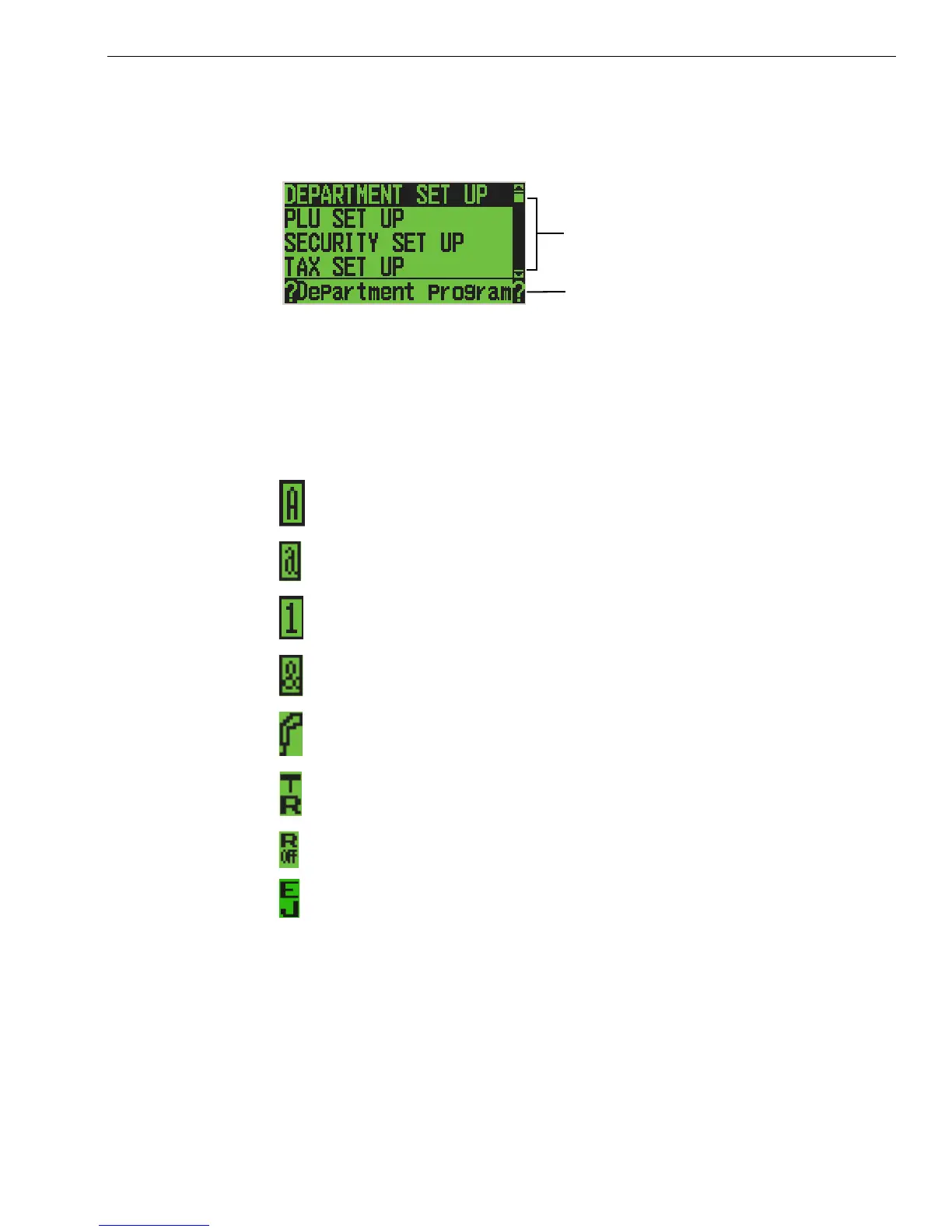
You may see a scroll bar on the right side of the screen. T his means that
there are more options to see if you use the Arrow Up and Arrow Down
keys.
W hen you are programming, you also see text that moves across the
bottom of the screen. T his text provides a brief ex planation of the selected
option.
A s you use the cash register, you notice symbols on the lower left of the
5th line. T hese symbols are:
E nter uppercase alphabetical letters using the Department key in
C aps O n mode.
E nter lowercase alphabetical letters using the Department key in
C aps O ff mode.
E nter numbers using the rounded number keys.
E nter symbols and international characters by pressing the #/ NS
<sym> key.
Scan a barcode using the optional barcode reader.
T he cash register is in Training M ode.
R eceipt printer is turned off in Sales R egistration mode.
Scroll bar
Help text
E lectronic Journal is O n and recording.



 To Next Page