Chapter 9 Maintenance and Options
I f there was a power outage, replace the batteries as soon as there is power
again. D O N O T remove or replace the batteries until you plug the cash
register into a power source and you see messages on the display.
I f you will not use the cash register for an extended period of time, you
can remove the batteries to prolong their life. H owever, all information in
the cash register will be erased if you do this.
Caution
You must plug the cash register in before installing or replacing the back-up
batteries. All data is erased when you remove the batteries if the cash
register is not plugged in before you remove the batteries.
To install or replace the batteries
1 Before you start, make sure you have 3 new A A batteries.
1 O pen the Journal C ompartment C over. R emove
the Journal C ompartment C over and set aside.
2 M ove the paper roller bar up and out of the way.
G rab the small handle on the right of the print
roller bar. Push the little handle towards the back
of the cash register and raise the paper roller bar
up. You see a slope down to the paper
compartment. T he battery cover is located under the print roller bar, on
the slope.
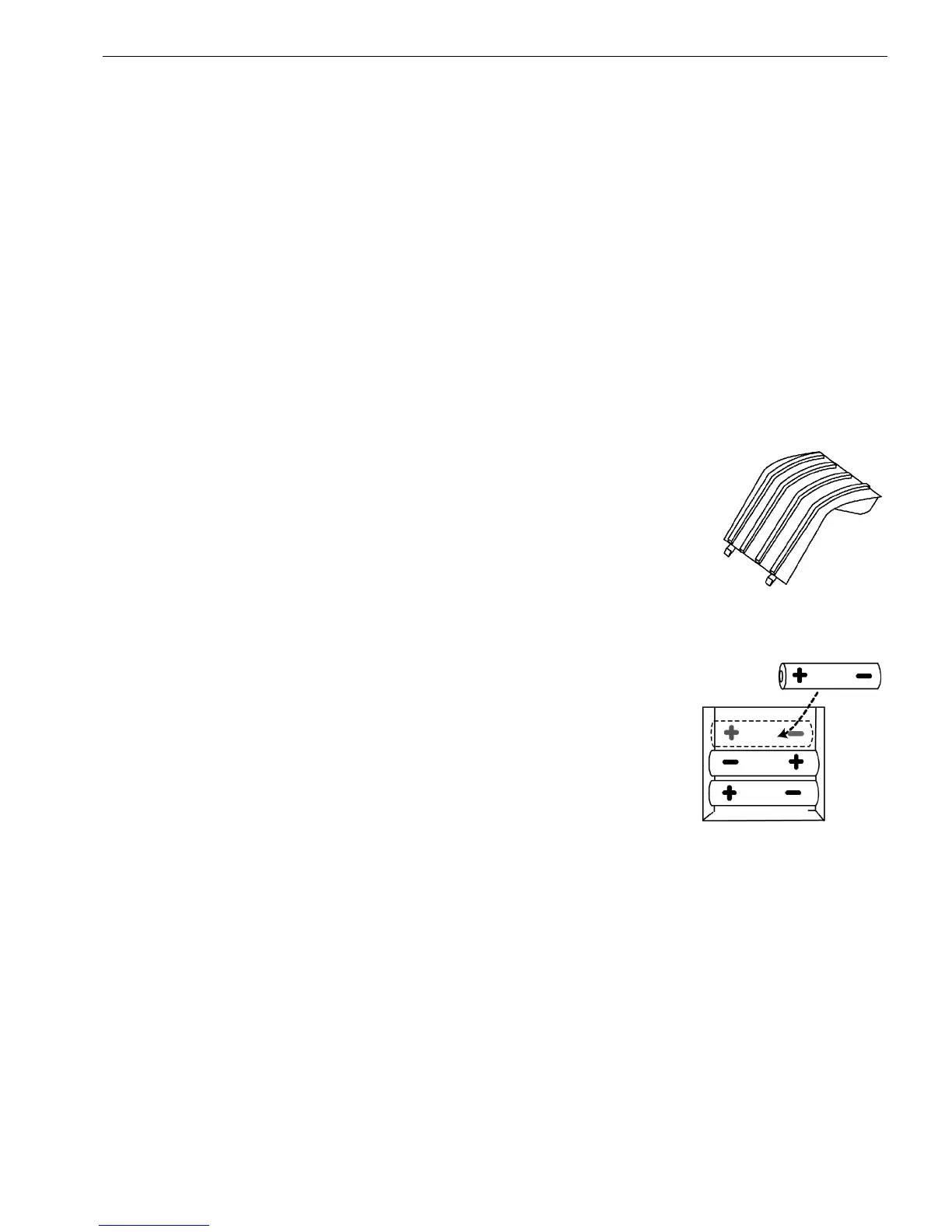
3 R emove the battery cover. Press the edge at the
top of the cover and push to the back. T he cover
pops off.
• Put the batteries in the slots. M ake sure that
the positive and negative ends are in the right
place. T he batteries have a little plus (positive)
and minus (negative) sign on each end to help
you.
• R eplace the battery cover. Slide the bottom tabs into the long slit in the
bottom position and snap the cover into place. Do not put the tabs in
the 2 holes in the bottom of the compartment. T he cover will not close
and you will break the tabs.
49 1000ML User's GuideahplA



 To Next Page