5. Measurements with the Barracuda System
Mammography
2012-10/4.3A
135
Barracuda & QABrowser Reference Manual
side. The text should be at the same side as the MPD detector area. If there is no
text let the marks (from 2 above) be on the side towards the bottom of the MPD. Do
not use unnecessary force. To disconnect the MPD cable press the two "buttons" on
each side of the connector house and gently remove it.
.
4. Make sure that the image receptor is positioned at a clinically relevant distance
(typically 600 mm).
5. You should place the MPD flat on the image receptor with its long axis parallel to the
chest wall making sure the centre of the detector surface is placed in the centre of
the light field, as shown in the pictures above (40 mm distance shown).
This placement of the MPD makes the detector surface perpendicular to the
cathode/anode axis, to avoid influence from the heel effect.
For general mammography, it is important that the MPD connector points
in the patients left direction, as shown in picture.
To be able to get comparable results, please consider the position of the
MPD. The MPD should be placed at a clinically relevant distance from the chest
wall. Recommendations for this varies, typically between 40 and 60 mm. For
Europe, 60 mm is the recommended distance (Ref. ECR 16263 EU).
6. Connect the devices.
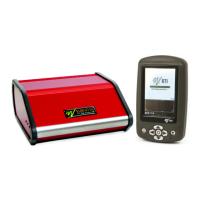
Handheld: Connect the Palm holder or the 8 m "Palm cable". For Bluetooth
(wireless) nothing is needed.
PC: connect the Bluetooth serial module, the 8 m serial cable, or the USB cable.
7. Optionally you may connect the power supply to the cabinet from the power outlet.
8. Power on the Barracuda using the power switch.
9. Power on the handheld computer (or the PC).
Now everything is set up with the hardware. Please continue in one of the following
sections, depending on what you want to measure.


 To Next Page