2. Description of the Barracuda
Setting Up the Barracuda
2012-10/4.3A
17
Barracuda & QABrowser Reference Manual
not use unnecessary force. To disconnect the MPD cable press the two "buttons" on
each side of the connector house and gently remove it.
4. Place the MPD under the tube or mount the holder and HVL
stand for positioning of the MPD in the X-ray field. See the
figure to the left. The stand allows you to position the MPD (or
the R100 dose detector) and HVL filters in any angle including
upside-down. Use the light-field or other help to position the
MPD in the X-ray field. The MPD detector is not sensitive for
different field sizes as long as the entire sensitive detector
area is irradiated, but try to keep the field size down to
minimize scattering.
It is also recommended to position the MPD in such a
way that the detector area is orientated perpendicular to the
anode/cathode axis, to avoid the heel effect.
Recommended field size is 20×40 mm.
5. Optionally you may connect the power supply to the cabinet.
Now everything is set up with the hardware.
Hardware and Specifications2.6
Specifications are valid after a warm-up time of one minute and presuming reference
conditions. All specifications are for use together with the Barracuda unless otherwise
stated. All specifications can be changed without prior notice. RTI Electronics AB
assumes no responsibility for any errors or consequential damages that may result
from the misuse or misinterpretation of any information contained in these
specifications.
2.6.1 Cabinet
2.6.1.1 General
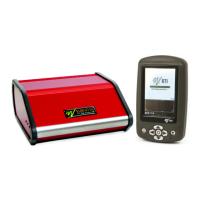
The cabinet is the hub of the Barracuda system. The cabinet holds the different
modules and controls their functionality. The cabinet also controls the data flow
between the modules and the user interface, which can be either a handheld computer
or a PC.
The cabinet has six places for modules, there are several different electrometer
modules, one signal extension module, and a multi-purpose module (that connects to
the multi-purpose detector) available. The modular design gives a flexible system,
which can be individually designed to fit almost any QA need. The Barracuda uses six
1.5 V R6 batteries (alkaline or chargeable) or an external 12 V DC power supply. The
chargeable batteries can be recharged when the Barracuda is powered from the
external power supply. The operation time depends on the number of modules used,
and mode of operation. See the table below for approximate operation times (with
Cabinet firmware v1.4A or newer).
There are two ways to control the Barracuda and to present measured data; either via
a handheld computer or through a PC. The cabinet has two different interfaces, RS232
and USB.


 To Next Page