EasyManua.ls Logo

RTI Barracuda - User Manual

RTI Barracuda
214 pages
Print Icon
To Next Page IconTo Next Page
Loading...
Reference Manual - English - Version 4.3A
&
Barracuda
QABrowser
RTI article number: 9620501-00

Table of Contents

Questions and Answers

RTI Barracuda Specifications

General IconGeneral
BrandRTI
ModelBarracuda
CategoryMedical Equipment
LanguageEnglish

Summary

1. Introduction

1.1 About this Manual

Provides a brief overview of the manual's structure and content, including the Barracuda and QABrowser.

1.2 Introduction to the Barracuda

Introduces the Barracuda as a powerful tool for X-ray analysis, detailing its capabilities and applications.

1.3 PC Requirements

Lists minimum and recommended system requirements for running the Barracuda software on a PC.

1.4 Palm OS Computer Requirements

Specifies the minimum and recommended requirements for handheld computers running Palm OS.

2. Description of the Barracuda

2.1 Overview of the Barracuda System

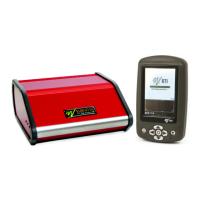
Details the main components of a typical Barracuda system, including the cabinet, MPD, and handheld computer.

2.2 Cabinet and Modules

Describes the Barracuda cabinet, its modules, connectors, switches, and indicators.

2.3 The Multi-Purpose Detector (MPD)

Explains the MPD's role as a universal detector for various X-ray systems and its measurement capabilities.

2.4 Setting Up the Barracuda for the First Time

Provides step-by-step instructions for initial setup, including mounting batteries and connecting the power supply.

2.5 Setting Up the Barracuda

Guides users on connecting the MPD cable and other components to the Barracuda cabinet.

2.6 Hardware and Specifications

Details the hardware specifications for the Barracuda system, including cabinet and detector parameters.

2.6.1 Cabinet

Provides general information and specifications for the Barracuda system cabinet.

2.6.1.2 Specifications, Cabinet

Lists detailed specifications for the Barracuda cabinet, including size, weight, and power sources.

2.6.2 Multi-Purpose Detector (MPD)

Describes the general features and capabilities of the Multi-Purpose Detector (MPD).

2.6.2.2 Specifications, MPD

Lists detailed specifications for the MPD, including reference conditions and physical dimensions.

2.6.2.3 Typical Response, MPD

Presents typical response data for the MPD under standardized radiation qualities for various modalities.

2.6.2.4 Angular Sensitivity, MPD

Explains the angular sensitivity of the MPD and provides graphs illustrating its performance.

2.6.3 Signal-Extension Module (MP-SEM)

Describes the Signal Extension Module (MP-SEM), its inputs, outputs, and specifications.

2.6.4 Electrometer Module (EMM)

Details the Electrometer Module (EMM) and its various configurations.

2.6.4.1 General

Provides a general overview of the Electrometer Module's functionality and available types.

2.6.4.2 Specifications, EMM

Lists detailed specifications for the Electrometer Module (EMM), including reference conditions and general parameters.

2.6.4.3 Optional Detectors

Describes optional detectors that can be connected to the EMM, including their measuring ranges and inaccuracies.

2.7 Standards and Compliances

Outlines the standards and compliances relevant to the Barracuda system.

2.7.1 Waste Electrical and Electronic Equipment (WEEE)

Explains the WEEE directive and user instructions for disposal of electronic waste.

2.7.2 Manufacturers Declaration of Conformity

Presents the manufacturer's declaration of conformity for the Barracuda system.

2.7.3 Intended Use

Defines the intended use of the Barracuda system for diagnostic X-ray measurements.

2.8 Maintenance

Covers maintenance procedures for the Barracuda system, including battery handling and firmware updates.

2.8.1 Barracuda Batteries

Details how to exchange and charge batteries for the Barracuda system.

2.8.2 Updating the Barracuda Firmware

Provides instructions on how to update the Barracuda firmware using the RTI Updater software.

2.8.3 Managing Detector Calibrations

Explains how to manage and view detector calibrations using the RTI Detector Manager software.

2.8.4 Transferring Detector Calibrations

Guides users on how to transfer detector calibrations between Barracuda cabinets.

2.8.5 Exchanging Modules

Details the procedure for safely exchanging modules within the Barracuda cabinet.

3. Description of the QABrowser

3.1 Introduction to the QABrowser

Introduces the QABrowser software for handheld computers, its functions, and measuring modes.

3.2 Starting the QABrowser

Explains how to start the QABrowser, covering both Bluetooth and cable connections.

3.3 Real-time Display and Waveforms

Details how to use the Real-Time Display (RTD) for measurements and viewing waveforms.

3.3.1 Using the Real-Time Display

Guides users on selecting measurement types, parameters, and viewing real-time data.

3.3.2 Waveforms - Acquiring and Viewing

Explains how to capture, display, and analyze waveforms from exposures.

3.3.3 Measurement Settings

Covers how to adjust measurement settings for the Barracuda and connected detectors.

3.3.3.1 Settings - Conditions

Details general conditions affecting measurements, like Total Filtration and Waveform type.

3.3.3.2 Settings - Barracuda

Configures general Barracuda settings such as Post Delay, Trig Source, and Update modes.

3.3.3.3 Settings - MPD

Adjusts specific settings for the MPD detector, including sensitivity and delay parameters.

3.3.3.4 Settings - Other Detectors

Configures settings for detectors connected to the electrometer module.

3.4 QABrowser Applications

Introduces built-in applications for standard QA tests like Accuracy and Reproducibility.

3.4.1 The Accuracy Application (single-parameter)

Details how to use the Accuracy application to test a single parameter, like kVp.

3.4.2 The Accuracy Application (multi-parameter)

Explains how to use the Accuracy application to test multiple parameters simultaneously.

3.5 Data Logging

Describes how to log and save measurement data from the QABrowser.

3.6 Favourites

Explains how to save and use favourite settings for quick access to measurement configurations.

3.6.1 Getting Started with Favourites

Provides guidance on saving measurements as favourites for efficient workflow.

3.7 QABrowser Setup

Covers the QABrowser setup menu for configuring various parameters.

3.7.1 Regulations Setup

Allows setting acceptance limits for built-in applications, such as accuracy and reproducibility.

3.7.2 Units Setup

Enables changing units of measure for dose, temperature, and air pressure.

3.7.3 Log Setup

Defines basic information and options for saving measurement logs.

3.7.4 Preferences Setup

Configures preferences like sleep time, auto prompt, and waveform analysis.

3.7.5 Detector Information

Displays information about available detectors and probes connected to the system.

3.7.6 System Info

Provides system information about the Barracuda, including firmware and product versions.

3.7.7 System Test

Allows testing various functions of the Barracuda system, such as logo, beep, and filter test.

3.8 Battery & Power Status

Displays battery level and power status for both the Barracuda and the handheld device.

3.9 Indicators and Symbols

Explains the various indicators and symbols used within the QABrowser interface.

3.10 Installation of Palm OS Handheld Computers

Guides users on installing or updating the QABrowser software on Palm OS handheld computers.

3.10.1 Updating QABrowser on the handheld

Details the process of updating the QABrowser software on the handheld device.

4. Measurement Principles & Theory

4.1 Overview of Capability for Measurement Modes

Shows common capabilities of X-ray measurement types within the QABrowser.

4.2 Measurement Type Settings

Describes measurement settings and update modes, including default configurations.

4.3 Update Modes

Explains the different update modes available: After Exposure, Timed, Continuous, and Free Run.

4.3.1 Using Timed Update Mode

Details how to use the Timed update mode for measurements, including starting and stopping.

4.3.2 Using Free Run Update Mode

Explains the Free Run update mode, its differences from Continuous, and the moving average function.

4.4 Display Messages and Active Messages

Describes display messages and active messages used to inform users about signal levels.

4.4.1 Active Messages

Explains active messages, their purpose, and how to disable them.

4.4.2 Display Messages

Details passive display messages indicating problems and their remedies.

4.5 Waveforms and Triggers

Explains how triggers, delays, and windows function during a standard exposure.

4.6 Measurement Principle for the MPD

Describes the key design features and measurement principles of the Multi-Purpose Detector (MPD).

4.7 HVL & Total Filtration

Explains Half-Value Layer (HVL) and Total Filtration measurement methods.

4.8 Linearity

Defines linearity and provides instructions on how to check mAs linearity.

4.9 Reproducibility

Explains how to check output reproducibility and calculate the coefficient of variation.

5. Measurements with the Barracuda System

5.1 Introduction

Introduces the Barracuda system's measurement capabilities, including parameters and waveforms.

5.2 Very Low Dose Rate Measurements with EMM-BiasW

Details measurements for very low dose rates using the EMM-BiasW module.

5.3 Radiography

Describes how to measure kVp, dose, and exposure time on radiographic units using the MPD.

5.3.1 kVp, Time, Dose, and Dose Rate

Guides on measuring kVp, time, dose, and dose rate on radiographic units.

5.3.2 Dose Measurements with R100 or Ion Chamber

Explains how to perform dose measurements using the R100 or an ion chamber.

5.3.3 HVL Application

Details how to use the HVL application for measuring Half-Value Layer.

5.3.4 Quick-HVL and Total Filtration

Explains the Quick-HVL method and how to measure Total Filtration in radiography.

5.4 Cine;Pulsed Radiography

Describes measurements for Cine/Pulsed X-ray units, including pulse analysis.

5.4.1 kVp, Time, Dose, and Dose Rate

Guides on measuring kVp, time, dose, and dose rate for Cine/Pulsed radiography.

5.4.2 Pulse Measurements with R100 or Ion Chamber

Explains pulse measurements using R100 or ion chambers for Cine/Pulsed radiography.

5.4.3 HVL, Quick-HVL, and Total Filtration

Details HVL, Quick-HVL, and Total Filtration measurements for Cine/Pulsed radiography.

5.5 Fluoroscopy and Pulsed Fluoroscopy

Describes measurements for Fluoroscopy and Pulsed Fluoroscopy systems.

5.5.1 Image Intensifier Input Dose Rate

Guides on measuring the input dose rate of an image intensifier.

5.5.2 kVp and Dose Rate

Explains how to measure kVp and dose rate during fluoroscopy.

5.5.3 HVL, Total Filtration, and Quick-HVL

Details HVL, Total Filtration, and Quick-HVL measurements for fluoroscopy.

5.5.4 Pulsed Fluoroscopy

Describes how to perform measurements for pulsed fluoroscopy.

5.6 Mammography

Covers measurements for mammography units, including kVp, dose, and HVL.

5.6.1 General

Provides general guidance for kVp measurements on mammography units.

5.6.2 Setting Up the Barracuda for Mammography

Guides on setting up the Barracuda system specifically for mammography measurements.

5.6.3 kVp, Time, and Dose Measurements with the MPD

Details kVp, time, and dose measurements using the MPD for mammography.

5.6.4 Dose Measurements with the R100 or Ion Chamber

Explains dose measurements for mammography using R100 or ion chambers.

5.6.5 HVL Application

Details how to perform HVL measurements in mammography using the HVL application.

5.6.6 Mammo Compensations and Corrections

Covers compensations and corrections important for mammography measurements.

5.6.6.1 Corrections for the Compression Paddle

Explains corrections related to the compression paddle in mammography measurements.

5.6.6.2 Normalization

Describes the normalization function for virtually performing measurements at the same distance.

5.6.6.3 Beam Correction Factor

Explains how to use the Beam Correction Factor for comparable measurements.

5.6.6.4 Corrections for Angular Sensitivity

Provides correction tables for angular sensitivity of the MPD in mammography.

5.6.7 Average Glandular Dose, AGD (MGD)

Details the measurement of Average Glandular Dose (AGD) for mammography.

5.6.8 Mammographic Pre-pulses

Discusses handling mammographic pre-pulses for accurate kV and dose measurements.

5.6.9 Scanning Beam Mammography

Provides measurement tips for scanning beam mammography equipment.

5.7 Dental and Panoramic Dental

Covers measurements for Dental and Panoramic Dental X-ray units.

5.7.1 kVp, Time, Dose, and Dose Rate

Guides on measuring kVp, time, dose, and dose rate for dental units.

5.7.2 Waveforms

Explains how delay affects kVp and waveform in dental unit measurements.

5.7.3 Panoramic Systems

Details measurement procedures for panoramic dental systems.

5.7.4 HVL, Total Filtration, and Quick-HVL

Explains HVL, Total Filtration, and Quick-HVL measurements for dental units.

5.8 CT

Covers measurements for CT scanners, including kVp, dose (CTDI), and exposure time.

5.8.1 CT kVp

Guides on measuring kVp on CT scanners, addressing challenges like slice width and beam finding.

5.8.2 CT Dose and CT Dose Index (CTDI)

Details measuring CT dose and calculating CT Dose Index (CTDI).

5.8.3 CT Scan Time (Exposure Time)

Explains how to measure CT scan time, which is a complementary parameter for CT dose.

5.8.4 CT mAs

Refers to the section on mAs Measurement for measuring CT mAs.

5.8.5 Parameters for CT Scanner Models

Lists Barracuda kV CT calibrations and information on total filtration.

5.8.6 Definition of CTDI

Provides calculations and definitions for CTDI, including weighted and volume CTDI.

5.8.7 Quick-HVL and Total Filtration

Explains how to perform Quick-HVL and Total Filtration measurements for CT.

5.9 Tube Current Probes

Introduces the three types of mAs probes and their use for measuring mAs and mA.

5.9.1 MAS-1 B, Invasive mAs Probe

Details how to measure tube current and charge using the MAS-1B invasive probe.

5.9.2 MAS-2 B, Non-invasive mAs Probe

Explains how to measure mAs and mA non-invasively using the MAS-2B probe.

5.9.3 MAS-3, Non-invasive mAs Probe

Describes how to measure mAs and mA non-invasively using the MAS-3 probe.

5.10 Light Measurement

Covers light measurements using the L100 detector for luminance and illuminance.

5.10.1 Luminance - Monitor;Viewbox (cd;m²)

Guides on measuring luminance on monitors and viewing boxes.

5.10.2 Illuminance - Ambient Light (lx)

Explains how to measure ambient light illuminance.

6. Optional Accessories

6.1 Holder & HVL Stand

Describes the Holder & HVL Stand for positioning the MPD and HVL filters.

6.2 Barracuda MPD Panoramic Holder

Introduces the Barracuda MPD Panoramic Holder for dental measurements.

6.3 USB Serial Port Adapter

Details the installation and use of the USB Serial Port Adapter for PC connectivity.

6.4 Barracuda Bluetooth Serial Module

Explains the Barracuda Bluetooth Serial Module for wireless communication with handhelds.

7. Problems and Solutions

7.1 Troubleshooting

Provides troubleshooting tips for common issues with the Barracuda system.

7.2 Bluetooth

Discusses Bluetooth communication issues, including passkey setup and troubleshooting.

7.2.1 Bluetooth Passkey

Explains the use of Bluetooth passkeys, their drawbacks, and management.

7.2.2 Enable Bluetooth Passkey

Guides on enabling and disabling Bluetooth passkeys using the RTI Updater.

7.3 How To Report a Problem

Describes the process of automatically sending technical support information.