Samsung Electronics2-8
Adjustment
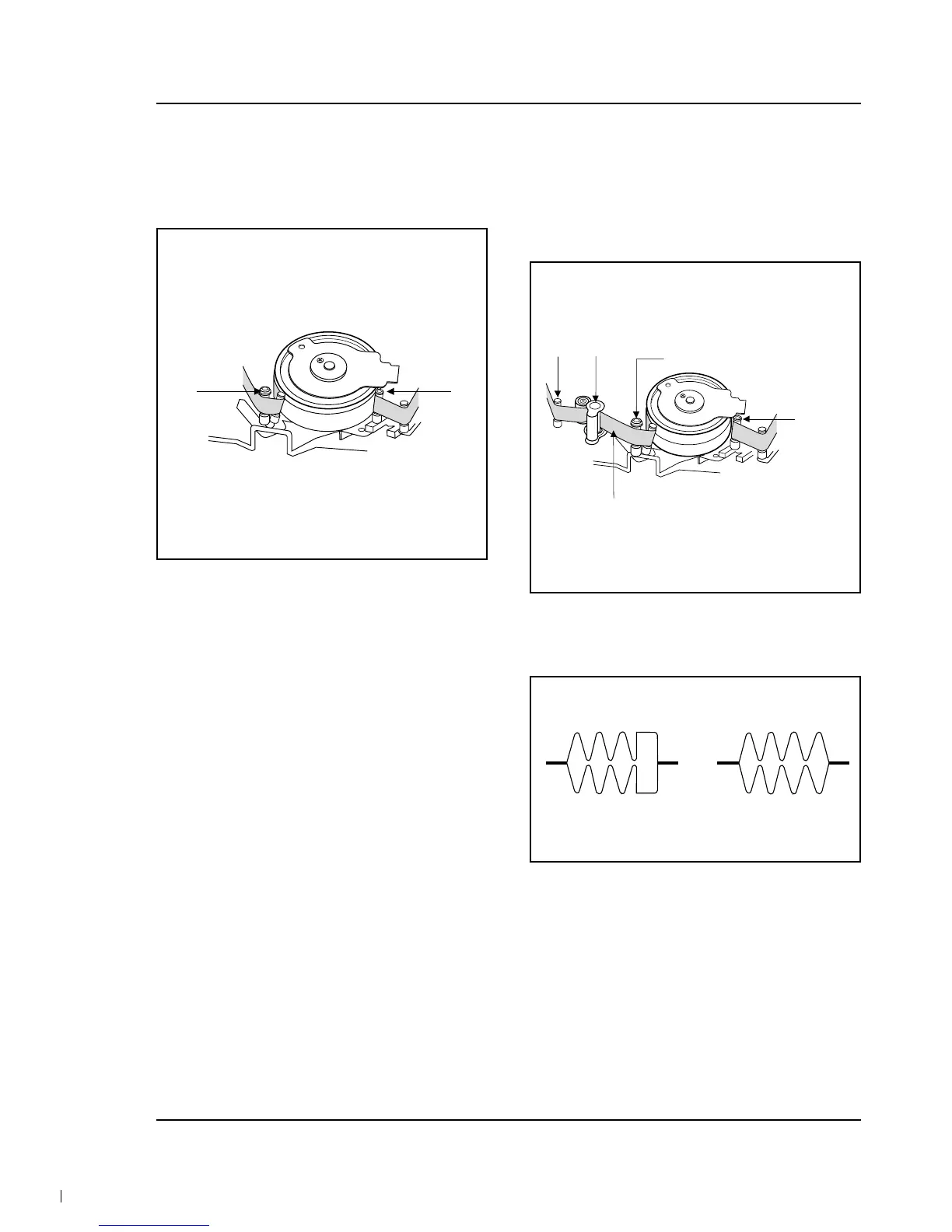
2-5-2 Tracking Adjustment
1. Play back the alignment tape. (Tracking B or C)
2. Turn P2 to flatten the waveform at the inlet.
3. Turn P5 to flatten the waveform at the outlet.
Fig. 2-10
P2P5
2-5-3 Not Adjustment
1. Play back the alignment tape, and confirm that
the tape is not loosened between the Capstan
Motor and Cuide Roller T.
2. Set to REV mode and observe the outlet
waveform of PB RF signal. (Fig. 2-12)
Fig. 2-11
GUIDE
ROLLER
S (P2)
TAPE SHOULD NOT BE
LOOSENED HERE
P7 CAPSTAN
GUIDE ROLLER T (P5)
Fig. 2-12
(NG) (GOOD)



 To Next Page