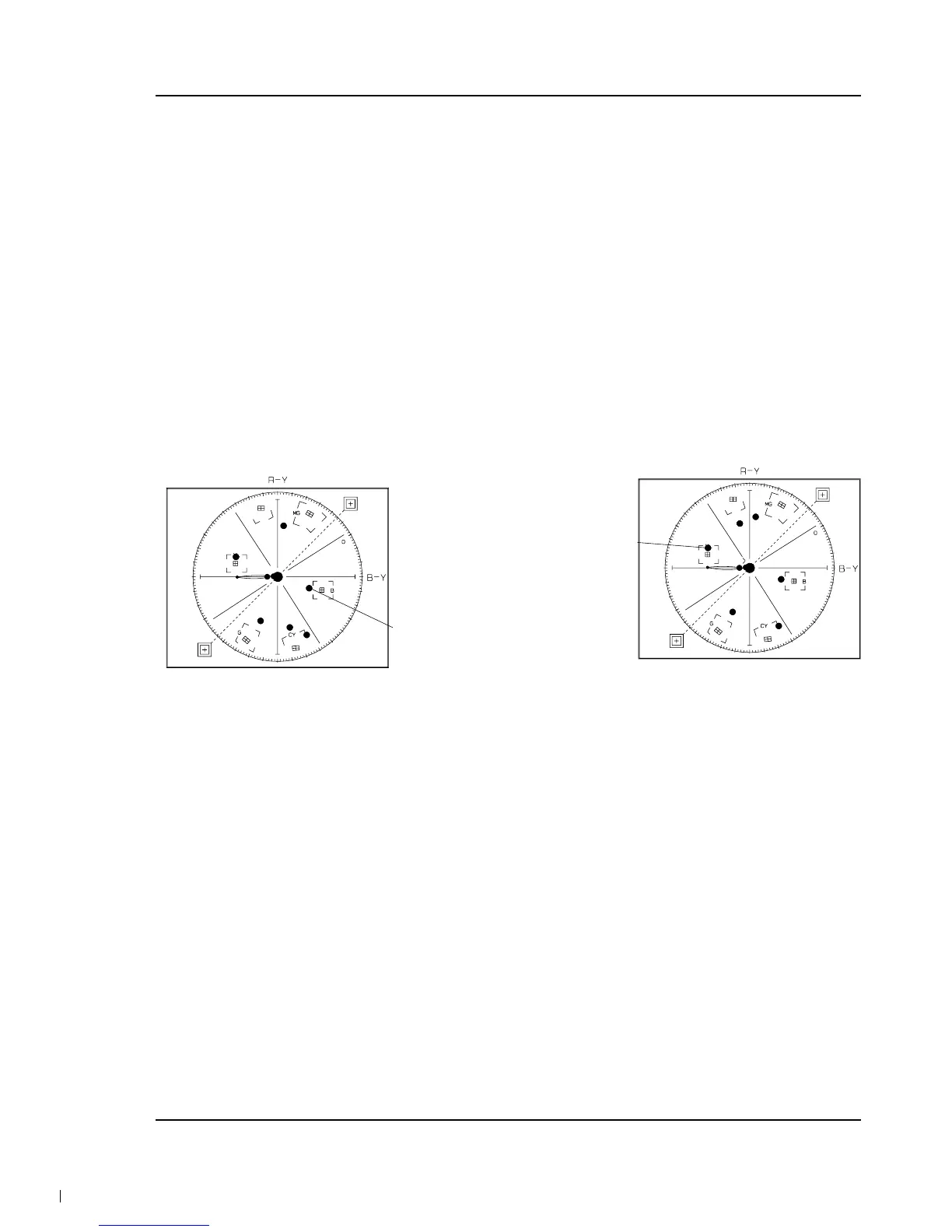
12. B-Cy-Mg Hue
1) Camera “E-E”, 3100°K color bar chart.
2) Video(output) jack and register of EEPROM.
3) Connect video(output) jack to vectorscope
input jack and monitor TV jack respectively.
4) Press the “BLC(MODE UP)/FADE(MODE
DOWN)” button so that the OSD state is “288.
XX XX(High)””289. XX XX(Low)”.
5) Aim the camera at a color bar chart illuminated
at 1500 to 2000 lx.
6) Adjust the “P.AE (DATA UP)/ DSE(DATA
DOWN)” button so that the Blue vector is 346.
7) Be sure to press the “ENTER (CONFIRM)” but-
ton to memorize setting.
Note : Bright dot shifts after the confirm button is
pressed.
(outdoor : 03C, 03D)
13. Ye-G Hue
1) Camera “E-E”, 3100°K color bar chart.
2) Video(output) jack and register of EEPROM.
3) Connect video(output) jack to vectorscope
input jack and monitor TV jack respectively.
4) Press the “BLC(MODE UP)/FADE(MODE
DOWN)” button so that the OSD state is
“28A.XX XX(High)””28B.XX XX(Low)”.
5) Aim the camera at a color bar chart illuminated
at 1500 to 2000 lx.
6) Adjust the “P.AE(DATA UP) /DSE(DATA
DOWN)” button so that the Yellow vector is
165.
7) Be sure to press the “ENTER(CONFIRM)” but-
ton to memorize setting.
Note : Bright dot shifts after the confirm button is
pressed.
(outdoor : 03E, 03F)
Note : Outdoor(5100°K) color Gain & Hue adjust.
- 5100°K color bar (or 3100°K color bar
with CCB12 Filter)
- Restart step 7. prewhite balance(I) ~ step
14. Ye-G Hue.
- The outdoor(5100°K) mode in 034~03F.



 To Next Page