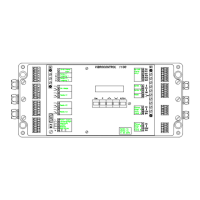
Built-in Operating Panel and Display VC 1100
Version 2 → built-in/VC1100E
4-4 C01 / C02 - C11 / C12 © Schenck VIBRO GmbH, D-64273 Darmstadt, November 97
Parameter value
Parameter number
Indicates:
Parameter value is selectable
A flashing parameter group indicates change of the parameter
value is allowed.
Change the parameter value using the
and
keys.
To save the shown parameter value press
again. The para-
meter group no longer flashes. The new parameter value is in ef-
fect upon exiting to the main menu
.
Step to the next parameter number.
or
Exit "Change Setup Parameters" and return to the main menu.
The microprocessor will automatically start a consistency check for
the new parameter list. This check will generate an error message
if the parameters are not consistent.
Example:
The following parameters I03 Vibration velocity transducer v
J05 Unit of the measured parameter g
Error messages see explanations on page 16.


 To Next Page
 Loading...