11 Mega-800 SCINCO
to page.
In the middle of the screen is the operating area, displaying the measurement result.
At the bottom of the screen is the information indicating area, which allows you to enter parameters.
There are four measurement modes: photometric measurement, spectrum measurement,
quantitative determination and DNA/Protein analysis. Please refer to the following chapters for the
detailed operation procedures.
1.2.5 Keypad
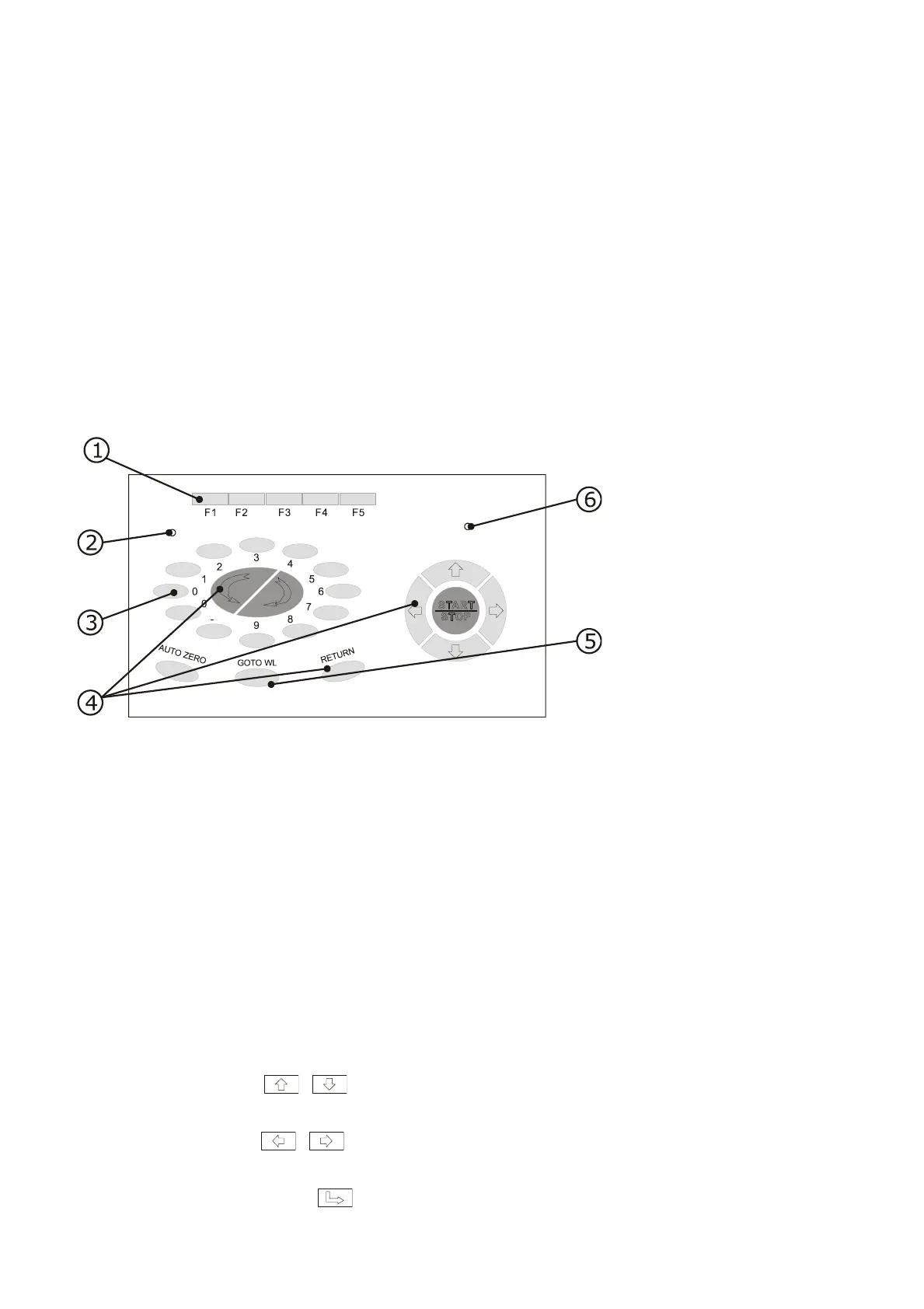
There are altogether 27 soft-touch keys on the keyboard of Mega-800, which are divided into 4
groups. The functions of the keys are described as follows;
Fig. 1.7 Keypad
① Function keys:
The function keys are used to set instrument parameters and to perform operation functions.
When one of the five function keys (F1~F5) is pressed in different working mode, the system
executes the corresponding operation, such as parameters setting, deleting, sample cell
setting, printing and dark current correction etc..
② Display adjustment hole
Used to adjust the contrast of the display with a Φ3(diameter is 3mm)screwdriver.
③ Numeric keys:
Used to input numeric values in parameters setting.
④ Edit keys:
● Cursor keys( , )——Used to shift the cursor up and down while browsing data,
and increase and decrease data while setting time.
● Cursor keys( , )——Used to switch the displayed data while measuring
DNA/Protein, setting time and looking up the data when peak picking.
● Cancel key(“CLE”) ——Used to delete the preceding entries or cancel a certain



 To Next Page