63 Mega-800 SCINCO
Chapter 7 Utilities
This mode allows the user to set the operating parameters, such as lamp changeover wavelength,
spectral bandwidth, tungsten lamp On/Off, deuterium lamp On/Off and wavelength calibration etc..
7.1 Gain access to utilities
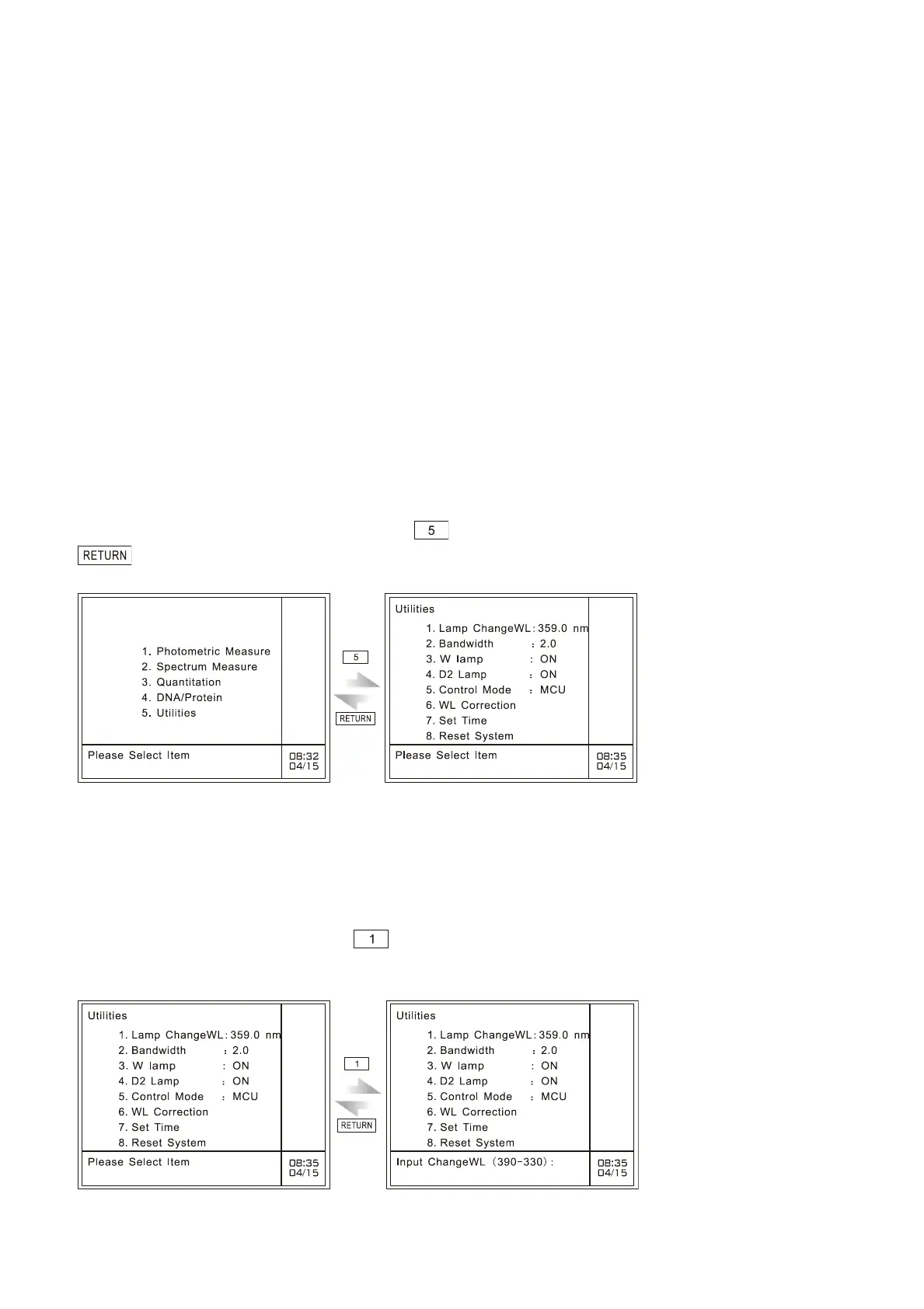
In the case of instrument main menu, press key to gain access to utilities mode, and press
key to return to the instrument main menu, as shown in Fig. 7-1:
Fig. 7.1 Gain access to utilities mode
7.2 Set lamp changeover wavelength
On the main menu of utilities, press key to set lamp changeover wavelength, the page of which
is shown in Fig. 7-2.
Fig. 7.2 Set lamp changeover wavelength



 To Next Page