56 Mega-800 SCINCO
⑤ Indication area for function keys: show the function keys —— . The detailed
functions are shown as follows:
—— Gain access to parameters setting page;
—— Delete measurement data;
—— set sample control;
—— pirntout
In addition, press on this menu can perform baseline correction. Press
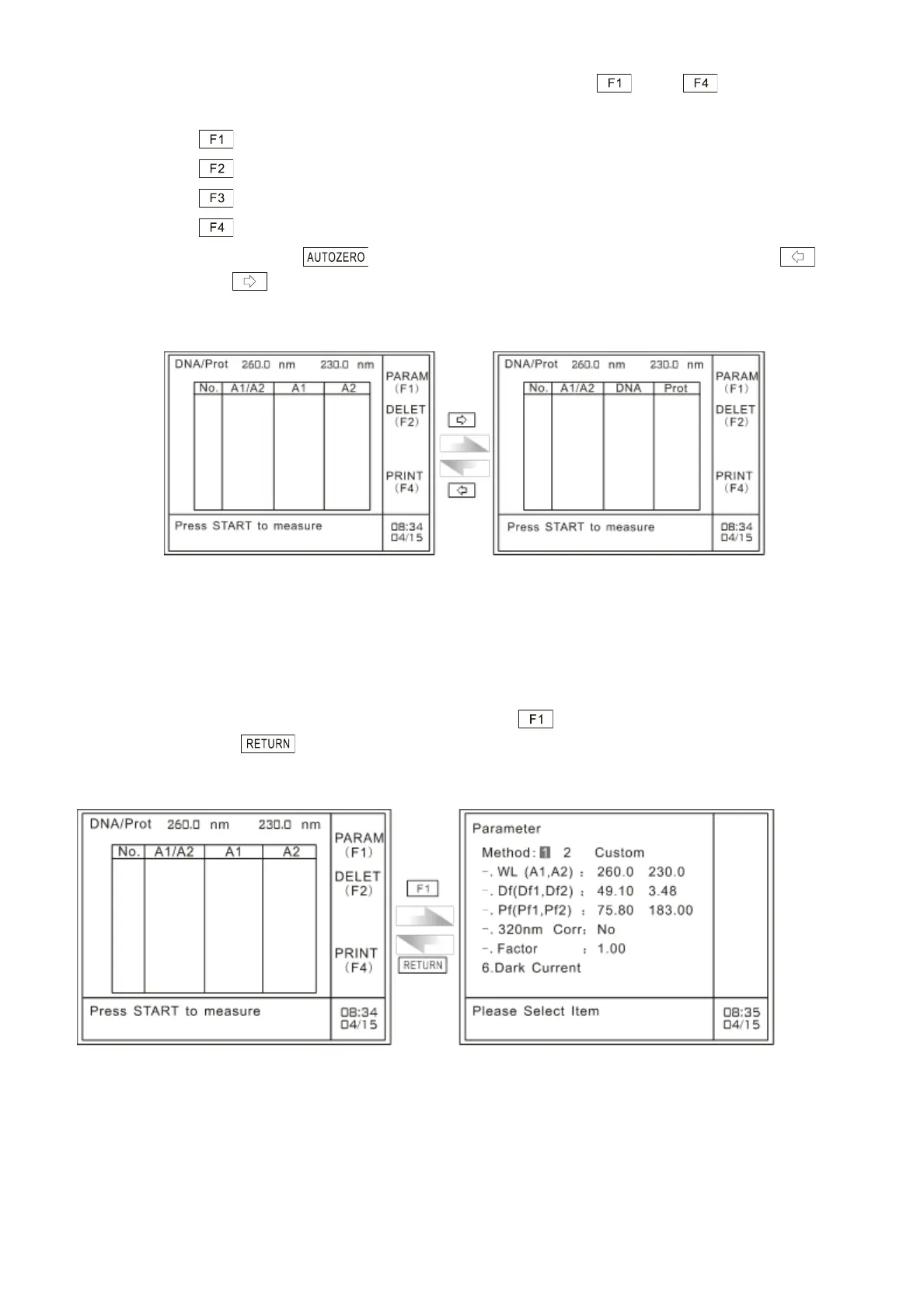
key and key to alternately display A1, A2, DNA concentration, and protein
concentration, as shown in Fig. 6.3:
Fig. 6.3 Results display of DNA/Protein analysis
6.3 Parameters setting
On the main menu of DNA/Protein analysis, please press to gain access to the parameters
setting page. Press to return to the main menu of DNA/Protein analysis, as shown in
Fig.6.4:
Fig. 6.4 Parameters setting page
In the case of parameters setting page of DNA/Protein analysis, the user can select either the preset
methods or the custom defined method. The user also can perform dark current correction on this
page



 To Next Page