34 Mega-800 SCINCO
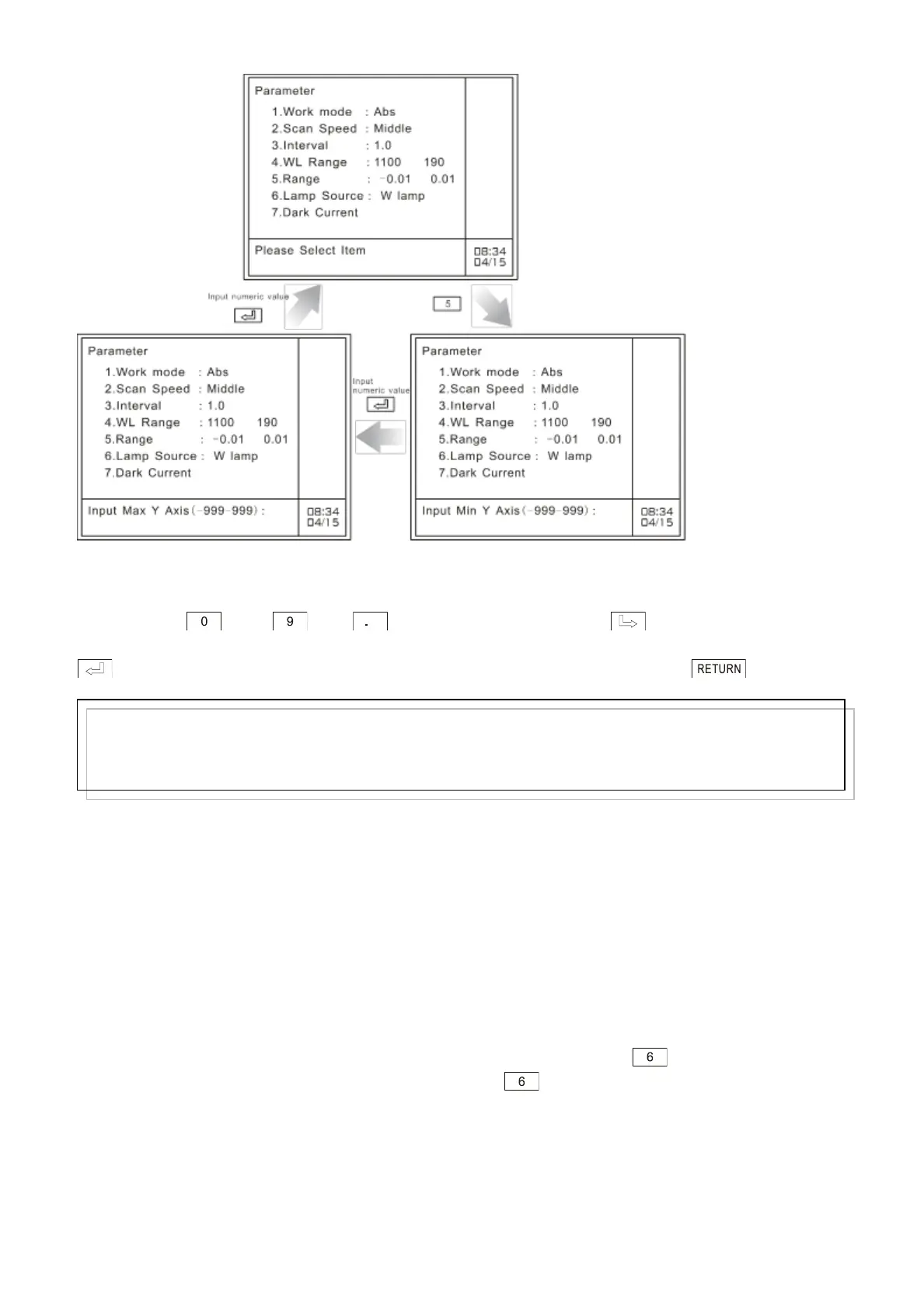
Fig. 4.8 Set ordinate range
At the bottom of this page, the system indicates user to set the lower limit of the ordinate. Press
numeric keys —— and to enter the desired value. Key is used to clear off
the preceding entry. After setting the lower limit, the system indicates user to set the upper limit. Press
key to confirm the numeric entry and quit. If nothing is to be entered, press key to quit
directly. A 5-digit figure entry is allowed. The range is from –9999~9999. If the figure entered exceeds
five digits, the system will delete what has been entered. You should enter it again.
As different photometric modes, the system will remember their ordinate ranges respectively. For
example, you set the ordinate range of Abs to -0.01~0.01. And then you change the photometric
mode to T%, and set its ordinate range to 0~100. But when you change the photometric mode to Abs
again, the ordinate range will also be -0.01~0.01.
4.2.6 Light source selection
In the case of photometric modes Es and Er, you can select light source on your own discretion to
perform spectrum scanning.
You should make sure that the photometric mode is Es or Er, then press key at parameters
setting page to select light source. Each time you press key, the light source will alternate
between tungsten lamp and deuterium lamp, as shown in Fig. 4.9:
Note:
The system accepts integral and decimal, the range of which is –999-999. If the input value exceeds 7
digits (including decimal point and negative sign) or exceeds the range, the system will delete what has
been entered automatically and you should start a new entry again.



 To Next Page