24 Mega-800 SCINCO
3.3.3 No.1 cell blank correction
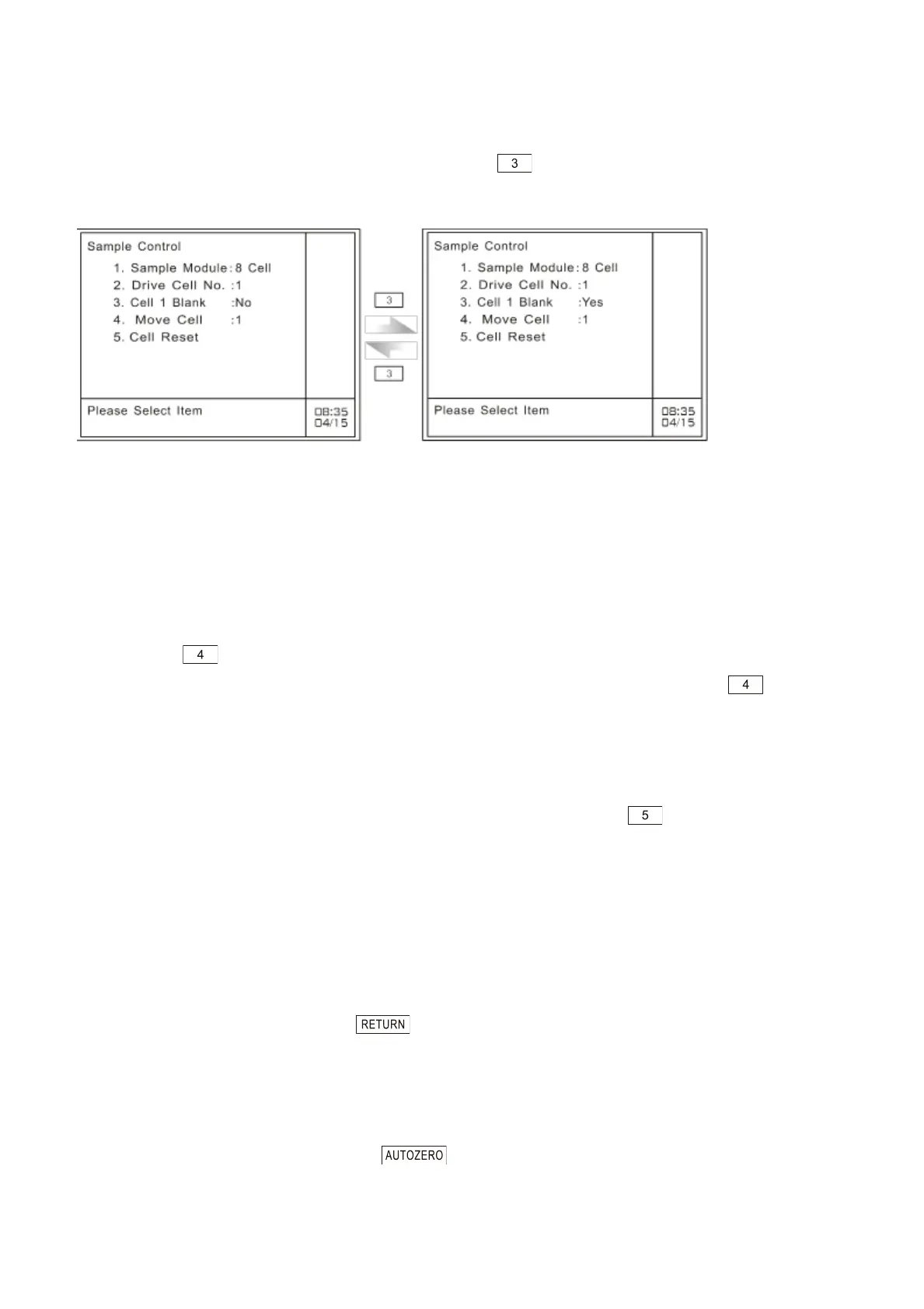
This parameter is used to set whether perform blank correction to No.l cell (only available for 5-cell
changer and 8-cell changer). Each time the user press key, it will change alternately between
―yes‖ and ―no‖, as shown in Fig.3.12.
Fig. 3.12 Set No.1 cell blank correction
This parameter is used to set No. 1 cell blank calibration function, which means to calibrate the
measuring result of the sample in each sample cell (No. 2-8) with that of the blank in the No. 1 cell. In
measurement, the system will deduct the measured value of the blank in No. 1 cell from that of the
samples in the same cell (No.2 ~ No.8), the result of which will be the measuring result.
3.3.4 Sample cell shifting (Move cell)
This option is only available for 5-cell changer and 8-cell changer. In the case of sample control,
please press key to move the cell holder to the next one.
The numeric value of this option means the current cell number. Each time you press key, it will
shift to the next cell. It will reset to No.1 cell till you move to the maximum cell number. The maximum
cell number of 5-cell changer is five, and the maximum cell number of 8-cell changer is eight.
3.3.5 Reset to cell No.1 (Cell reset)
The option is only available for 5-cell changer and 8-cell changer. Press key to reset the cell
changer to sample cell No.1.
3.3.6 Single cell measurement
If the ―Cell Number‖ is set to 1, you can choose any one of cells of the multi-cells changer as the
measuring cell by shifting the cell changer to the preferred position according to the method described
in 3.3.4. Then, the measurement is only being done to the chosen cell.
3.3.7 Quit sample control
In the case of sample control, press key to return to the main menu of photometric mode, as
shown in Fig. 3.3.
3.4 Auto zero (100T% correction)
In the case of photometric mode, press key to set Abs zero at current wavelength.
Please put blank before you perform correction



 To Next Page