16 Mega-800 SCINCO
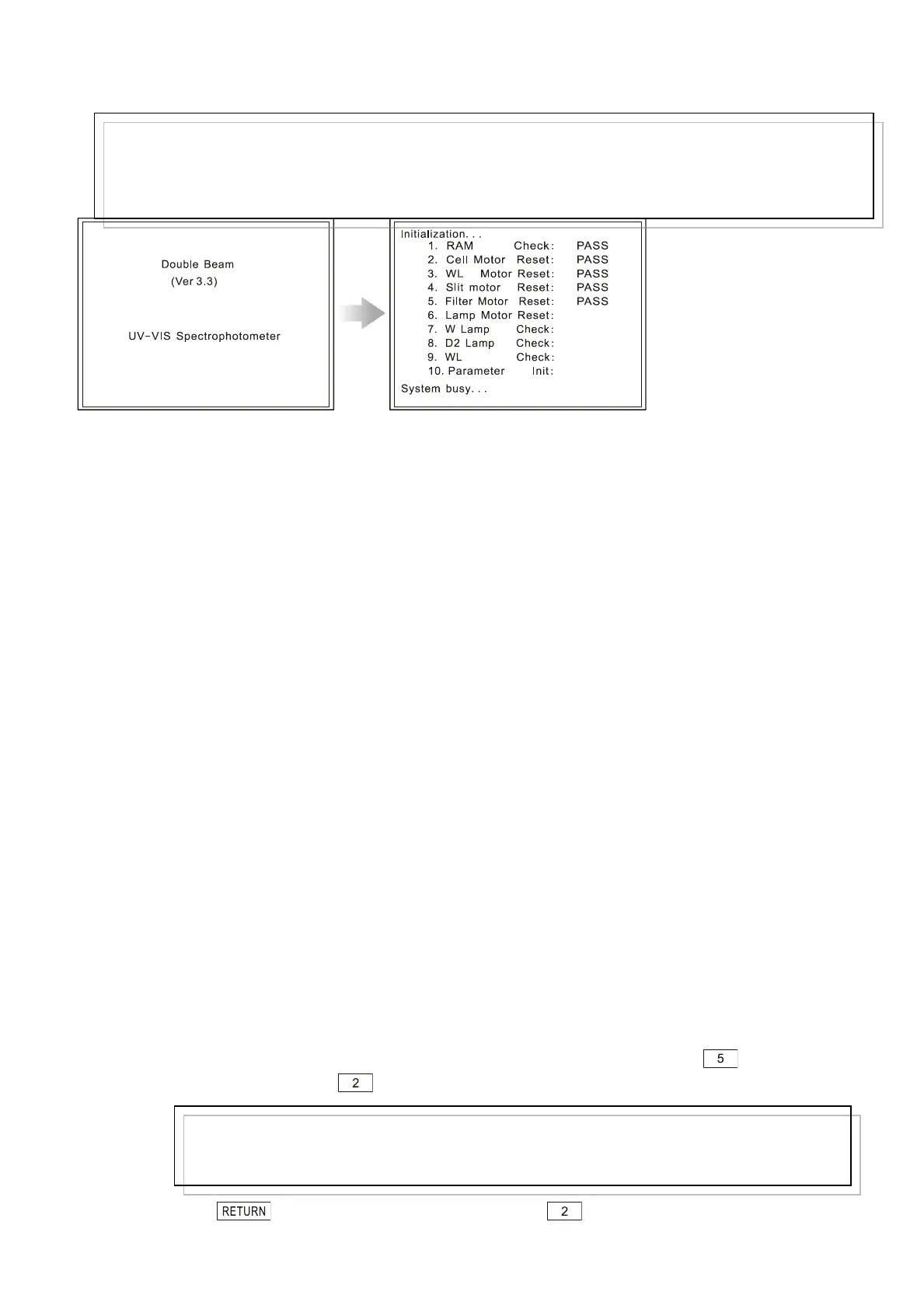
A: Instrument information B: Initialization menu
Fig. 2.3 Initialization
After finishing initialization, you can operate the instrument. To ensure the measurement data
accuracy, 15 to 30 minutes are needed to preheat the instrument. Then, you can start measurement.
After measurement, first turn off the power of the instrument, then turn off the printer power, and then
turn off other appliances, such as the regulator.
When connecting to PC, first switch on the power of the instrument, then the PC power. Run the
software after the computer finishes starting. If the instrument can work both in MPU mode and PC
mode, you should select PC mode in the menu of utilities(please refer to―7.6 Set control mode‖)and
then run software.
2.4 Performance Check
After installation, you need to check the performance and main specifications of the instrument. And
you should check the instrument periodically to ensure its performance meet the requirements. The
performance check, as described in the following paragraphs, should be done after 30-
minutes’preheat time.
2.4.1 Wavelength accuracy and reproducibility
The wavelength accuracy should be ±0.3nm,and the wavelength reproducibility should be 0.2nm
(Please refer to―1.4 Specifications‖). You can use two characteristic beams radiated by the deuterium
lamp to check them. The detailed methods are shown as following (please refer to software instruction
manual when connected with PC):
① Make sure the spectral bandwidth is―2.0nm‖. After initialization, press gain access
the utilities, and press to asset the slit ―2.0nm’.
② Press to return to the main menu,press to select photometric
Note:
If the initialization fails, please first check whether there is light shield in the sample compartment. Then
restart the instrument. If the instrument still can’t initialize normally, please contact your local dealer.
Note:
It is not necessary to set slit if the instrument is of fixed slit. Only the instrument with variable slits
should be set.



 To Next Page