12 Mega-800 SCINCO
operation.
● Enter key(“ENTER”) ——Used to confirm and execute the current function, or to end
the parameters setting and quit.
● Return key ——Used to quit the current function and return to the preceding page.
⑤ Operation keys:
● Auto zero key : Used to set ABS zero (transmittance 100%).
In the photometric mode and the quantitative mode, set ABS zero only
at current wavelength. In spectrum mode, performs baseline calibration
in the set wavelength range.
● Wavelength set key : Used to set current wavelength.
● Start/Stop key : Used to start or stop a measurement.
⑥ Indicator lamp: Indicate the power supply
1.2.6 Sample cell holder
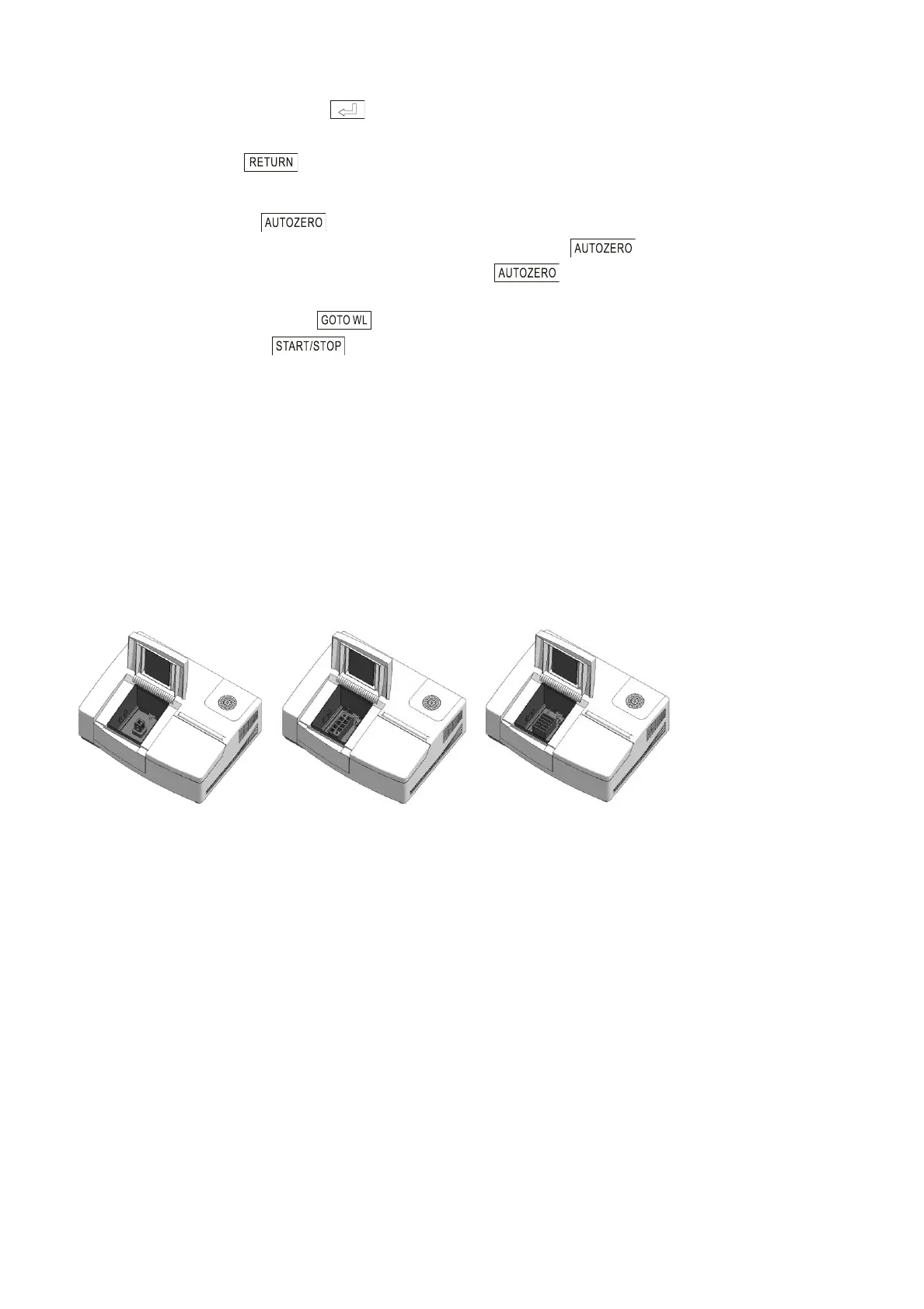
The sample cell holder is configured according to the user’s requirements. The general
configurations are fixed cell holder, 8-cell changer, and 5-cell changer. We can also provide you
multiple kinds of sample cell holders for your selection. Please refer to ―chapter eight Accessories‖
for the detailed information.
The following figure 1.8 shows three kinds of sample cell holders, which are used as standard
configuration.
A: Fixed cell holder B: 8-cell changer C: 5-cell changer
Fig. 1.8 Frequently used cell holders
A. Fixed cell holder:
As shown in 1.8A, it is the most frequently used cell holder, having only one standard cell. It
can only measure one sample each time.
B. 8-cell changer:
As shown in 1.8B, it has eight standard cells to measure maximum 8 samples
simultaneously. It completes measurement automatically, which greatly improves work
efficiency.
C. 5-cell changer:
As shown in 1.8C, it has five custom defined cells to measure maximum 5 samples
simultaneously. You can put samples in the standard cells or long-pathlength holder. Please
refer to the 5-cell changer instruction manual for the detailed information. It also completes
measurement automatically.



 To Next Page