21 Mega-800 SCINCO
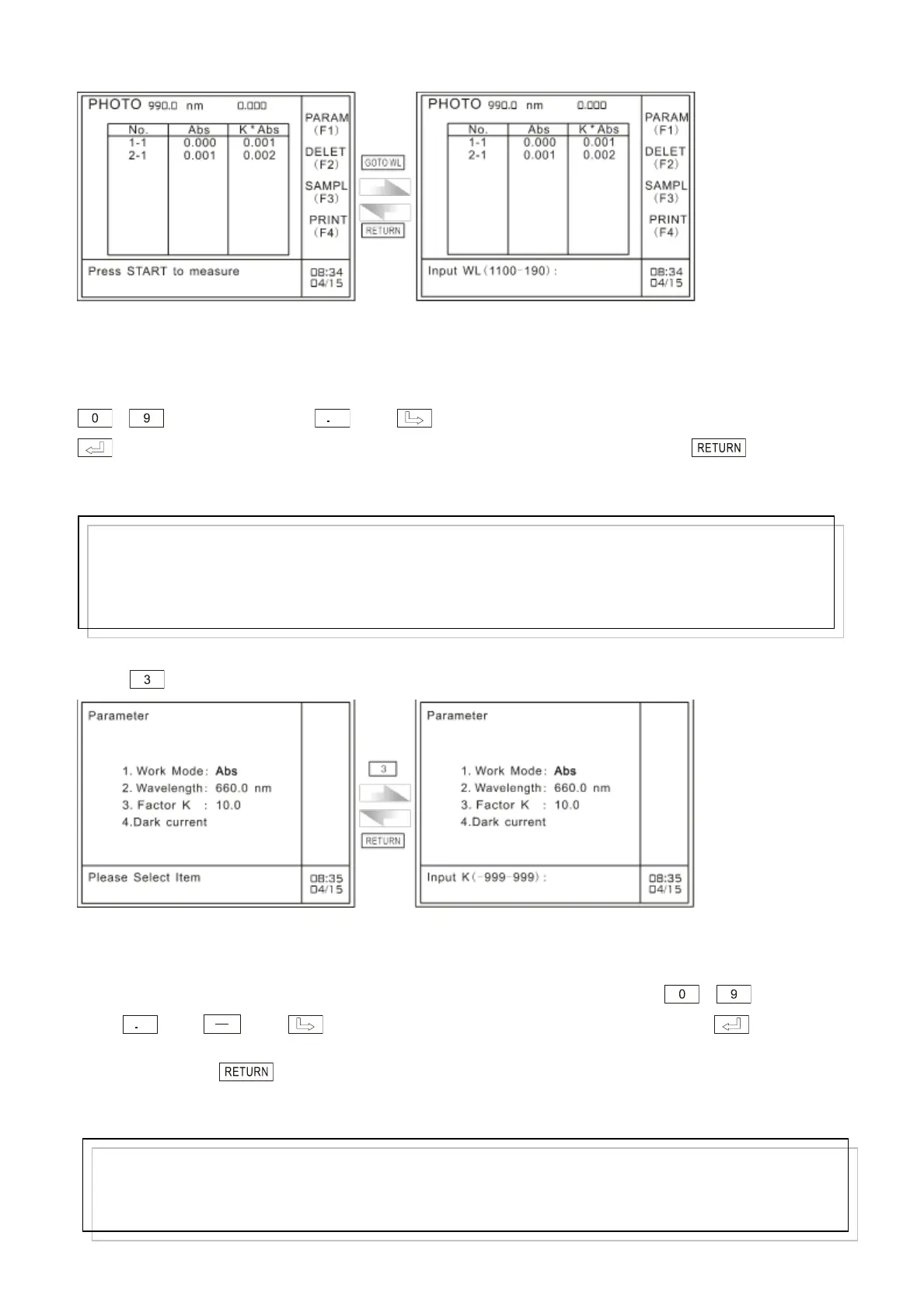
A: Photometric mode menu B: Wavelength setting menu
Fig. 3.6 Wavelength setting page in photometric mode (2)
At the bottom of this page, enter the desired wavelength value by pressing the numeric keys
― and decimal point . The key is used to clear off the preceding entry. Press
key to confirm the numeric entry and quit. If nothing is to be entered, press key to quit
this page and return to photometric mode menu.
3.2.3 Set K factor
Press key to set K factor in photometric mode, as shown in Fig.3.7:
A: Parameters setting B: K factor setting page
Fig. 3.7 K factor setting page
At the bottom of this page, enter K factor value by pressing the numeric keys ― , decimal
point and . The key is used to clear off the preceding entry. Press key to
confirm the numeric entry and return to parameters setting page in photometric mode. If nothing is to
be entered, press key to quit this page and return to parameters setting page in photometric
mode.
Note:
The input wavelength value should be an integer value or with one digit precision. The range is from
190 to 1100. If the input value exceeds 6 digits (including decimal point) or exceeds the range, the system
will delete what has been entered automatically and you should start a new entry again.
Note:
The input K factor should be an integer value or a decimal fraction. The range is from 190 to 1100. If
the input value exceeds 6 digits (including decimal point and negative sign) or exceeds the range, the
system will delete what has been entered automatically and you should start a new entry again.



 To Next Page