37 Mega-800 SCINCO
Press key to confirm. If nothing is to be entered, press key to quit directly.
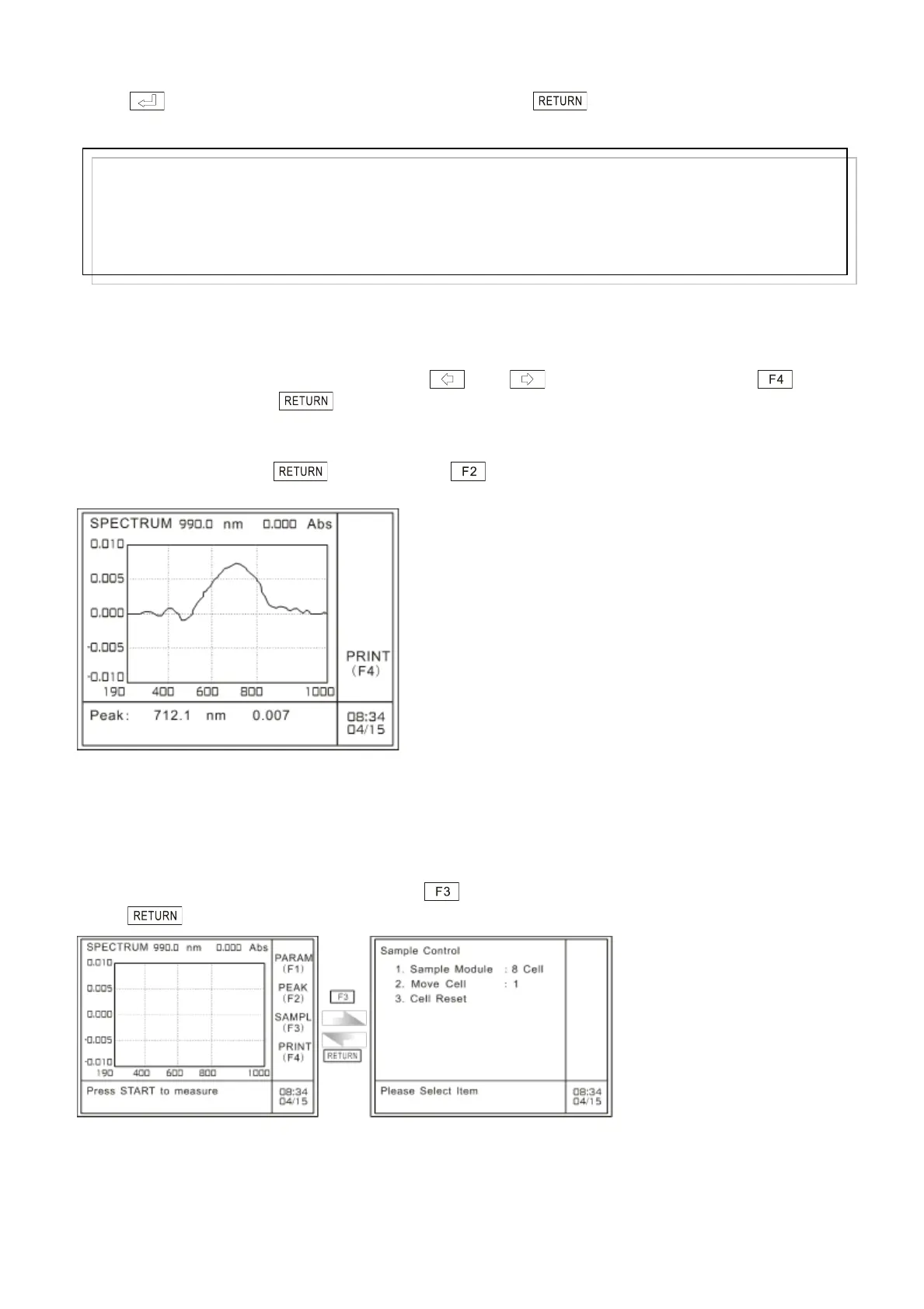
After the threshold value entered, the system will start peak-picking calculation and the calculated
result will be displayed on the screen, as shown in Fig. 4.13.
After peak picking, you can move cursor keys and to check the peaks. Press to
print the result, and press to return to the main menu of spectrum mode.
If the threshold value in the information indication area is 0.000nm 0.000, it means the system haven’t
detected the peak, press key and press key to input a smaller threshold value, and
then perform peak picking again.
Fig. 4.13 Peak picking
4.6 Sample control
In the case of spectrum measurement, press to gain access to the sample control mode, and
press to return to the spectrum main menu, as shown in the following picture:
Fig. 4.14 select sample module
Note:
The sample control is used when the user uses multi-cell measurement. Please refer to the following
Note:
The threshold value, shown as percentage, is also the minium detection limit. The system can detect
whether the spectrum is beyond the setup threshold value.
The system can accept integral and decimal as threshold value, the range of which is 0.1-100. If the
input value exceeds 4 digits (including decimal point and negative sign) or exceeds the range, the system
will delete what has been entered automatically and you should start a new entry again.



 To Next Page