36 Mega-800 SCINCO
4.4 Measurement
First set up parameters and perform baseline correction, then put the sample cell into the cell holder,
press to start spectrum scanning. The measured spectrum will be displayed dynamically.
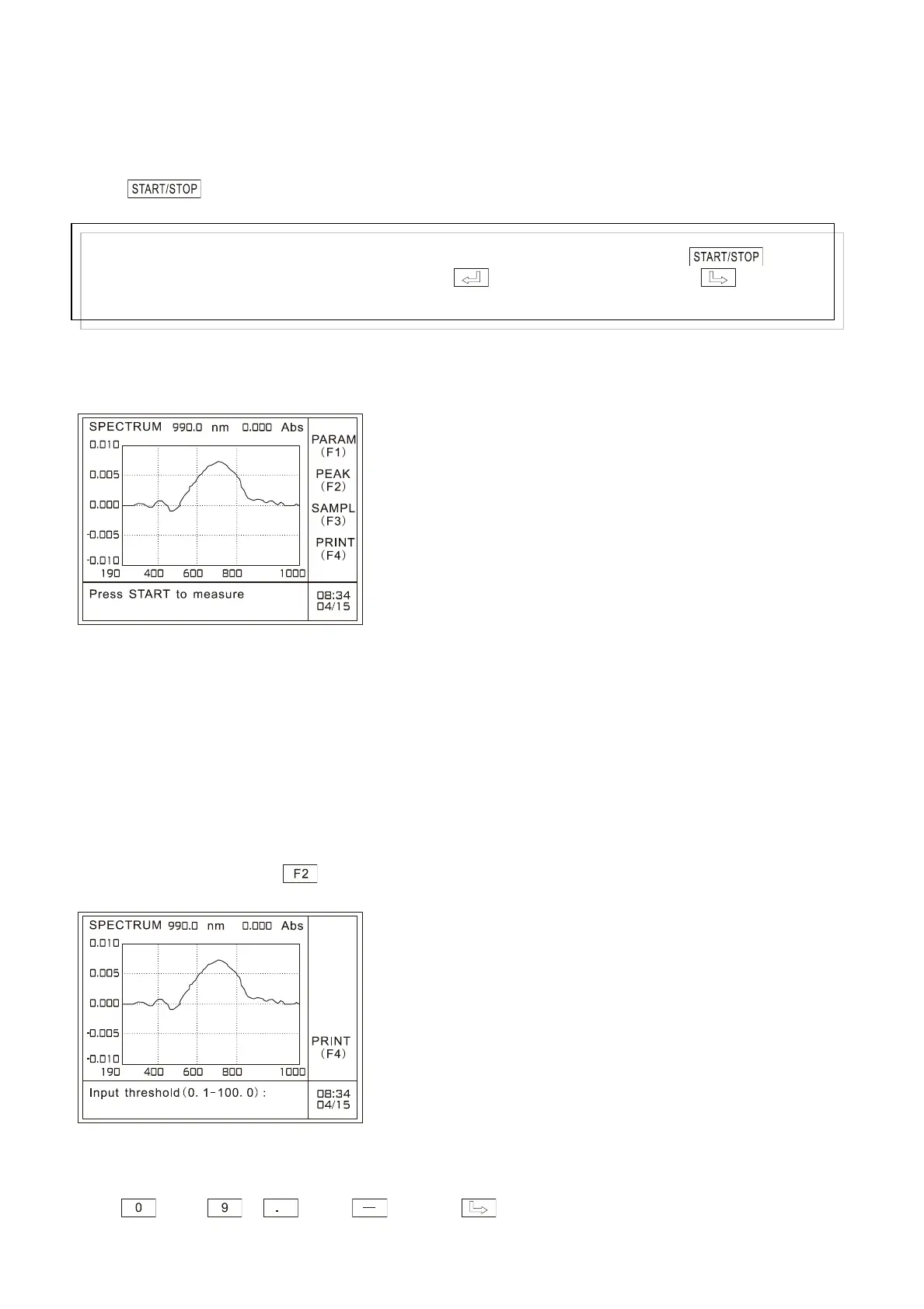
When the system prompts you with the information ―Press START to measure‖, it means the
measurement has finished, as shown in Fig. 4.11 (take Abs for example):
Fig. 4.11 Spectrum scanning page
The abscissa in the figure above means wavelength range from 1000nm to 190nm, and the ordinate
range means absorbance value from –0.010 to 0.010.
4.5 Peak picking
After measurement, press to perform peak picking on the main menu of spectrum scanning, as
shown in Fig. 4.12:
Fig. 4.12 Peak picking page
At the bottom of this page, enter the threshold value of picked peaks/valleys by pressing the numeric
keys —— , and . Press to clear off the preceding entry.
Note:
In the case of “Es”and“Er”, the system will prompt you to input gain when pressing key. The
range is 1-15. Input your preferred gain and press to start measurement. Press to delete the
entry.



 To Next Page