15 Mega-800 SCINCO
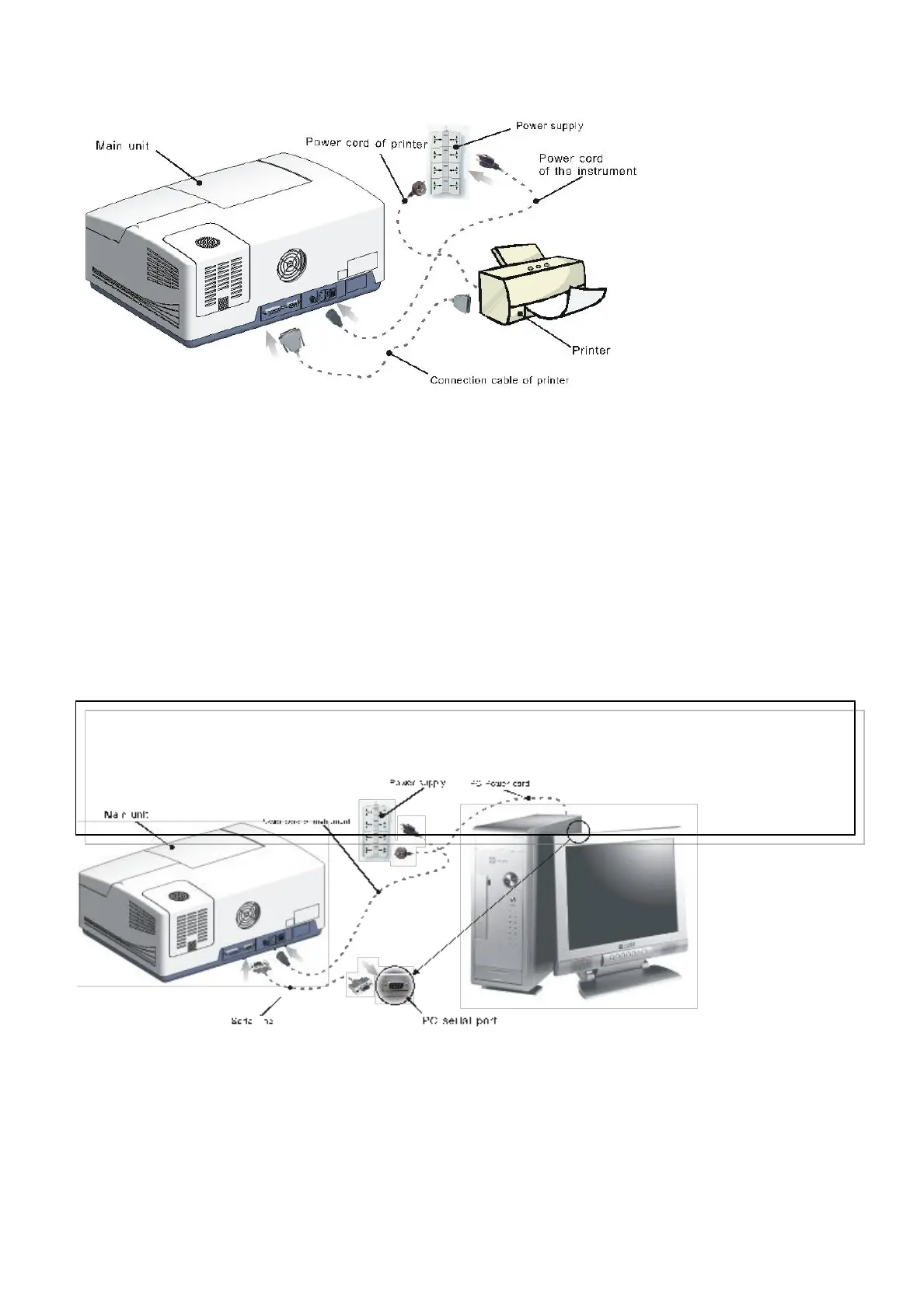
Fig. 2.1 Installation scheme
2.2.2 Connect the instrument to PC
Some models of Mega-800 UV-VIS Spectrophotometers can be connected to PC. The connection
scheme is shown as following figure 2.2. Plug one end of the communication cable with serial
interface into the instrument RS232 interface (serial port). Plug the other end into the PC RS232
interface (serial port). The two ends of the communication cable are the same.
Connect all the cables firmly by locking the screw on the plugs. Plug in the power cords of
spectrophotometer and the PC to the mains power.
2.3 Turning on the instrument
After confirming that there is no light shield in the sample compartment, turn on the power switch
of the main unit and then the printer (if there is). The instrument information will appear. Then the
initialization page will be displayed on the LCD. The instrument starts self-checking and
initialization. This process will take about 3 minutes. After initialization, the system displays the
instrument main menu, as shown in Fig.1.6A
Note:
1. Make sure the power supply is AC 110V/220V, 50HZ/60Hz before plugging the power cords of the instrument and
the printer. For the voltage, 10% fluctuation is allowed. The instrument can’t work normally if the power supply is out of
range. High voltage may cause damage to the instrument.
2. Do not insert or pull out the communication cable when the instrument is on, otherwise it may destroy the instrument
and the PC.



 To Next Page